
Step into the world of Last Epoch without worrying about internet hiccups or server downtime. Whether you’re battling through dungeons on a shaky connection or simply crave uninterrupted solo play, Last Epoch’s offline mode lets you dive deep into its rich ARPG experience anytime, anywhere. Discover how to toggle between online and offline modes, keep your progress safe, and enjoy faster load times-all without sacrificing your loot grind.
What is offline mode in Last Epoch?
Offline mode in Last Epoch allows players to enjoy the game without a constant internet connection, offering two distinct options: Play Offline and True Offline. Play Offline is accessed from the main menu and requires an initial internet connection to log in, but disables co-op and trading while still allowing game chat if connected. True Offline, selected through Steam’s launch options, requires no internet connection at all and disables chat, trading, and multiplayer features entirely. Characters created in offline modes cannot be transferred to online play, and offline mode enables pausing the game anytime, reduces load times, and improves input responsiveness, making it ideal for solo players seeking a smooth, uninterrupted experience without server dependency.
Offline mode in Last Epoch is exactly what it sounds like: It allows you to play the game without needing to connect to the servers. This is awesome when the game’s servers are experiencing instability (as has been common in the immediate wake of its late February 1.0 release). It’s also a useful tool if you find yourself without internet access for a long period of time.
However, offline mode does limit you in some very serious ways. Most notably, offline mode is a permanent decision you make at character creation. You can’t toggle a character online or offline – an offline character is offline forever. That means you can never use that character to play in groups with others.
How to play Last Epoch offline
To play Last Epoch offline, you have two main options. First, you can launch the game through Steam in “True Offline” mode by right-clicking the game in your library, selecting Properties, and setting the launch option to “Play Full Offline.” This mode requires no internet connection after initial Steam authentication and disables multiplayer, trading, and chat features. Second, you can start the game online, then toggle offline mode at the character select screen, allowing you to play offline characters while still having some limited chat functionality if your internet remains active. Note that offline characters cannot be transferred to online play, and offline mode lets you pause the game anytime and enjoy faster load times and more responsive combat.
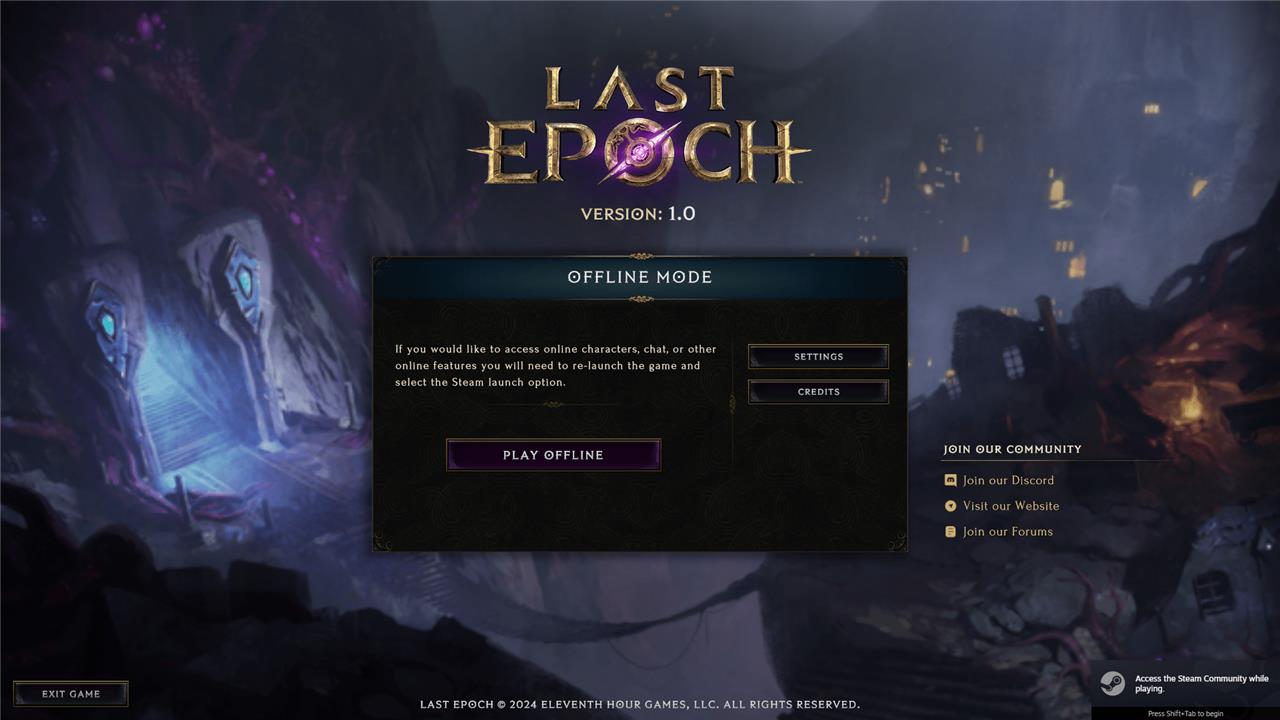
In terms of activating offline mode, you have two options.
First you can launch the game in offline mode. This is an option you can select when you press “play” on Steam. Playing offline this way means you can bypass the login at the beginning, but you won’t be able to toggle between the two modes without relaunching the game.
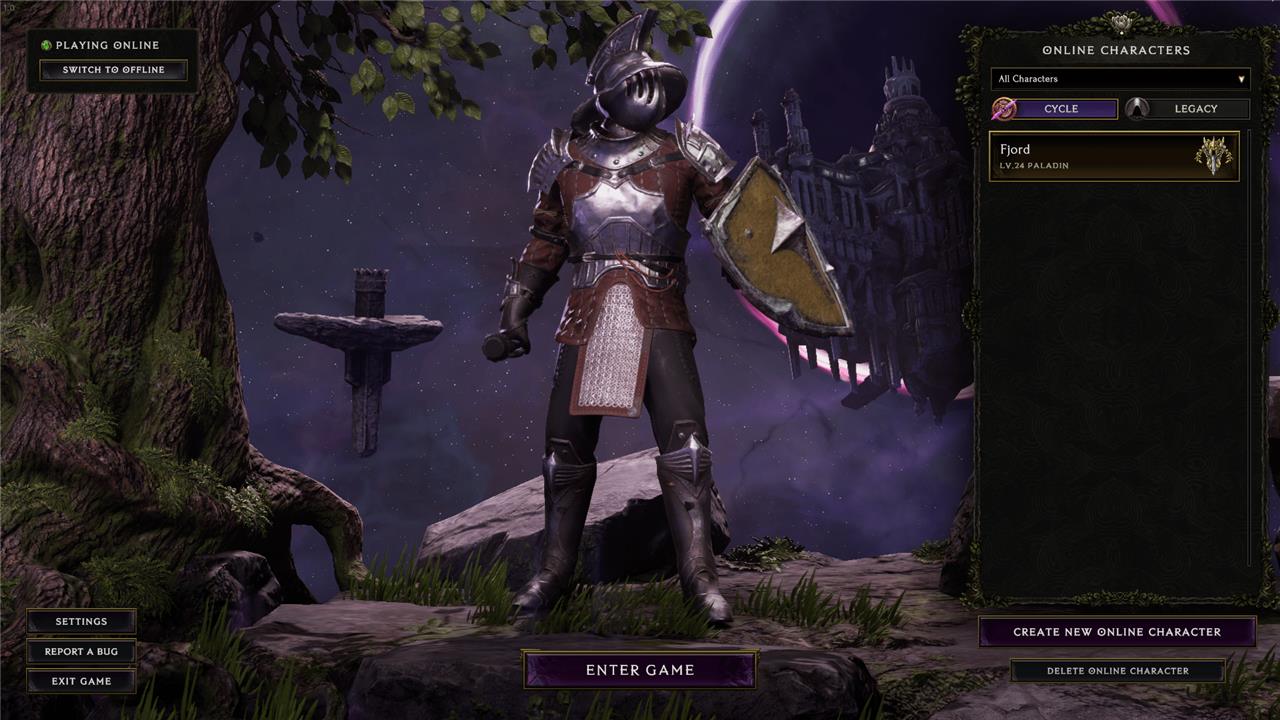
The other option is a little more convenient, but requires an internet connection when you first boot up the game. In the character select screen, you’ll see an offline toggle at the top left part of the screen. Simply toggle that switch to “offline” and you’ll see your list of offline characters. If you turn on offline mode this way, you can still use the chat feature in-game to talk to friends – assuming you maintain an internet connection.
How can I ensure a seamless offline experience in Last Epoch
To ensure a seamless offline experience in Last Epoch, follow these key steps:
-
Choose the right offline mode: Last Epoch offers two offline modes-Play Offline and True Offline. Play Offline requires an internet connection only at login and allows limited chat, while True Offline requires no internet at all but disables chat, trading, and co-op features.
-
Keep your game updated: Before playing offline, make sure your game is fully updated to avoid bugs or missing content that could disrupt gameplay.
-
Understand character restrictions: Characters created in offline modes cannot be transferred to online play and vice versa. Stick to one mode per character to avoid losing progress.
-
Take advantage of offline benefits: Offline play lets you pause anytime, reduces load times, and improves input responsiveness, making combat feel smoother and faster.
-
Prepare for limited multiplayer features: Offline mode disables co-op, trading, and player invites, so plan your gameplay accordingly if you rely on social features.
-
Use Steam’s offline launch option for true offline play: If you want to play without any internet connection, launch Last Epoch via Steam’s “Play Full Offline” option to avoid login requirements.
-
Consider device compatibility: Offline mode works well on portable devices like the Steam Deck, enabling uninterrupted play during travel or in areas with poor connectivity.
By selecting the appropriate offline mode, updating your game, and understanding the trade-offs, you can enjoy a smooth, responsive, and uninterrupted Last Epoch experience without internet dependency.
How can I minimize load times and input latency offline in Last Epoch
To minimize load times and input latency while playing Last Epoch offline, consider these strategies:
-
Play in offline mode: Offline play inherently reduces load times and input latency compared to online mode, making combat feel more responsive and zone transitions faster.
-
Use True Offline mode: Launch the game with Steam’s “Play Full Offline” option to avoid any background server communication that might cause delays.
-
Optimize in-game graphics settings: Set display mode to Fullscreen or Borderless Windowed, disable VSync to reduce input lag, cap frame rate slightly above your monitor’s refresh rate, and lower or disable demanding effects like shadows, volumetrics, and reflections to improve frame stability and responsiveness.
-
Adjust Windows settings for gaming: Disable the Windows Game Bar, enable Game Mode, and optimize graphics settings for best performance to reduce background resource usage and improve input latency.
-
Set Last Epoch process priority to high: This ensures the game gets more CPU resources, reducing stutter and input delay.
-
Avoid network-related lag: Since offline mode removes network latency, playing offline naturally avoids input lag caused by server communication, especially for projectile skills which are more affected by lag in online mode.
By combining offline mode with proper graphics and system optimizations, you can achieve significantly faster load times and near-instant input responsiveness in Last Epoch.
