
Unlocking the secrets of Starfield’s Boost Pack transforms planetary exploration from a cautious trek into a thrilling aerial adventure. With just a single skill point and the right equipment, you can soar above alien landscapes, dodge deadly attacks, and reach otherwise inaccessible heights-turning your journey through the stars into a high-flying escapade. Whether you’re navigating toxic environments or low-gravity moons, mastering the Boost Pack is your ticket to moving with unprecedented freedom and style across the cosmos.
One of your primary pieces of gear is your pack – a backpack oxygen tank thing that has different buffs and effects on it. Chances are, if you have the Constellation Pack pre-order bonus, this will be one of the first packs you own with the boost pack perk attached – and so you’ll want to make the most of it as soon as possible.
How to use the boost pack in Starfield
To use the boost pack in Starfield, you first need to equip a boost pack and unlock the Boost Pack Training skill in the skill tree, which costs one skill point. Once unlocked, activate the boost by pressing the jump button (space bar on PC or Y on Xbox) twice in quick succession while in mid-air. This will propel your character forward or upward, allowing for higher jumps and enhanced mobility, especially useful in low-gravity environments and combat situations. The boost pack consumes fuel, visible on your HUD, which can be managed and extended by upgrading the Boost Pack Training skill. Boost packs can be found, bought, or upgraded at spacesuit workbenches to improve their efficiency and power.
To use the boost pack in Starfield, you must have the Boost Pack Training skill. If you don’t take this skill, your pack a regular ol’ backpack oxygen tank thing with buffs.
After taking at least one rank of Boost Pack Training in the Tech skill tree, you can start boosting by pressing jump twice when you have a pack equipped. Though there are multiple ranks, you need at least one to just boost jump at all.
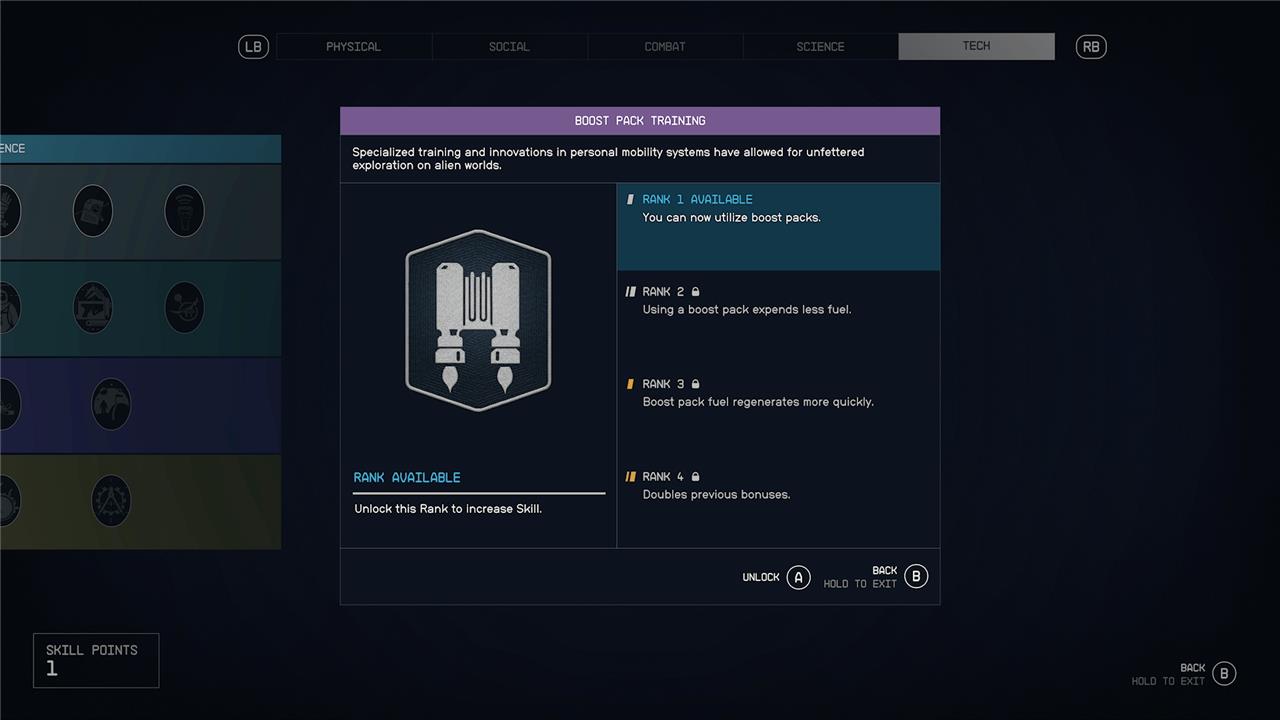
At higher ranks, the boost pack will use consume less fuel and regenerate its faster. Fuel isn’t a real tangible resource that you have to fill or find – it just regenerates quickly over time when you’re not using it.
Where to find boost packs in Starfield
In Starfield, you can find boost packs primarily by completing the main mission “One Small Step,” where you receive one as a reward after meeting Barrett and joining the Constellation at The Lodge in New Atlantis. Alternatively, boost packs can be looted from defeated Crimson Fleet bandits during early encounters, though this method is less reliable due to randomized drops. Additionally, boost packs can be crafted or upgraded at Spacesuit Workbenches found in safe locations. Some can also be purchased from vendors like Jemison Mercantile. To use a boost pack, you must unlock the Boost Pack Training skill, which allows you to activate the jetpack mid-air for enhanced mobility across planets.
You can find packs with the “basic boost pack” ability in tons of different places. You get the Constellation Pack (which has basic boost pack functionality) as a reward for completing early main quests.
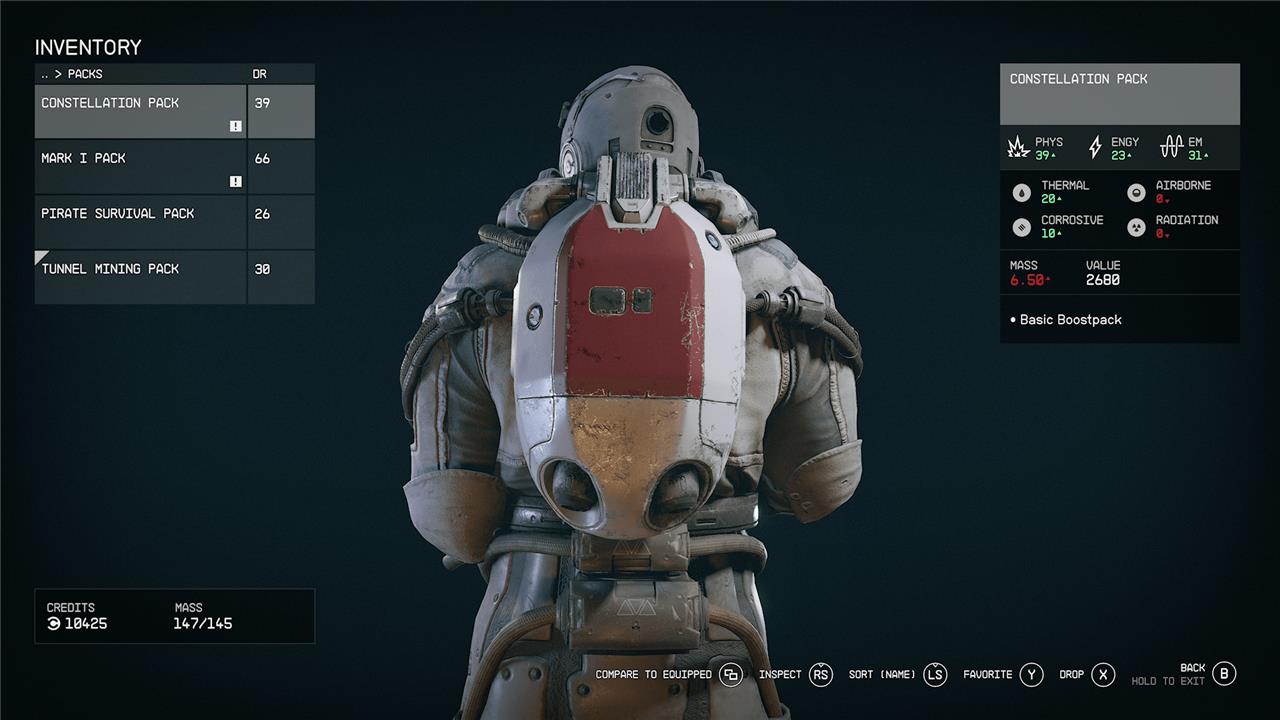
We also found a ton of packs with the basic boost pack ability from just looting space pirates and other baddies pretty soon after starting the game. But the basic boost pack isn’t the only type of pack that functions like a jetpack. You can also find these, or apply them to your packs at spacesuit workbenches:
- Skip capacity boost pack: Comes with a shorter but more intense boost.
- Power boost pack: More powerful than other boost packs, but devours your fuel.
- Balanced boost pack: This is just a slightly more powerful version of the basic boost pack.
You can check on your packs by opening your inventory, selecting the Packs submenu, and then hovering over each to see which has boost pack abilities. Note that not every pack has the ability to be used as a boost pack.
What secret techniques unlock the full potential of Starfield’s boost packs
Secret Techniques to Unlock the Full Potential of Starfield’s Boost Packs
-
Unlock the Boost Pack Training Skill
The essential first step is to invest one Skill Point in the Boost Pack Training skill under the Science category. This unlocks the boost functionality, allowing you to perform boost jumps by pressing jump twice (space bar on PC or Y on controller). Ranking up this skill improves fuel efficiency and regeneration, doubling these benefits at the highest rank. -
Use the Alternative Jump Key Binding on PC
A hidden mechanic involves changing the alternative jump key binding from spacebar to another key (e.g., left Alt). This unlocks a secret boost mode that propels you much farther horizontally than the normal boost, drastically increasing your travel speed and maneuverability on foot. This technique works with most boost packs except the Power Boost Pack, which mainly provides vertical thrust. -
Choose the Right Boost Pack Type
-
Skip Boost Pack: Offers efficient, medium-height bursts ideal for fast horizontal travel and safe descent from heights. It is considered the fastest for long-distance traversal, especially when combined with the alternative boost key.
-
Power Boost Pack: Focuses on vertical thrust to reach inaccessible heights but is less effective for horizontal speed.
-
Balanced Boost Pack: Provides a middle ground between power and efficiency.
-
-
Combine Boost Packs with AMP (Advanced Mobility Protocol)
Using AMP alongside boost packs further increases your travel speed, especially in normal gravity environments, reducing the time to cover large distances. -
Utilize Boosting in Combat
Boosting while shooting enemies not only helps rank up the Boost Pack Training skill faster but also improves your combat mobility, allowing you to dodge and reposition quickly.
By mastering these techniques-skill investment, keybinding tweaks, selecting the optimal boost pack, and combining with AMP-you unlock the full potential of Starfield’s Boost Packs, transforming exploration and combat into a swift, exhilarating experience.
How does changing the jump key binding unlock hidden boost pack features
Changing the jump key binding in Starfield unlocks a hidden boost mode that can significantly enhance your movement capabilities. By assigning an alternative key to the jump function, players can achieve a much farther horizontal boost compared to the regular, mostly vertical boost obtained by pressing the standard jump key twice.
Here’s how it works:
-
Alternative Key Binding: In the game’s settings, add another keybind for the Jump function, different from the default (Spacebar on PC). Many players find that the “Alt” key works well.
-
Activation: When you jump and then hit your new key binding, you’ll launch yourself in the direction you’re holding with greater speed.
-
Horizontal Boost: This technique propels you forward, making it an effective way to increase your travel speed and maneuverability on foot.
-
Boost Pack Compatibility: This hidden feature works best with the Skip or Balanced Boost Packs, which are designed to provide more horizontal speed. It is less effective with the Power Boost Pack, which mainly provides vertical thrust.
-
PC Only: As of now, this technique is primarily utilized by PC players, as the alternative key binding is not readily available on consoles.
