
Struggling with a cramped inventory while exploring the vast universe of Starfield? Unlock the secrets to boosting your carry capacity and mastering inventory management-from leveling up the Weight Lifting skill to outfitting your spacesuit with powerful mods, leveraging companions and ship cargo, and even using special consumables. Discover how to haul more loot, stay agile, and keep your oxygen flowing as you chart the stars without being weighed down.
Starfield’s inventory – both your suit’s inventory and your ship’s cargo hold – is limited by the weight of what’s inside. There aren’t slots or stacks, so you can carry huge quantities of light things, just a few heavy things, or a medium amount of medium-weight things. You start the game with the ability to lug 135kg on your person, which sounds like a lot but fills up fast. (Your ship also has extra space.)
Our Starfield inventory management guide will explain how carry capacity works, how to increase your carry capacity, and how to offload your inventory to companions or your ship.
How to increase your carry capacity
Increasing your carry capacity in Starfield is primarily achieved by investing skill points into the Weight Lifting skill found in the Physical skill tree. This skill boosts your carrying capacity incrementally at each rank, with Rank 4 adding a substantial 100kg increase. Beyond skills, you can enhance your capacity by applying mods to your spacesuit and pack, such as the Pocketed and Extra Capacity mods, which require specific research and materials. Additionally, using companions as pack mules and storing excess items in your ship’s cargo hold can effectively expand your available inventory space. Temporary boosts are also possible through consumables like certain foods and chems, including the Pick-Me-Up treatment obtained via a mission, which significantly raises carry capacity for a limited time.
The more straightforward way to increase your carry capacity is to invest in theWeight-Lifting skill. As mentioned, you begin the game able to hold 135kg of stuff. Unlocking the first rank of the Weight-Lifting will increase that by 10kg, with subsequent ranks bringing that figure to 25kg, 50kg, and 100kg. To complete rank challenges for the Weight-Lifting skill, you’ll have to sprint a given distance while your inventory is 75% full or more.
Managing your inventory in Starfield is all about balancing value (both how many credits you can sell something for and how important it is to you) against weight, and you’ll want to avoid becoming encumbered. When you hit your carry capacity, you’ll automatically consume oxygen when you run, and you can’t fast travel.
But you’re not limited to increasing the Weight-Lifting skill to increase your carrying capacity, though – you don’t even need to do it alone. Let’s talk about other ways to manage your inventory.
Some food helps with encumbrance
Some food items in Starfield provide a temporary boost to your carry capacity, helping you manage encumbrance more effectively. Consumables like Bourbon and Alien Liquor increase carry capacity by +8 and +10 respectively for 5 minutes, though they come with a trade-off of reduced oxygen recovery during that time. UC Battlemeal and its multipack variants also offer health restoration alongside a moderate carry capacity increase. The most potent consumable for this purpose is the Pick-Me-Up treatment, which grants a substantial +50 carry capacity for 15 minutes and is obtained through a specific mission in the UC Vanguard faction questline. Using these food and chem boosts can be a quick and effective way to temporarily carry more items without investing skill points or mods immediately.
In the Aid section of your Inventory, you’ll find your healing items – including things to cure afflictions and injuries – and food. Most food just gives you a flat 5 or 10 health when you eat it. Some foods, though, give you stat bumps that temporarily increase your carry capacity.
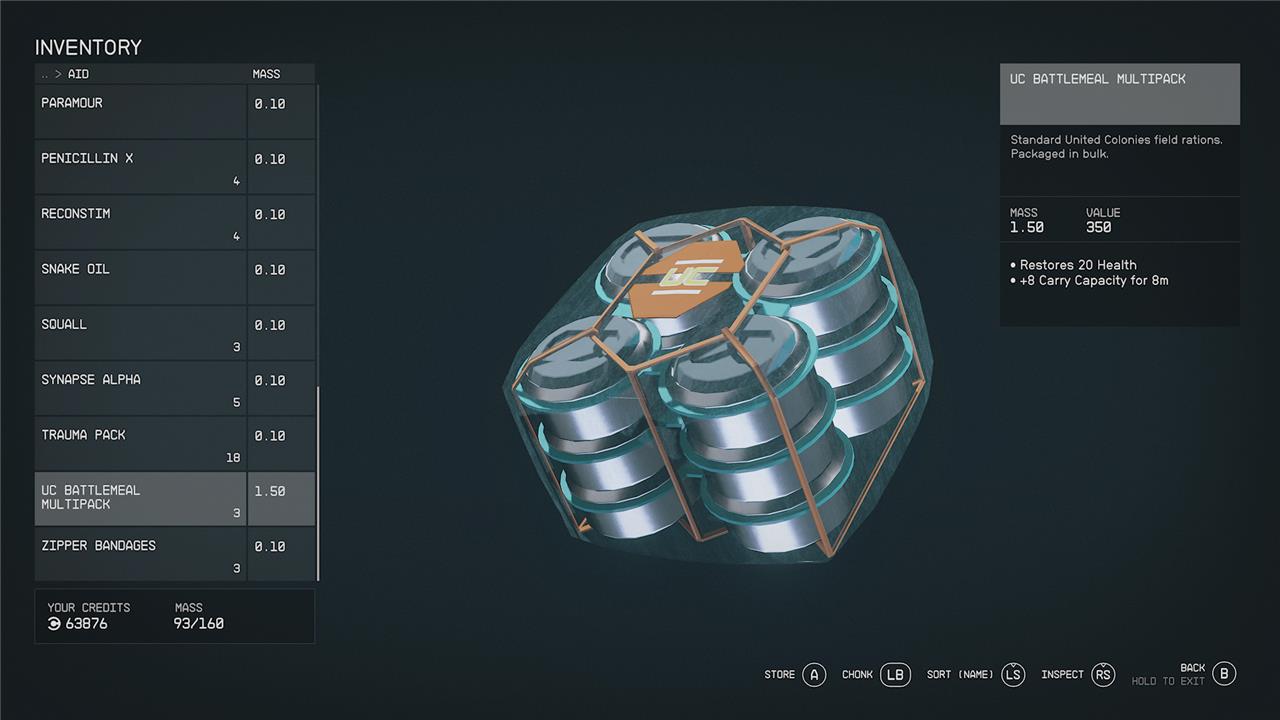
UC Battlemeal Multipacks, for example, bump your carrying capacity by 8kg for 8 minutes. And that’s enough to let you run and fast travel so you unload your inventory into your ship’s cargo hold.
Your companions can carry gear
In Starfield, your companions can carry extra gear, effectively acting as additional storage to help manage your inventory and avoid being over-encumbered. To utilize this, simply talk to your companion and select the “Let’s trade gear” option, which opens their inventory alongside yours. You can then transfer items to them, including weapons, armor, and other gear. While companions have their own carrying capacity limits, you can increase this by investing points into the Leadership skill in the Social skill tree, which boosts their carry weight by 50kg. Equipping companions with better gear also enhances their combat effectiveness, making them valuable allies both in battle and inventory management.
You can have one companion running around with you in Starfield. Mostly, they’re there as a human shield and extra gun. More usefully, though, you can unload some of your inventory to them. Interact with them in the field and choose the trade gear prompt.
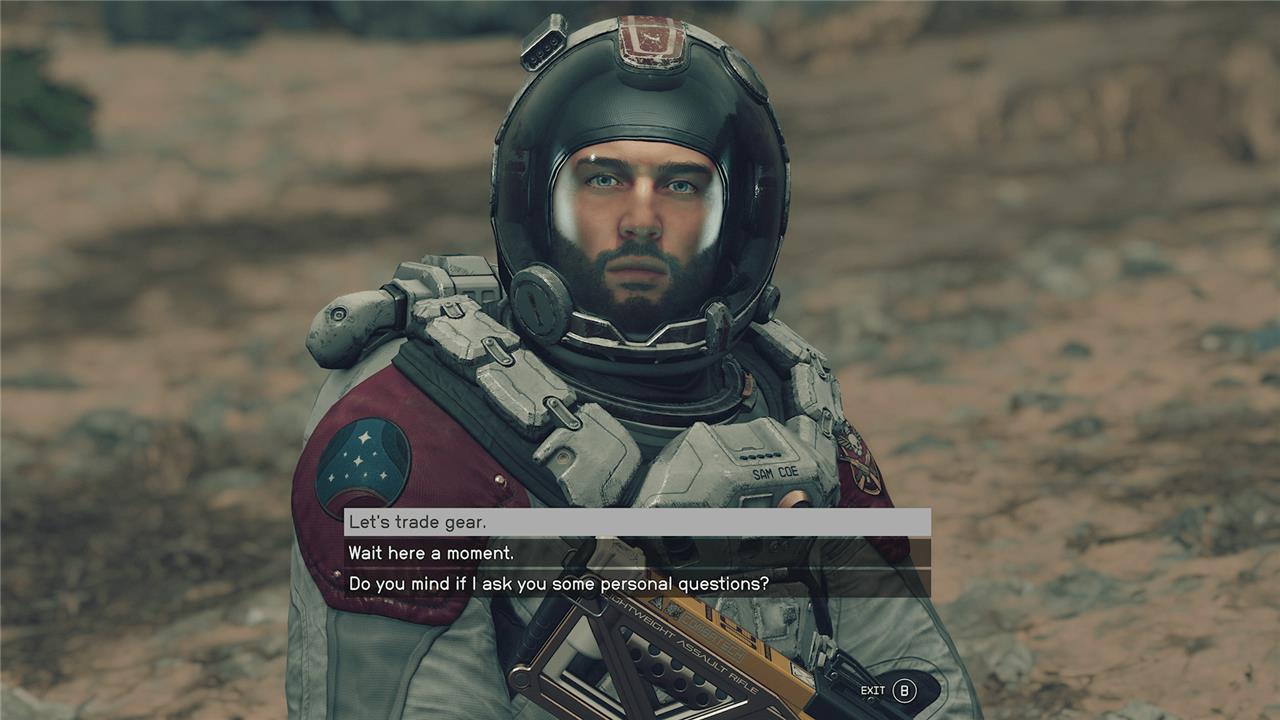
At that point, you can switch between your inventory and theirs with LB on console or Q on PC. You can have them hold onto their carry capacity-worth of items for you (but not more). When you get back to your ship, you’ll have to trade gear with them again to get it back.
Offload into your ship’s cargo hold
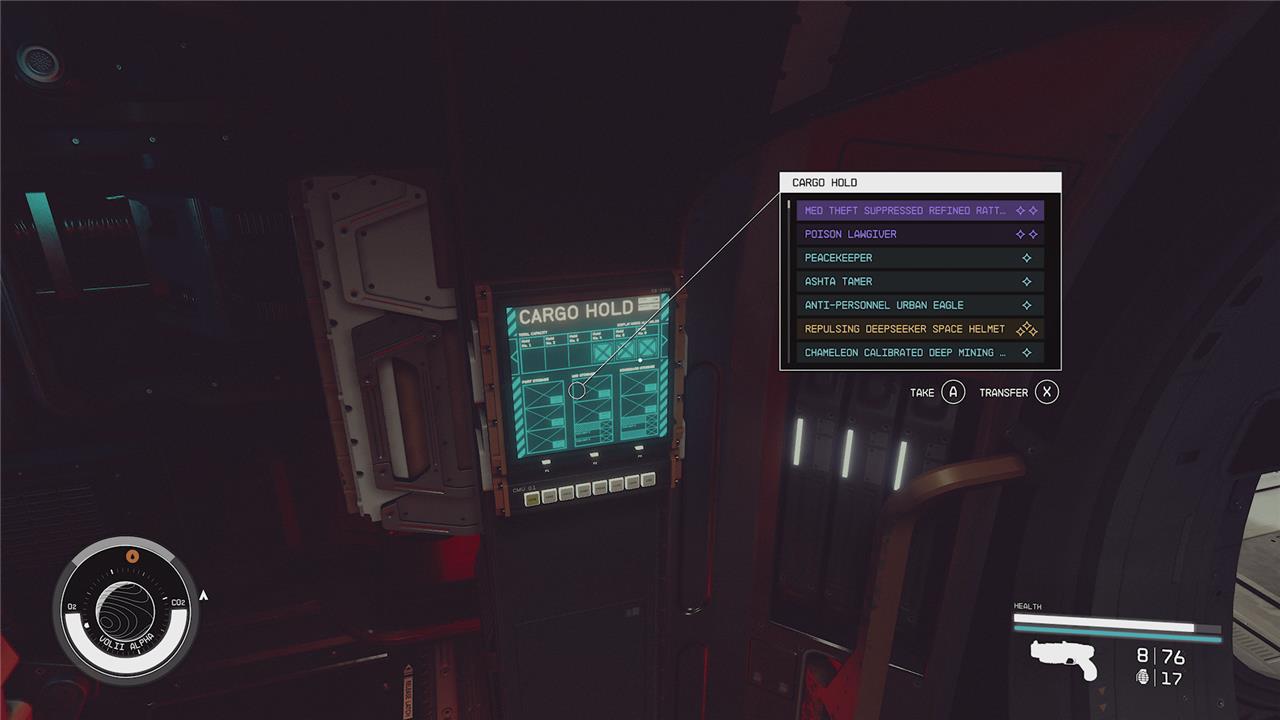
To offload items into your ship’s cargo hold in Starfield, simply access your ship’s inventory by going into the cockpit and interacting with the screen on the side wall. This opens the cargo hold interface, allowing you to transfer items from your personal inventory to your ship’s storage, freeing up carry weight for exploration. You can also remotely send items to your ship’s cargo hold when within 250 meters of it, making inventory management more convenient. Keep in mind that each ship has a limited cargo capacity, which can be expanded by purchasing and attaching additional cargo holds through ship customization. Besides the main cargo hold, your ship may have smaller storage containers like the Captain’s Locker for extra space. Additionally, items dropped on your ship’s floor remain there without affecting cargo limits, though they require manual management.
Your ship has a cargo hold that is, unsurprisingly, much bigger than your backpack. Your ship’s cargo capacity is determined by its cargo stat – basically how many ship parts you have stuck to it that have space for cargo.
The Frontier (the first ship you get in Starfield, during the “One Small Step” story mission) can hold 450kg. You can also purchase prefabricated ships at shipyards with cargo holds that range from 200kg to more than 2,000kg.
How can I maximize my inventory space without sacrificing mobility in Starfield
To maximize your inventory space in Starfield without sacrificing mobility, focus on these key strategies:
-
Invest in the Weightlifting skill early in the Physical skill tree. This skill significantly increases your carry capacity-up to an extra 100 kilograms at the highest rank-allowing you to carry more without becoming encumbered.
-
Use companions as mobile storage by trading items with them. They can carry extra loot, helping you avoid being overburdened while exploring away from your ship.
-
Leverage your ship’s cargo hold to store heavy resources and items you don’t need immediately. Upgrading your ship’s cargo capacity or using ship modifications can further expand this storage space.
-
Manage your inventory by selling or discarding low-value items promptly to avoid unnecessary weight.
-
Avoid carrying excessive heavy resources on your person; instead, store them in your ship or base to maintain mobility.
By combining skill upgrades with smart use of companions and ship storage, you can carry more items and stay agile during your Starfield adventures.
What are the best ways to balance ship mobility and storage capacity in Starfield
To balance ship mobility and storage capacity in Starfield effectively, focus on a strategic trade-off between cargo modules and ship weight:
-
Add cargo modules thoughtfully: Increase storage by attaching larger cargo containers, such as the Galleon S204 Cargo Hold, which offers high capacity and modular placement options. However, these modules add significant mass, which reduces mobility.
-
Optimize ship weight: Avoid making the ship too bulky by limiting the number of habitation modules and choosing cargo containers with better cargo-to-mass ratios. A lighter ship maintains higher mobility.
-
Upgrade power and propulsion: To offset the added mass from cargo, install the biggest reactor available to maximize power generation. Pair it with the highest-end engines (e.g., SAL-6830 Engine) and add necessary landing gears to support the weight. This setup helps maintain speed and maneuverability despite increased cargo.
-
Test your build: Use the Ship Builder’s flight test feature to ensure your ship handles well after modifications. Adjust your cargo and engine setup based on performance to find the best balance.
By carefully balancing cargo size, ship mass, and engine power, you can maximize storage without severely compromising mobility in Starfield.
