
Struggling to build a plot in Manor Lords? You’re not alone. Whether it’s a stubborn red outline blocking your way or an unresponsive build button, the game’s flexible plot system can sometimes feel like a medieval puzzle with missing pieces. From hidden resource shortages to tricky road placements, uncover the common pitfalls and savvy solutions that will finally let you lay down the foundations of your thriving estate. Dive into our guide to transform frustration into flourishing plots in this captivating city-builder.
How flexible plots (are supposed to) work
Flexible plots in Manor Lords allow players to create structures with customizable shapes by defining four corner points, enabling more organic and varied layouts beyond simple squares or rectangles. These plots automatically snap to roads and adjacent buildings, efficiently filling gaps in the town layout. However, this snapping feature can sometimes cause issues, such as preventing construction if the plot overlaps roads, existing structures, or contains supplies on the ground. Players can disable snapping to roads to gain more shape flexibility but at the cost of limiting plot alignment options. Proper use involves ensuring no obstacles block the area and managing supplies or objects that might interfere with building. Despite occasional bugs due to the game’s early access state, flexible plots remain a key mechanic for designing marketplaces, burgage plots, and farmland with diverse shapes in Manor Lords.
Flexible plots are how you’ll lay out some important parts of your town. It a simple enough process – you just place four point to define the corners of a shape (some sort of quadrangle). Where it gets more complicated is the (clever) way it fills in the gaps and expands the plot(s).
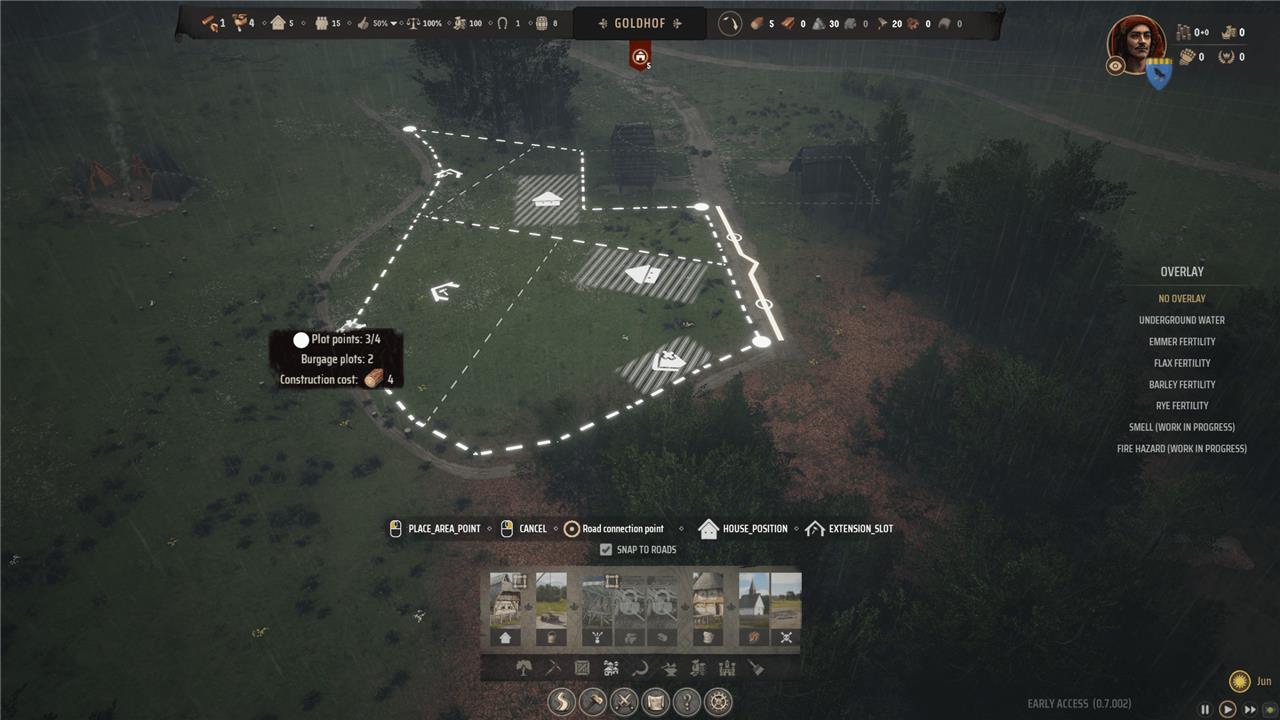
Flexible plots snap to roads by default. This makes them fill in all the space available around intersections and other buildings or plots. It’s also where things can get a little messy – remember, Manor Lords is in early access. Sometimes, your flexible plot will turn red (telling you can’t build it) while you’re laying it out. Other times, you can place all four points and then the build button just never lights up. And, sadly, the game doesn’t actually tell you why you’re not allowed to build your plot.
Before we dig into the more complicated and weirder reasons this happens, check to make sure your plot doesn’t cross a road and that you have the supplies you need to build it. If it’s not one of those, let’s look at some of the other reasons this happens and how to fix (or avoid) them.
Quick aside: You can avoid most of the problems below by just turning off snap to roads, but where’s the fun in building boring old square(ish) plots?
Look for supplies on the ground
When you find yourself unable to build a plot in Manor Lords, one common reason is the presence of supplies scattered on the ground. At the start of the game, all your town’s supplies are dumped in piles on the ground, which blocks construction in those areas. Additionally, if you demolish or move buildings, leftover supplies may remain and prevent building. To resolve this, assign families to the granary and storehouse and ensure there is enough storage space so that these supplies can be collected and cleared over time. Remember that moving timber and planks requires oxen and unassigned families to guide them, so managing your workforce efficiently is key to clearing the ground and enabling new plot construction.
When you first start out, all of your town’s supplies get dumped on the ground in two piles and you can’t build over them. If you demolish or even relocate a building (even a marketplace stall), some supplies will be left behind in the same way.
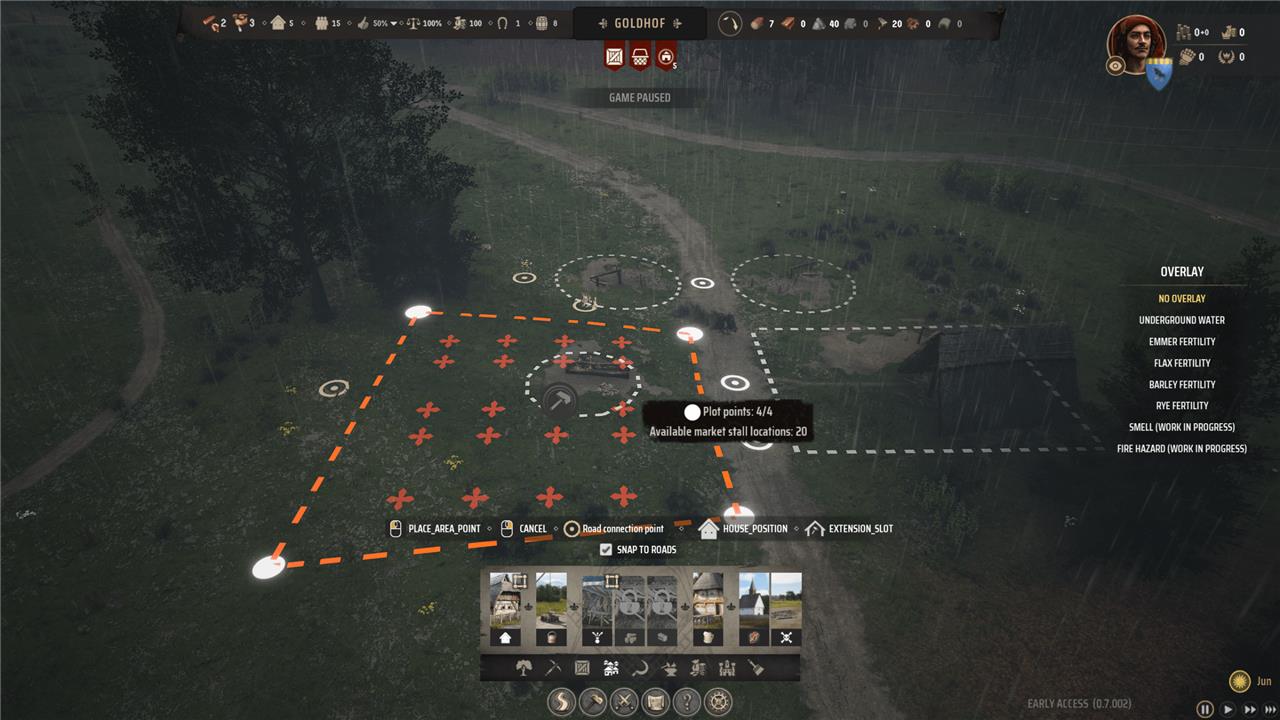
Make sure you’re not trying to build your flexible plot in a place where there are supplies hiding. If you do find supplies there, make sure you’ve got families assigned to your granary and storehouse (at least temporarily) and space to store stuff. Give it a little time, and the supplies should get picked up. Just remember that timber and planks need an oxen to move them (and an unassigned family to guide said oxen).
Watch the edges of buildings
Watch the edges of buildings when creating flexible plots in Manor Lords to avoid issues with building footprints and plots meeting at odd intersections. Buildings have square footprints, but the roads are organic and curved, and this discrepancy may cause the flexible plot to malfunction. Zoom in before placing your flexible plot points and move them slightly away from the footprint you are trying to avoid.
A lot of the time, flexible plots (and roads) will snap to the edge of buildings and even follow the perimeter around corners to make fun little cutouts. Usually, this isn’t an issue.
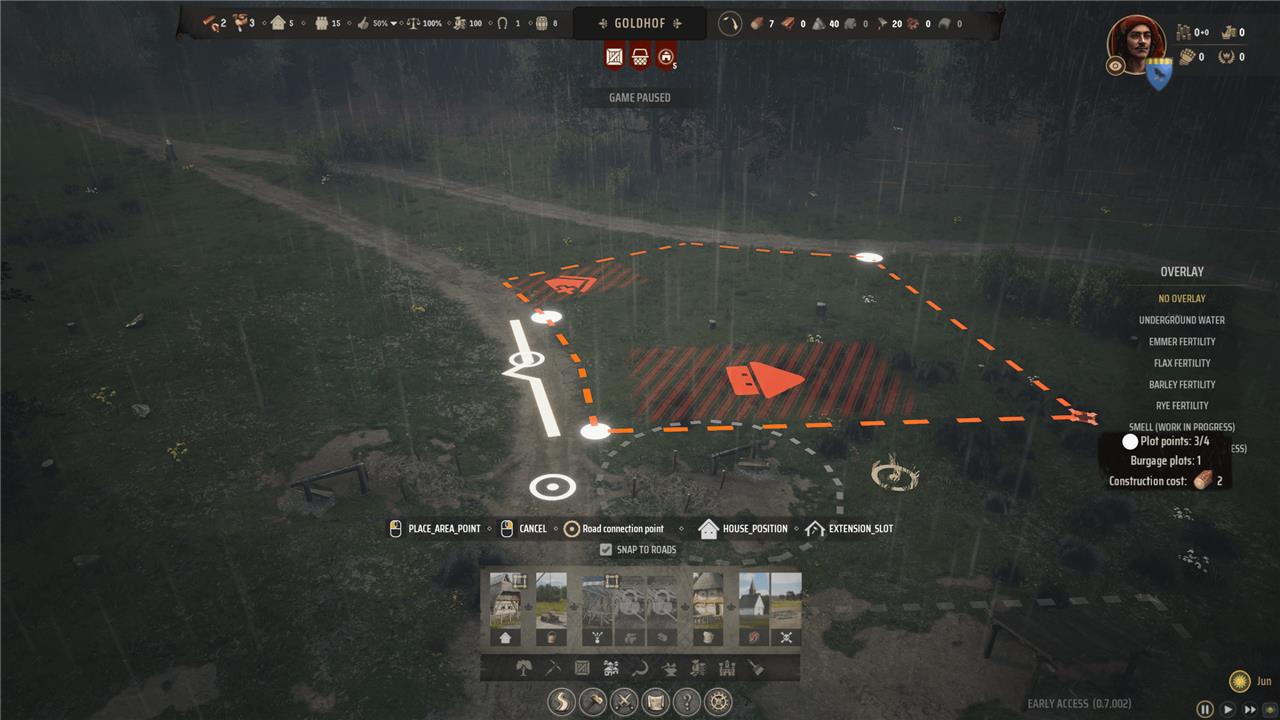
Some buildings, though – windmills and hitching posts, for example – don’t do this. If your flexible plot (or road) even touches the edge of one of these round building footprints, you won’t be able to build it. This one is easy to avoid – just, kind of, don’t do that.
Complicated roads are harder to snap to
In Manor Lords, complicated or winding roads can make it difficult for flexible plots to snap properly during construction. The game’s flexible plot system relies on plot edges aligning neatly with roads, but when roads are irregular, misaligned, or have overlapping points-especially at intersections or narrow sections-the snapping mechanism often fails. This can cause plots to turn red or the build option to become unresponsive. To mitigate this, players should check for road misalignments, avoid placing plot corners on overlapping road points, or pull plot corners away from complex road sections. Sometimes, deleting and rebuilding problematic roads is necessary to restore proper snapping functionality.
Building roads in Manor Lords is just the process of picking a few points and then building it. It’s a really simple (and satisfying) way to make organic, windy roads. If you’re not careful, though, the ends of your roads – especially at intersections or when you extend an existing road – don’t quite line up.
These weird little overlaps and misalignments seem to cause problems with flexible plots, especially when the plot is narrow. Check the roads and pick points that aren’t along those weird overlaps. If you have to, you can also pull the corner points of the flexible plots away from the roads. There’s not a lot of way to fix the roads themselves, but you can delete them and start over – just be aware that it deletes the entire road you drew originally, not just back to the first intersection, for example. You might end up redrawing a lot of roads.
Watch for building footprint overlaps
When building in Manor Lords, watch out for building footprint overlaps, especially when placing flexible plots near existing structures. Buildings have square footprints, but roads and plots often have organic, curved shapes. This mismatch can cause flexible plots to malfunction if their points are placed too close to building edges or awkward corners, resulting in the plot turning red or being unbuildable. To avoid this, zoom in closely when placing plot points and adjust them slightly away from nearby building footprints to ensure there is no overlap, allowing the plot to construct properly.
If you’re building your town with buildings that are packed in tight, you’re going to get a lot of weird intersections where the footprints of various buildings and plots meet.
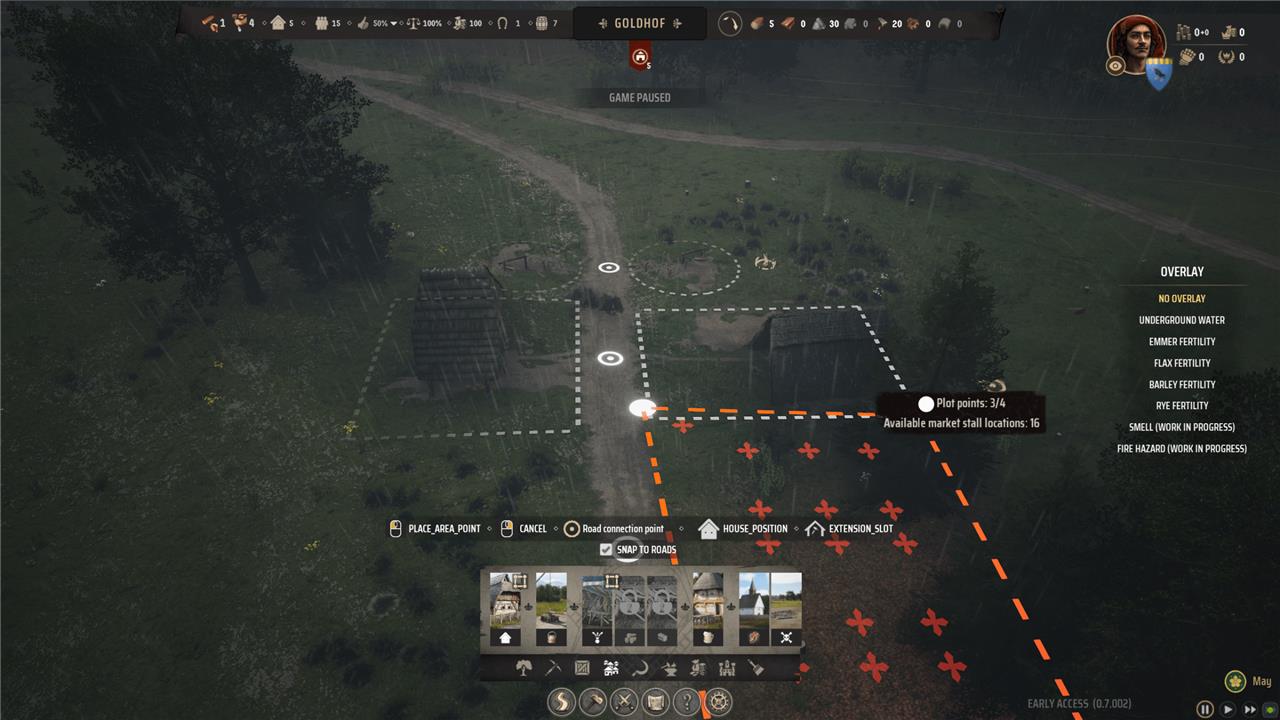
Buildings have square (rectangular) footprints, but the roads are organic and curved. And that means that where the building meets the road might not quite line up. When you place a flexible plot that gets too close to one of those weird corners, it might trip up the flexible plot – kind of like the road overlaps above.
Why does my Manor Lords plot turn red or stay unresponsive during building attempts
Your Manor Lords plot may turn red or stay unresponsive during building attempts primarily due to a few common issues:
-
Hidden or leftover supplies blocking the area: When you demolish or relocate buildings, some supplies can remain on the ground, preventing new construction on that spot. Ensure that families are assigned to the granary and storehouse to collect these supplies and free the area.
-
Insufficient building materials or labor: Construction halts if there is a lack of timber, planks, or unassigned families to guide oxen transporting materials. Without available workers or resources, the build button may remain unresponsive.
-
Plot placement conflicts: Flexible plots snap to roads and building edges. If your plot crosses a road, touches certain building footprints (like windmills or hitching posts), or is placed on misaligned roads, it will turn red or refuse to build. Adjusting the plot corners or avoiding problematic edges can resolve this.
-
Game bugs and glitches: Sometimes timber delivery or family assignments glitch, causing indefinite construction delays. Saving and reloading the game often fixes these issues by resetting resource transport and worker availability.
In summary, check for hidden supplies, ensure sufficient materials and free workers, avoid problematic plot placements, and try reloading your save to overcome red or unresponsive plots in Manor Lords.
Could unassigned families or missing oxen be causing my plot to turn red
Yes, unassigned families or missing oxen can cause your plot to turn red or become unresponsive in Manor Lords. Construction requires available families to guide oxen that transport building materials like timber and planks; if families are not assigned or oxen are unavailable, the building process stalls, leading to red plots or inactive build options. Additionally, bugs fixed in recent patches addressed issues where oxen got stuck or turned into bandits if public order dropped, further impacting construction logistics. Ensuring families are assigned and oxen are free to work is essential for smooth building progress.
