
Struggling to find adhesive in Starfield? This elusive but essential crafting resource can’t be scanned like others, making it a tricky hunt for any spacefarer. Luckily, whether you prefer foraging on the swampy planet Gagarin, buying from vendors like Jae Montreal in New Homestead, or even farming your own supply with a greenhouse outpost, we’ve got the ultimate guide to keep your weapons and outposts fully stocked and ready for action.
In this Starfield guide, we’re going to tell you where to find adhesive, why you need it in the first place, and how to get as much of it as you want – as long as you’re on PC.
Where to find adhesive in Starfield
Adhesive in Starfield can be found primarily by foraging on the planet Gagarin in the Alpha Centauri system, where you can harvest Sweetwater Cactus plants in swamp biomes for natural Adhesive Roots. Another method is by defeating certain enemies like Brainsprout Grazers on Arcturus II, though this is less reliable. For a more consistent supply, many vendors sell adhesive, including Jae Montreal in New Homestead, Jemison Mercantile in New Atlantis, and others in major settlements; their stock typically refreshes every few in-game hours. If you are playing on PC and want a quick fix, you can also use console commands to add adhesive directly to your inventory.
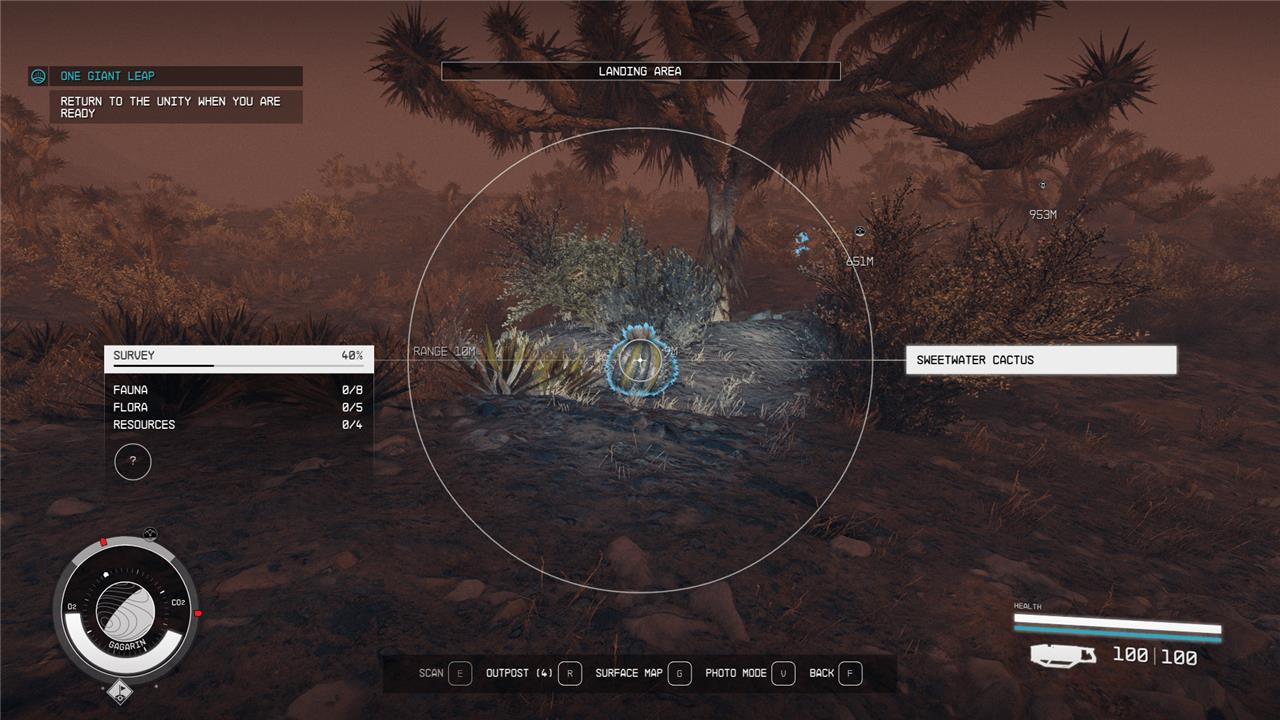
Adhesive isn’t a naturally occurring resource in Starfield – at least not one that you can mine out of the ground. You can find it in some planets, but, unfortunately, it’s very difficult to pin down these plants because you can’t scan for them the way you do iron, tungsten, copper, and other key resources.
You can, however, find some adhesive in the water/swamp areas on the planet Gagarin, which is in the Alpha Centauri system. When you land, open your scanner and look for a Sweetwater Cactus, which essentially just looks like a small, twisted cactus. When you harvest these, you’ll get one adhesive that you can use in crafting.
Foraging is fine, but there is no real adhesive pipeline, and you’ll waste a lot of time if you’re only ever foraging for your adhesive.
Where to buy Adhesive
In Starfield, the most reliable way to get adhesive is by purchasing it from various vendors across the galaxy. Key shops where you can buy adhesive include Jemison Mercantile in New Atlantis, Jae Montreal in New Homestead, UC Exchange in Cydonia, and Sieghart’s Outfitters in Neon. These vendors typically sell adhesive for around 11 to 12 credits per unit, and their stock refreshes every few in-game hours, allowing you to buy in bulk by waiting or sleeping to restock. This method is much more efficient than foraging or looting, especially if you need large quantities for crafting weapon mods and other upgrades.
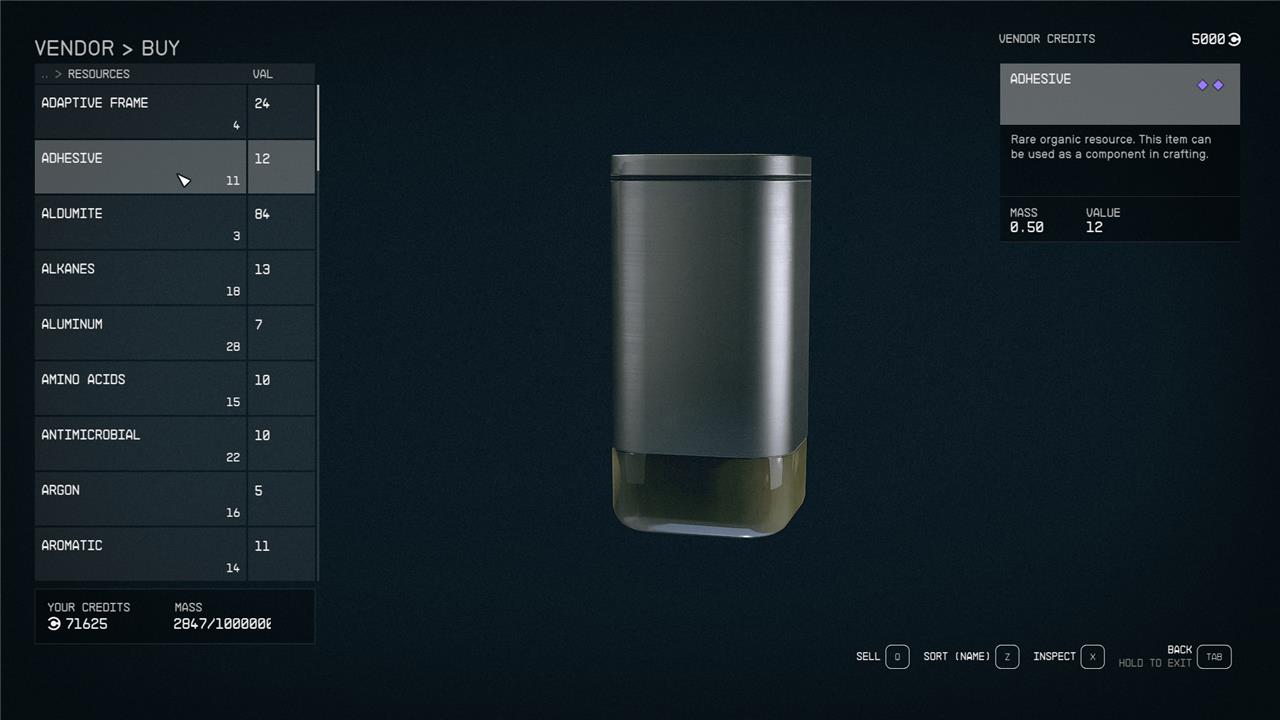
Unfortunately, your best bet for adhesives is buying it from shops like Jemison Mercantile in New Atlantis. You might get lucky with Trade Authority, but adhesive is a rare resource and you tend to only find those as general/resource stores like Jemison Mercantile.
Every day you should be able to find about 11 adhesives at Jemison Mercantile. And when they run out, you can always go wait on a nearby chair or head back to your ship and sleep for 24 hours. When you return, you should be able to buy more. If not, go rest for another 24 and come back.
Adhesive item ID
The item ID for Adhesive in Starfield, which can be used with console commands on PC to spawn the item, is 000055B1. Using this ID, players can give themselves adhesive directly through the game’s console by entering commands such as “add item 000055B1” to add adhesive to their inventory or “place at me 000055B1” to spawn it nearby. This method is especially useful for players who want to quickly obtain adhesive without searching for it in the game world.
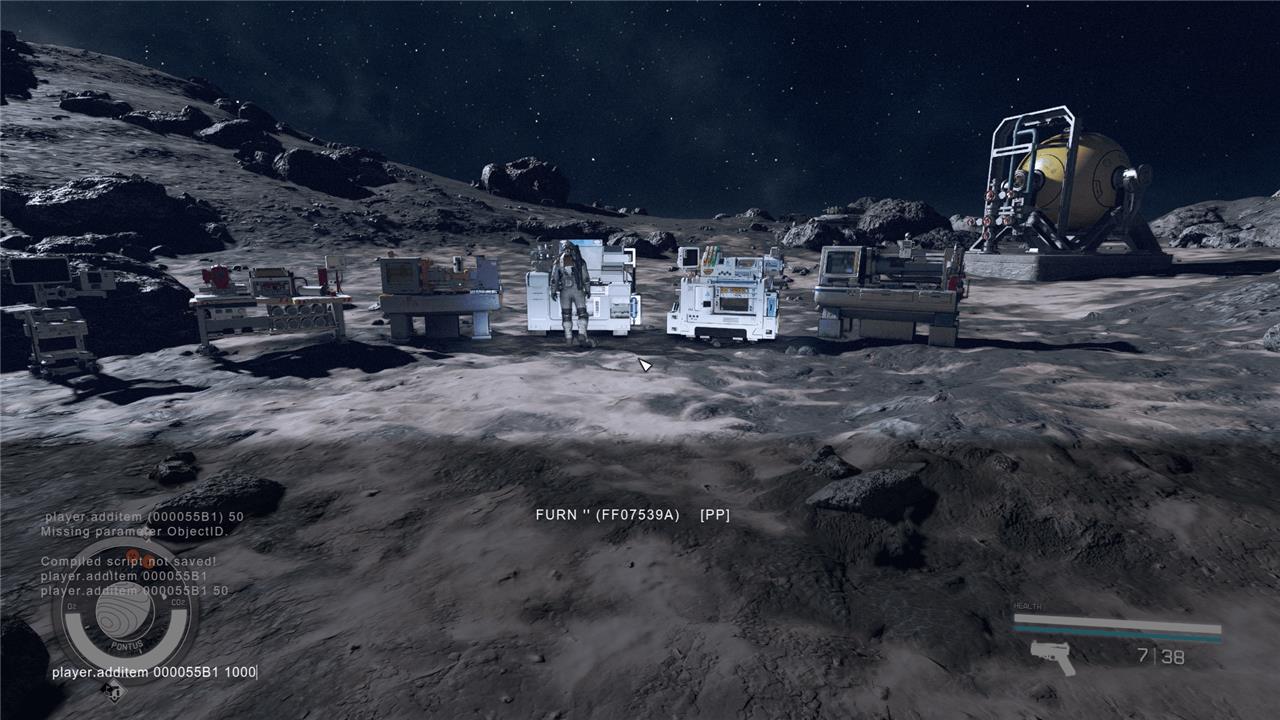
Starfield has console commands – on PC at least – that you can use to do a variety of things, like give yourself unlimited carrying capacity or, in this case, give yourself items.
To give yourself adhesive, you’ll need to use its item ID code, which is: 000055B1.
Hit the ’ key any time during your Starfield playthrough and you’ll pull up the console command. Here is the full console command to give yourself 20 adhesive in Starfield:
- player.additem 000055B1 20
You can copy/paste the code above directly into your console command.
If you want to get more adhesive in a single command, change the 20 on the end of the code provided above to 50, 100, even 1,000. Once you hit enter, you’ll be able to find the resource sitting in your inventory.
It’s worth mentioning that using console commands can disable achievements in Starfield, so be careful if you’re an achievement hunter.
What is adhesive for in Starfield?
Adhesive in Starfield is a crucial crafting resource primarily used for creating weapon mods and building outposts. It is required at weapon benches to install various upgrades and modifications on weapons, making it essential for enhancing combat effectiveness. Additionally, adhesive is used in constructing furniture and other items within player-made bases. Due to its importance, players often seek out adhesive from plants like the Sweetwater Cactus found on planets such as Gagarin in the Alpha Centauri system, or purchase it from vendors across the game world.
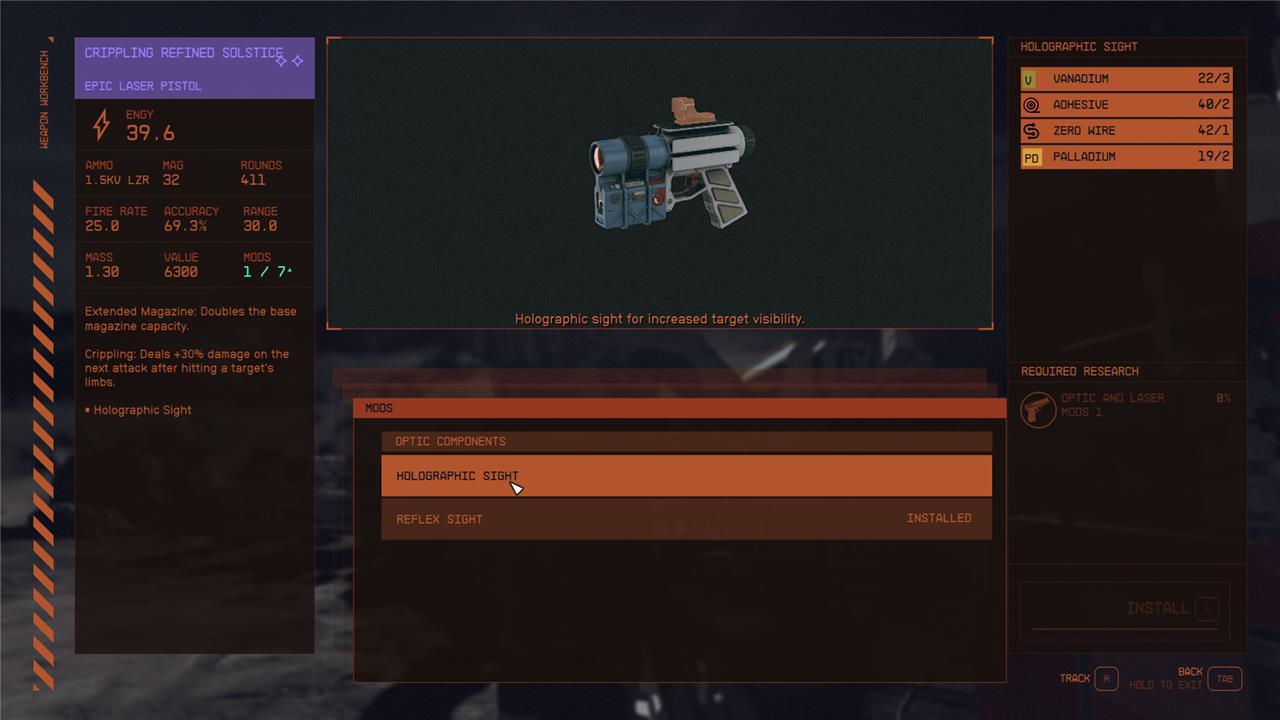
You’ll need adhesive for a variety of different items in your outpost and for your crafting stations.
To build the weapon workbench, for example, you’ll need three adhesives. Then, while working in the weapon workbench, you’ll need one adhesive if you want to add a reflex sight or holographic sight to your laser pistol. Like many resources in Starfield, it’s not a basic building block like iron or aluminum, but it shows up often enough that you’re going to end up making a lot of trips to the store if you’re not well-stocked.
What’s the quickest way to get adhesive without hunting enemies in Starfield
The quickest way to get adhesive in Starfield without hunting enemies is to buy it from vendors who restock their supplies regularly. For example, shops like Clint’s Collectibles on the planet Gagarin in the Alpha Centauri system sell adhesive, and you can restock their inventory by resting or waiting for about 24 to 48 hours in-game. This method is faster and more reliable than foraging or combat. Alternatively, on PC, you can use console commands to instantly add adhesive to your inventory if you prefer to skip the in-game grind altogether.
What’s the fastest way to get adhesive using console commands in Starfield
The fastest way to get adhesive using console commands in Starfield on PC is to open the console by pressing the “@” key (or the tilde ~ key), then enter the command:
textplayer.additem 55B1 [amount]
For example, to add 5 adhesive, type:
textplayer.additem 55B1 5
and press Enter. This instantly adds the specified amount of adhesive to your inventory, bypassing the need to hunt or forage in-game.
