
Claim your dream home in the vibrant world of LEGO Fortnite Brick Life, where building your perfect house is as simple as finding an empty plot marked by a blue house icon and interacting with its sign. Whether you’re aiming for a cozy shack or a stylish penthouse, your customized home will follow you across servers, letting you decorate and settle in wherever you go. Dive into Brick Bay’s bustling cityscape, claim your lot, and start crafting your unique LEGO life today!
The house you decorate will also be saved across servers. So if you decorate a house and leave, you can place the same house down, decorations and all, down once you join a new server.
Below we explain how to get a house in Lego Fortnite Brick Life, and how to get furniture for it.
How to get a house in Lego Fortnite Brick Life
To get a house in LEGO Fortnite Brick Life, start by locating an empty plot marked with a blue house icon on your map or in the game world, typically found outside the city in the southern and eastern areas of Brick Bay. Approach the “For Sale” sign in front of the vacant lot and interact with it to claim the land. After claiming the lot, select a home style from your “My Homes” menu; some houses can be placed immediately if unlocked through LEGO Fortnite Odyssey or the LEGO Pass. Once placed, your house becomes your personal space to decorate and customize, and it will persist across different servers, allowing you to maintain your furnishings wherever you play.
To get a house, all you have to do is find and claim an empty plot. The empty plots in your server will be marked with a blue house icon, as seen below.
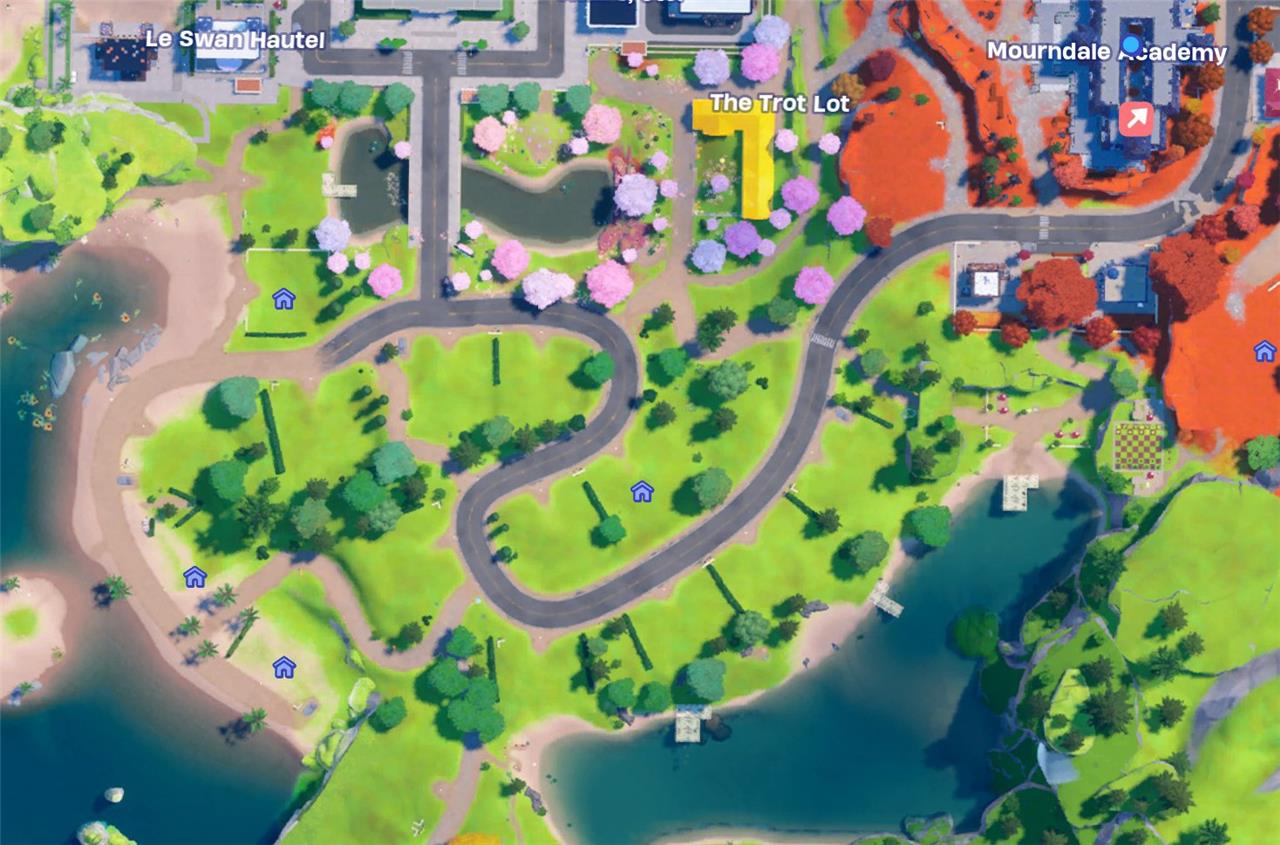
Once you find an empty plot, interact with the sign in front of the plot to claim it and place down a structure. Most structures will cost money, but if you’ve unlocked any via decor bundles and builds for Lego Fortnite Odyssey, then you can place these down for free, if they’re compatible.
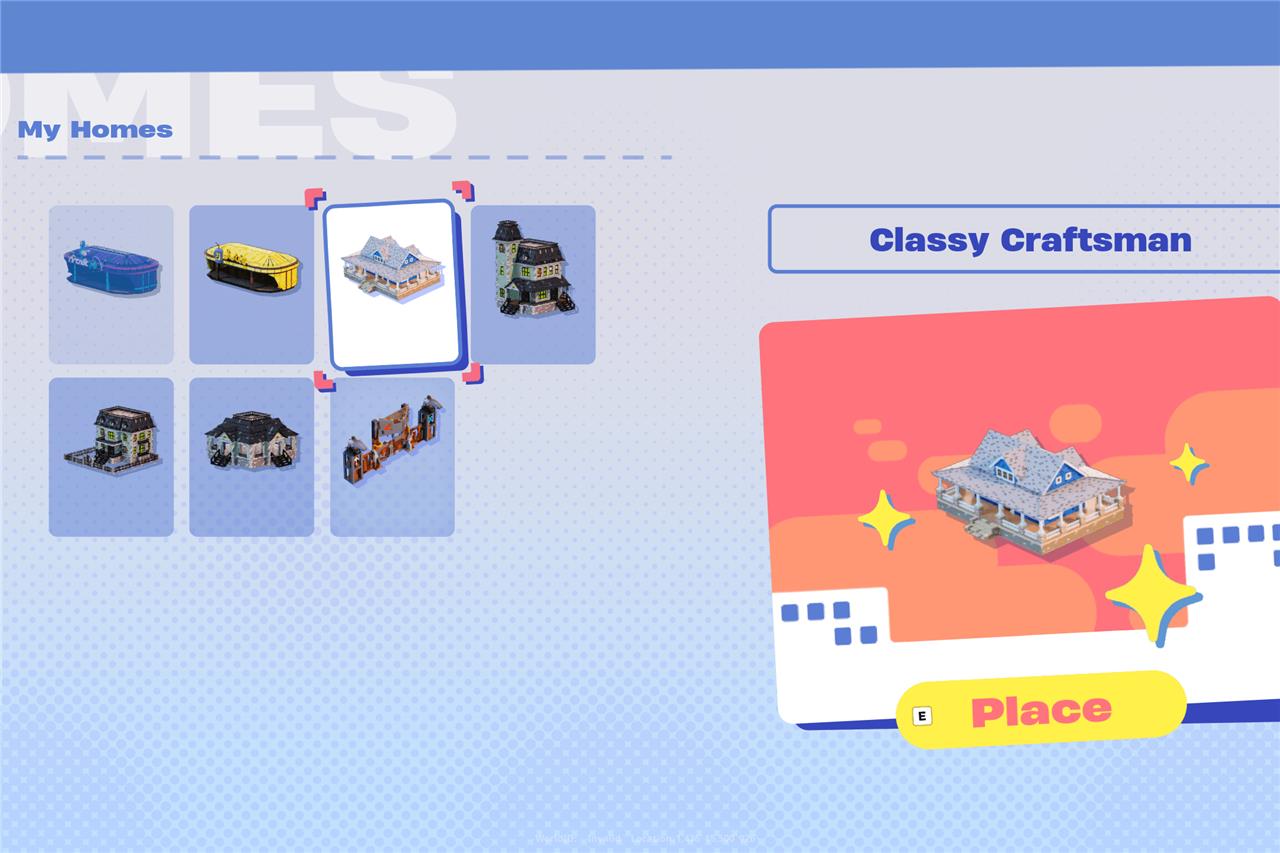
That said, you’ll need to make some money if you don’t have many of these premium builds unlocked. So get to work!
How to get furniture in Lego Fortnite Brick Life
In LEGO Fortnite Brick Life, to get furniture for your home, first claim an empty lot or apartment to build your house. Once you have your home, access the Decor menu by interacting with your house or using your in-game smartphone. The Decor app lets you browse and purchase a variety of furniture and decorative items using in-game currency earned from jobs around Brick Bay. You can also visit the furniture shop called Chairs, etc., located in the city, which regularly updates its inventory with new items. Additionally, any Decor Bundles and Builds you have unlocked in LEGO Fortnite Odyssey are cross-compatible and can be used to furnish your home. Your furniture and decor placements are saved and will persist even if you switch servers, allowing you to maintain your personalized setup easily.
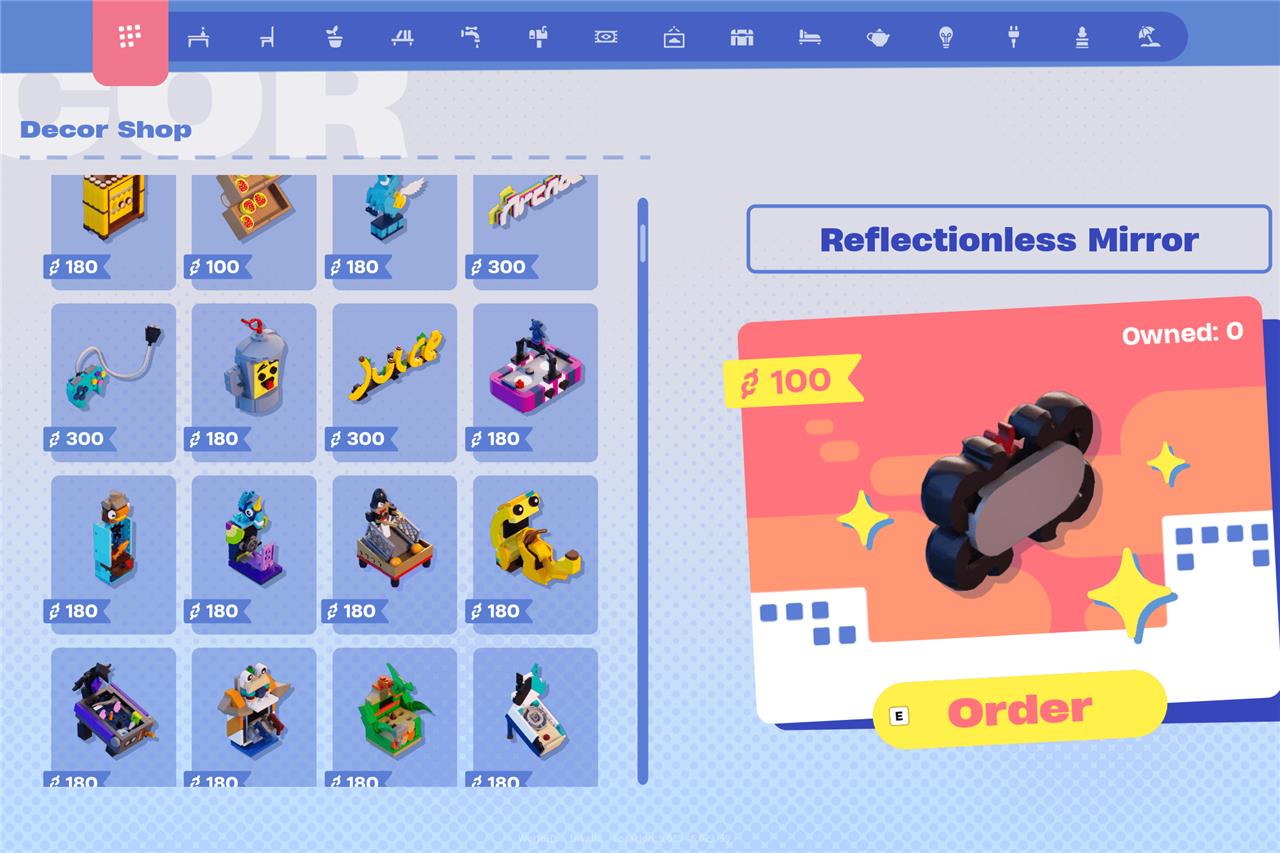
You’ll get a little bit of starter furniture, including a bed, a table, some chairs, and some other decor, but if you want more than that you’ll need to buy it. You can buy it by opening your phone menu and selecting decor. This will bring up a plethora of different items to add to your house.
Want to discover the secret to claiming a house in Lego Fortnite Brick Life
To claim a house in LEGO Fortnite Brick Life, start by locating an empty plot marked with a blue house icon on your map. Once you find a vacant lot you like, approach the red or “For Sale” sign in front of it and interact to claim the lot. After claiming, select a home style from your available options-some may be free if unlocked through LEGO Fortnite Odyssey or the LEGO Pass. Your house will then appear on the plot, and you can decorate it as you wish. You can also unclaim and move your house to a new lot later, with all decorations saved and transferable. Additionally, you can choose to allow or refuse visitors to your home via the mailbox that replaces the sign after claiming.
What’s the quickest way to find an unclaimed plot in Lego Fortnite Brick Life
The quickest way to find an unclaimed plot in LEGO Fortnite Brick Life is to open your map and look for the blue house icons, which indicate available empty lots. These plots are scattered throughout the city and surrounding areas, with apartments and flats inside the city and full houses outside it. Once you spot a blue house icon, head to that location and interact with the red or “For Sale” sign in front of the plot to claim it instantly. This method allows you to quickly identify and secure a vacant lot to start building your home.
