
Stuck beneath the colorful chaos of LEGO Fortnite Odyssey’s floor? Don’t let this glitch trap you in the bricks-discover quick and easy fixes to respawn, break free, or call in reinforcements across Mobile, Nintendo, PlayStation, and Xbox. Get back to building and battling with our essential guide to conquering the floor glitch!
How to fix the floor glitch in Lego Fortnite Odyssey
To fix the floor glitch in LEGO Fortnite Odyssey where your character gets stuck inside the floor or ground, the simplest solution is to open the pause menu and select the “Respawn” option at the bottom of the menu. This will reset your character to your bed location, though you will drop your backpack at the spot where you were stuck. Alternatively, if you are trapped under a build, you can try breaking the surrounding pieces by yourself or ask friends to join your game and break the pieces from outside to free you. To avoid this glitch, avoid ending
There seems to be something about how Fortnite saves your position when you exit the game that causes the glitch. If you’re standing on top of something, there’s a (small) chance you’ll be stuck in that something when you load back in.
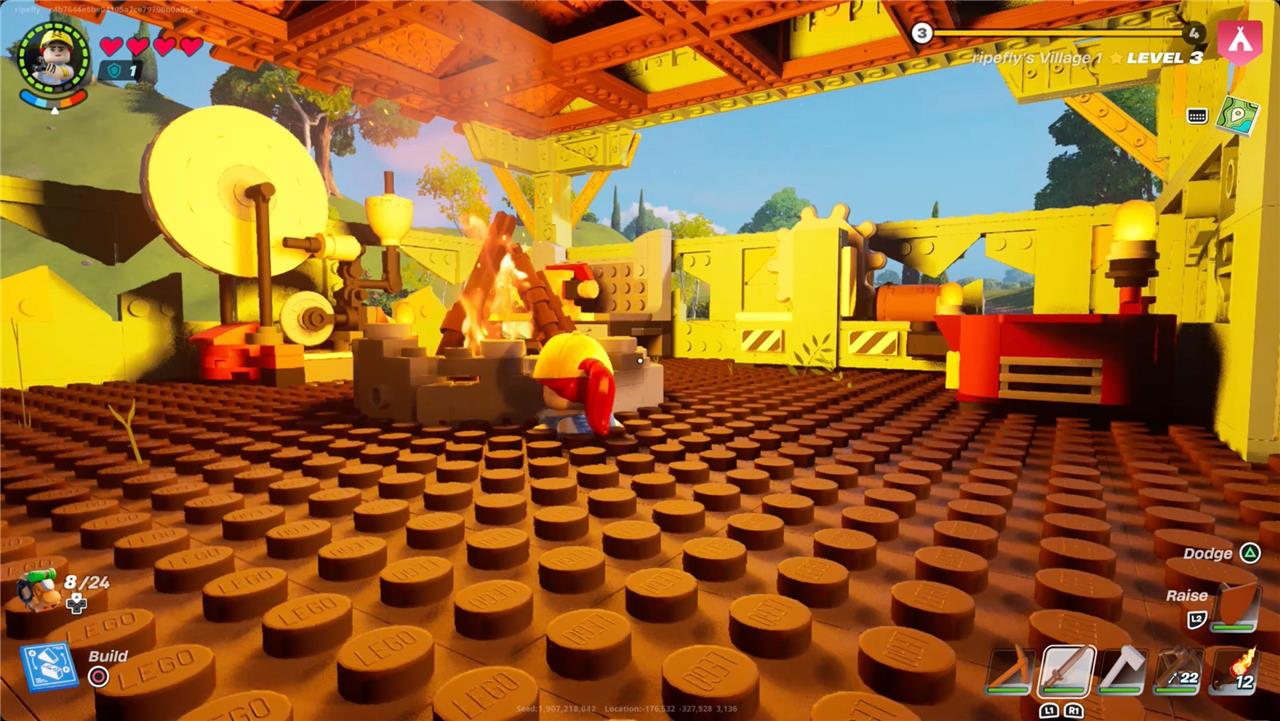
What you do next depends on what you’re stuck in. If you’re stuck in furniture or a floor that you built, you can probably destroy it with your hands or a pickaxe. Smashing through whatever you’re stuck in seems to pretty reliably free you.
If you’re stuck in the landscape, though, things are a little trickier. (It appears to be particularly common if you’re standing on a rock feature in the desert biome.) You’re probably not going to be able to smash or dodge your way through your prison. In that case, you’re going to have to respawn.
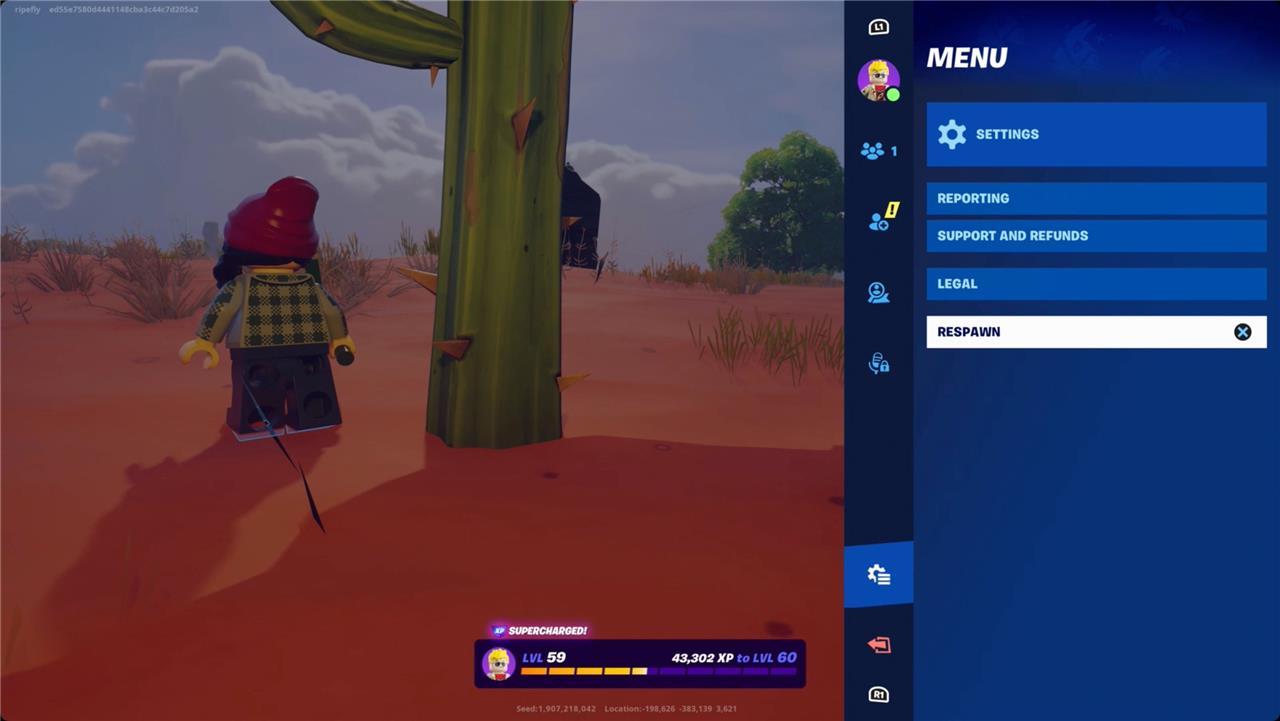
In the pause menu, scroll to Menu – third from the bottom. It’s the same tab where you’ll find Settings. At the bottom is the option to respawn. This is a consistent way to escape the ground if you’re stuck, but it does basically kill you. You’ll drop your backpack and respawn wherever your bed is.
How to not get stuck in the floor in Lego Fortnite Odyssey
To avoid getting stuck in the floor in LEGO Fortnite Odyssey, make sure not to end or save your game while standing on multi-layered structures or buildings, as the game saves your exact position and can cause you to spawn inside these objects upon reloading. Instead, finish your session on flat ground or a simple surface like a bed to prevent the glitch. If you do get stuck, you can try breaking the surrounding pieces to free yourself or ask friends to help break the blocks for you. As a last resort, use the in-game pause menu to respawn, but note that this will drop your backpack and respawn you at your bed location.
Since it’s a glitch and not particularly common, you’re probably not going to have to adjust how you play much. Generally, just like your mom told you, don’t stand on furniture when you exit the game. And exit the game while standing on the ground and not on rocks whenever you can.
What’s the quickest way to fix the floor glitch in Lego Fortnite Odyssey
The quickest way to fix the floor glitch in Lego Fortnite Odyssey is to open the pause menu, scroll down, and select the “Respawn” option. This will immediately free your character, but note that you will drop your backpack and respawn at your bed location.
Is respawning the fastest fix or are there quicker methods to escape the glitch
Based on available information, respawning is generally the fastest and most reliable way to escape the floor glitch in Lego Fortnite Odyssey, as it instantly frees your character and returns you to your last bed location. There are no widely reported quicker methods, such as using fast travel or in-game actions, that consistently work faster than the respawn option. Thus, respawning remains the most efficient fix for this glitch.
