
Tracking a Kemono is more fun with allies – here’s how to connect with friends across platforms and set up crossplay in Wild Hearts for seamless multiplayer adventures.
With the integration of the EA online service, figuring out how Wild Hearts’ multiplayer works can be confusing at first. This guide covers everything you need to know so you can focus on what’s important: Taking down molten lava gorillas and poisonous crows.
How does multiplayer in Wild Hearts work anyway?
Wild Hearts multiplayer supports up to six players in co-op hunts against massive Kemono. One player hosts the session via the Karakuri Nursery menu, inviting others through friend codes or EA accounts. Guests join by entering the code or selecting the host from their friends list. Crossplay works across PC, PS5, and Xbox Series X|S, letting you team up regardless of platform. Sessions focus on coordinated attacks and Karakuri device placement to take down beasts together.
So, if you’ve been wondering exactly what the Wild Hearts multiplayer aspect entails, you’re not alone. Even if you’re knowledgeable of how Monster Hunter handles its online component, this is a different franchise altogether, and the influences in this particular regard aren’t quite the exact match.
Here’s the gist: Up to three people (including yourself) can play cooperatively in a group. You can do this either for specific hunts, having folks tag along while you hunt down a single beast, or as a session that lasts an indefinite time. By opting for the latter, you can play through the main story co-operatively. (At the moment, PVP isn’t a thing in Wild Hearts, in case you were wondering.)
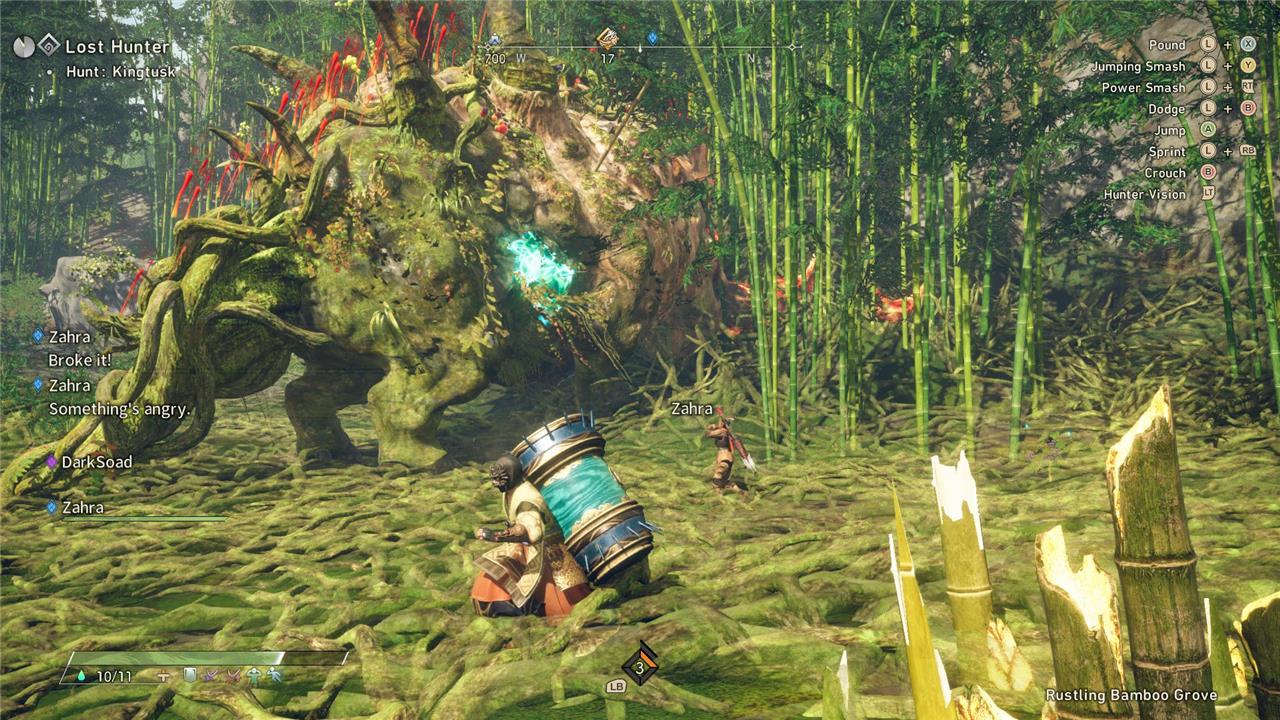
While you can technically play the game on your own – there’s even an option to disable all online elements in the Settings menu – the experience is thoroughly enhanced when you have other hunters on your side.
For example, the building mechanic is perfect for multiplayer sessions. Doubling or tripling the number of constructions is enormously beneficial for hectic battles. One player can focus on building walls in front of somebody while they’re patching themselves up, while another can set up a trap or craft a healing mist. You can also finish up constructions of other people, in case they ran out of the necessary material (called Thread in the game’s parlance) before completing a structure.
Moreover, if your health drops to zero, your teammate(s) will have a chance to revive you and vice versa. The caveat is that, instead of having three “lives” per hunt as you’d normally do, these are shared in multiplayer. If nobody manages to revive you, you’ll lose one of them. At the very least, the revive window is quite generous, so you’ve got room to prevent this from happening, or at least try to.
In terms of communication, Wild Hearts relies on the usual suspects: emotes, text quips á la Rocket League, and in-game voice chat. As always, nothing beats communicating with friends, especially for some of the tougher hunts, but the options are there if you want to use them. And yes, you can disable voice chat at your own discretion.
How to enable crossplay in Wild Hearts
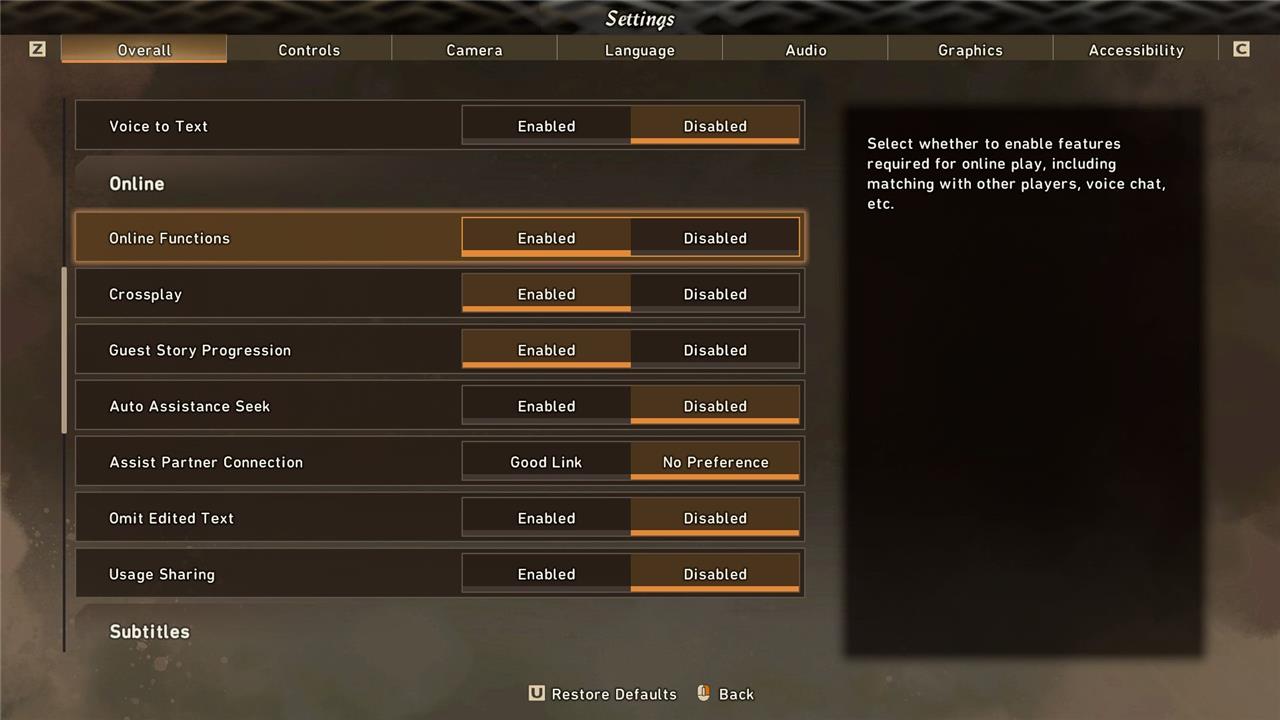
Navigate to the Settings menu, select Overall, then scroll to the Online section. Toggle the Crossplay option on if it’s disabled, as the feature activates by default for PlayStation 5, Xbox Series X/S, and PC players. This allows seamless multiplayer sessions across platforms without further adjustments.
There is crossplay in Wild Hearts, which means that players from PC, PlayStation 5, and Xbox Series X/S can play with each other.
You can opt in and out of this option by heading over to the Settings, tabbing to Overall, then the Online submenu, and toggling the Crossplay option on or off.
How to play Wild Hearts with friends
Launch Wild Hearts from your platform of choice, then select Multiplayer from the main menu. Choose Create Karakuri Network to host a session or Search for Karakuri Network to find your friends’ games. Share the network ID or password with them through the in-game menu or external chat. Once connected, pick a Kemono hunt or free roam activity together. Crossplay works across PC, PS5, and Xbox Series X|S, so everyone joins the same lobby seamlessly.
If you want to invite friends in Wild Hearts multiplayer, follow these steps:
- First, you need to create a session – you can do so by interacting with a campfire, either on the islands themselves or in Minato.
- Press the “Warm Yourself” button prompt, and then select Play Online.
- Now, Create Session and set your preferences – if you just want to invite friends, either set a random password or tweak the tag so it displays Friends Only.
- Once you’ve hosted the session, open the map and circle to tabs on the Communication screen (next to Inventory).
- From the Friends List tab, select any friends you want to invite to your game (up to three people can play together, including yourself).
- Your friend should then get a notification to join your session.
Of course, your go-to group might not always be available when you need them, so there are other options to consider.
How to request assistance and join other players in Wild Hearts’ online mode
Access the pause menu during gameplay and select the “Co-op” option to request help from other players. Choose “Send Request” to broadcast your need for assistance in hunting large Kemono or exploring areas. Nearby hunters receive an invitation notification; they can accept to join your session instantly. You can also respond to requests from others by checking the same menu for active calls. This system lets players team up quickly without prior friend connections.
There are a few ways in which you can interact with other players in Wild Hearts. Keep in mind that you don’t always need a session – there isn’t a global shared session or something similar – but the game offers shortcuts of sorts to make it easier depending on what your needs are.
If you’re having trouble hunting a tough foe, you can Request Assistance from other players. An easy way to do so is to open the map, hover over the icon of the beast you want to tackle, and press the Request Assistance button prompt. This will create a search for any players willing to jump in. Remember that you first need to use a Hunting Tower to spot any nearby beasts. Also, you can access this option when you stumble upon them directly while traversing the area – but if you want to be careful, sending over the request beforehand is the way to go.
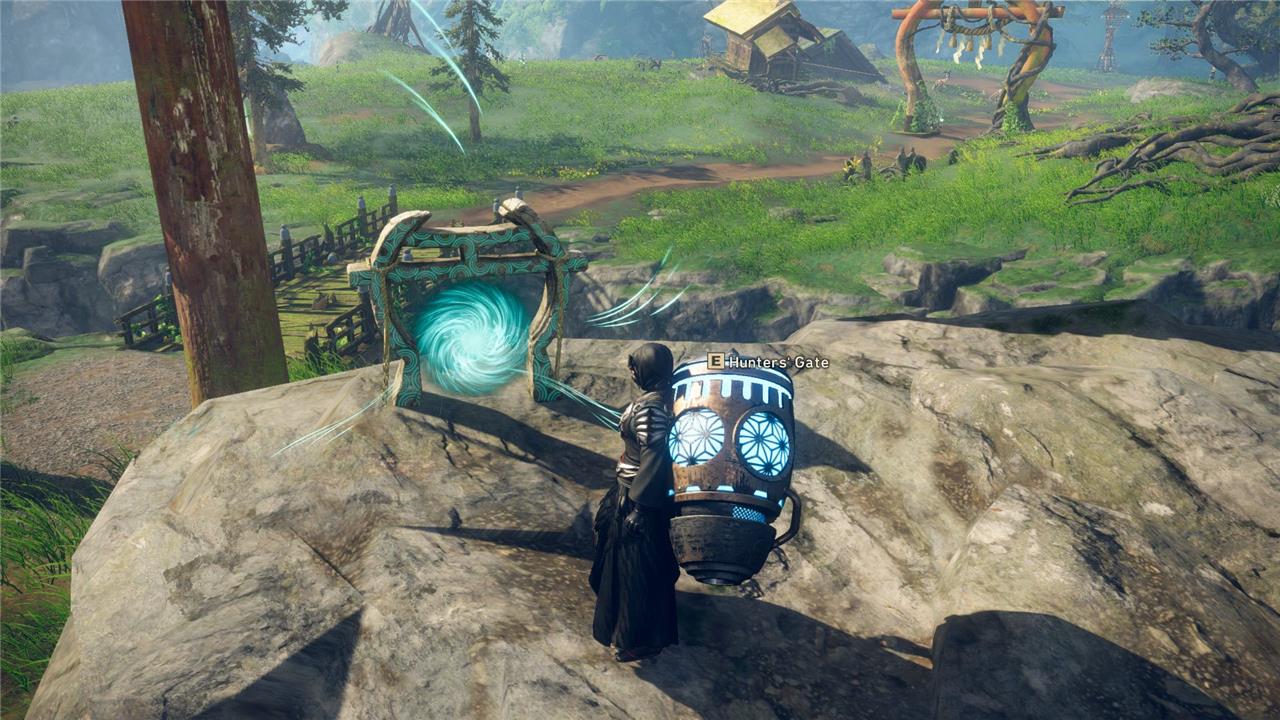
Now, if you want to be the one helping others in Wild Hearts, you can use a Hunter’s Gate. Interacting with one in the islands will open up an Assistance List, from which you can select which hunt you want to help others with. Then, the game will search for any eligible sessions currently taking place. It’s likely that you’ll be spending a lot of time farming materials, so why not help others when you’re repeating hunts? Just a thought!
Alternatively, you can use Campfires to create sessions, and just tweak the preferences to your liking. That way the session will keep on running even after a hunt is done, and players can drop in and out whenever from that moment on.
How does story progression work in Wild Hearts multiplayer?
In Wild Hearts multiplayer, story progression occurs when players enable the Guest Story Progression option in Settings under Online. Guests matching the host’s quest advance their main storyline alongside the host, retaining that progress upon returning to solo play. Players at the same story point can host sessions at campfires, ensuring shared advancement, though mismatched progress may require the earlier player to lead.
Yes, there is story progression when you’re playing with others in Wild Hearts, but it’s important to understand how it works.
If you head over to Settings, then Overall, then the Online submenu, you’ll see an option called Guest Story Progression. If enabled, as long as your progression as a guest matches the one of the host, you will both progress together. Meaning that, once you exit the multiplayer session and you’re back on your own, the progress you made into the story will remain as is. If you disable the option, it won’t count.
That’s pretty much all you need to know about how multiplayer in Wild Hearts works! One last thing: Make sure someone reminds you to eat before going on a hunt. Seriously. Don’t forget to eat.
Common multiplayer issues and fixes in Wild Hearts
Wild Hearts multiplayer often faces connectivity, desync, and progression bugs, many patched over time but some persisting. Common fixes involve settings tweaks, restarts, and network checks.
Connectivity Errors
Network connection failures or disconnections during sessions are frequent; disable “connect only to nearby players” in settings, restart the EA app/game, clear EA app cache, and verify game files. Firewall/antivirus exceptions for the game folder help, as does wired internet over Wi-Fi.
Session Joining Issues
Players can’t find or join friends’ sessions due to platform filters, passwords, or simultaneous joins; host via campfire first, ensure crossplay is on, and switch platforms in the map’s Communication screen. Restarting the session or game resolves stuck loads.
Progression Desync
Guests miss story/quest progress or get stuck (e.g., chaining essence quests); enable “Guest Story Progression” in settings and have the host further along carry guests. Avoid disbanding mid-cutscene or hunt end.
Karakuri and Combat Bugs
Karakuri fail to place or fuse online due to latency/desync; build slowly, limit placements, and prioritize quick counters offline if needed. Skills like Fusion Reaper may not activate for guests-unlock them individually.
How to fix Wild Hearts slow motion in multiplayer
Wild Hearts slow motion in multiplayer often stems from FPS locks, antivirus interference, or overlays, especially on PC. Many cases were addressed in early patches like 1.0.3-1.0.5.
Antivirus Conflicts
Disable advanced real-time scanning features like Bitdefender’s “Advanced Threat Defense” or add the game folder to exceptions in your antivirus/Windows Defender. This resolves CPU throttling that causes slowdowns during sessions.
Graphics and FPS Tweaks
Cap in-game FPS at 30 or 60 via settings, disable V-Sync, and in NVIDIA Control Panel (Manage 3D Settings > Program Settings for Wild Hearts), turn off threaded optimization and set power management to “Prefer Maximum Performance.” Avoid uncapped FPS, which triggers desync in multiplayer.
EA App and Overlays
Turn off the EA app in-game overlay (EA App > Settings > Application tab) to boost performance and eliminate motion bugs. Restart the game after changes and verify files via the EA app or Steam.
Multiplayer-Specific Fixes
Host creates the session first; ensure crossplay is enabled and no simultaneous joins. If desync persists, restart the session or limit Karakuri builds to reduce latency strain.
