
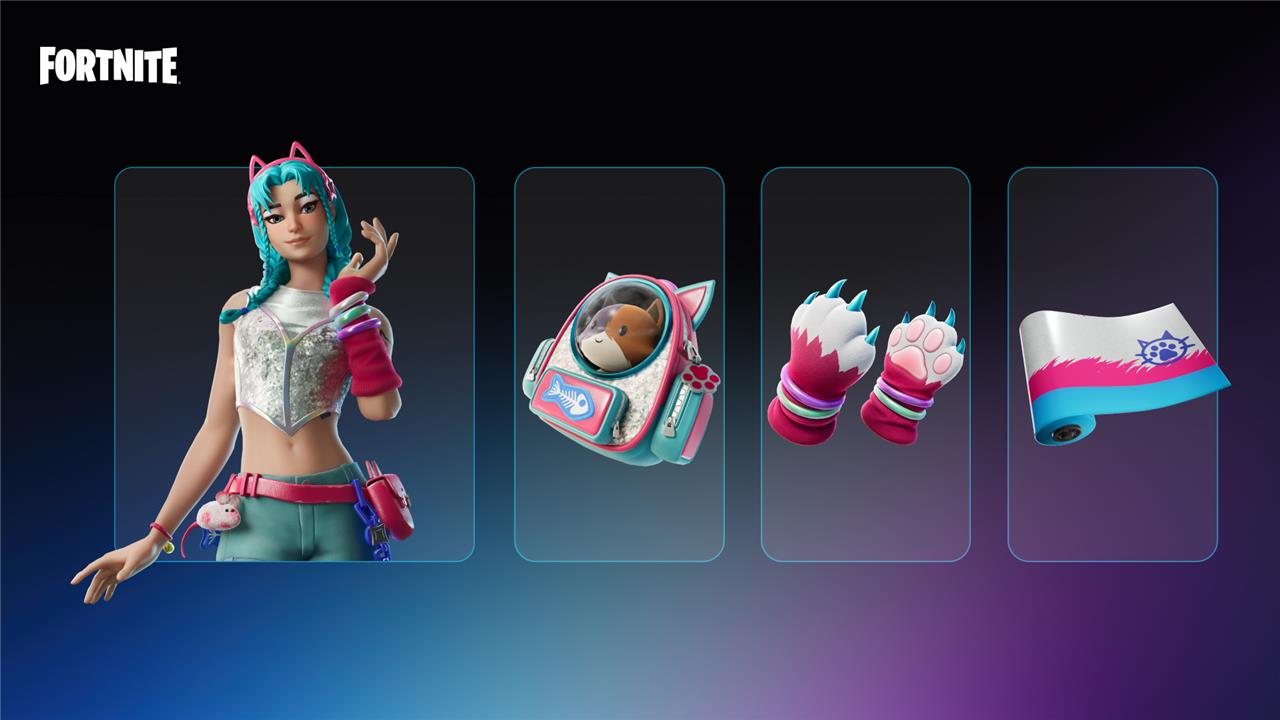
Unlocking the elusive Katalina skin in Fortnite just got a thrilling new twist for mobile players! From now until December 10, 2024, dive into the Fortnite mobile app on Android-or iOS if you’re in the EU-and complete a series of bonus goal quests to earn not only the stunning Katalina outfit but also exclusive gear like the Tactical Kat wrap, Kat Claws pickaxe, and Katalina’s Kit Bag back bling. Earn 100,000 XP through gameplay on mobile to claim this coveted feline-themed set before it disappears or hits the item shop for purchase.
Though these quests are visible to all players, the ability to complete them – and in turn, unlock the Katalina skin – is limited to certain mobile devices and / or regions. This page explains what you need to qualify.
It’s worth noting that the Katalina skin will be sold to all players eventually, so this isn’t your only chance to get it if you don’t have the right setup – even if you will have to stump up the V-Bucks to get it.
How to complete the ’Mobile App Bonus Goals’ quests in Fortnite
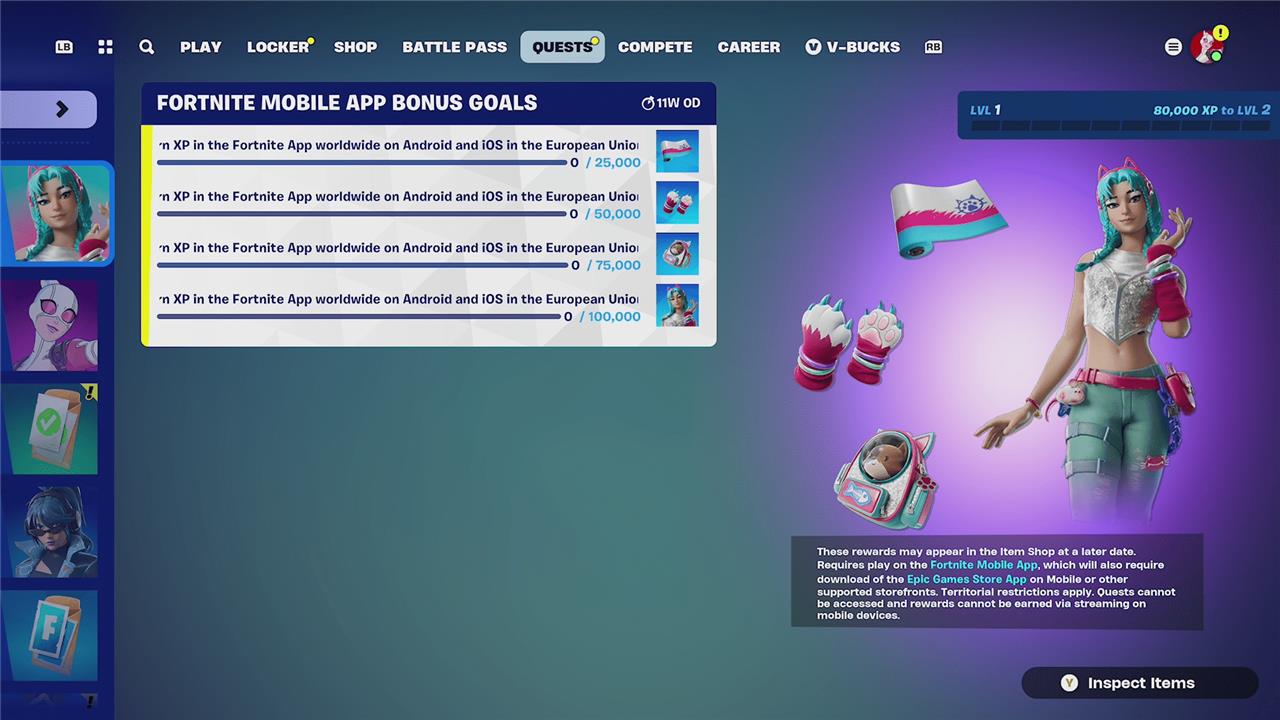
To complete the “Mobile App Bonus Goals” quests in Fortnite and unlock the Katalina skin, players need to earn a total of 100,000 XP while playing Fortnite on their mobile devices (Android or iOS in the EU). The quests are divided into four milestones: earning 25,000 XP rewards the Tactical Kat Wrap, 50,000 XP grants the Kat Claws Pickaxe, 75,000 XP unlocks Katalina’s Kit Bag Back Bling, and reaching 100,000 XP awards the Katalina Character Outfit with a special LEGO style. Players can earn XP by completing regular in-game activities such as daily, weekly, or creative mode challenges, making it easier than it sounds to reach the required XP. It is important to play Fortnite natively on mobile, as progress made through streaming does not count. These quests are available until early December 2024, giving ample time to complete them and claim the exclusive rewards.
The “Mobile App Bonus Goals” are a series of quests that require you to play Fortnite natively on iOS (specifically, iPhones and not iPads) or Android, whether through the Epic Games Store App or AltStore PAL marketplace.
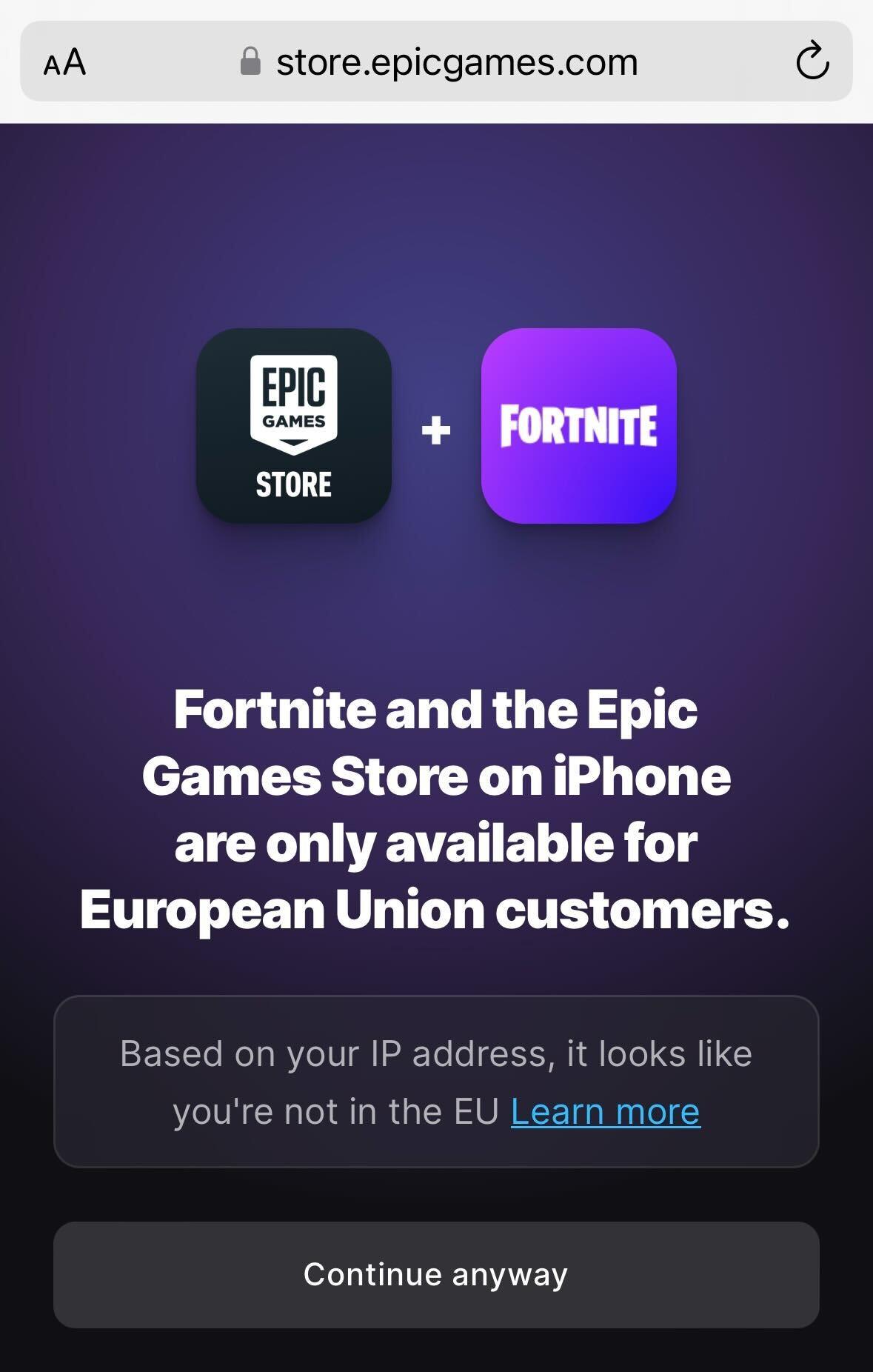
The Epic Games Store App is available on Android worldwide, and the Epic Games Store App and AltStore PAL marketplace can only be downloaded on iOS devices in EU territories only.
For iOS users, to clarify, if you live in North America, the UK, or any country outside of the EU, you cannot download the Epic Games Store App, and in turn, play Fortnite natively. For iOS EU users, you can see the exact list of territories that qualify on Apple’s support site. (Side note: If you’re the UK or Japan, there are plans to support these two territories from the middle of 2025 onwards – though that’s long after the “Mobile App Bonus Goals” quests will have expired.)
If you’re not entirely sure, attempting to install Fortnite (see the next section as to how to do so) is a way to quickly clarify whether you can play natively on your device.
If you are on an eligible device and can install Fortnite natively, then the process of completing the “Mobile App Bonus Goals” is straightforward – you simply have to get XP. By earning 100,000 XP in total, you’ll unlock the Tactical Kat Wrap, Kat Claws Pickaxe, Katalina’s Kit Bag Back Bling, and finally, the Katalina Outfit.
How to install Fortnite on iOS and Android
To install Fortnite on iOS, users in the United States can download it directly from the App Store by searching for “Fortnite” and tapping the “Get” button. In the European Union, where Fortnite is not available on the App Store, players need to download the Epic Games Store app on their iOS device, then open it, select Fortnite, and install it from there. For other regions, cloud gaming options may be available. On Android devices, players should first download the Epic Games Store app from the official Epic Games website, then use it to install Fortnite. After installation on either platform, players log in with their Epic Games account to start playing.
You can play Fortnite on iOS and Android by installing the Epic Games Store App (or AltStore PAL marketplace, if you want an alternative for those on iOS in the EU).
To get started, visit fortnite.com/download on your mobile device’s browser. From there, you’ll instantly know whether your device can install one of the above marketplaces, and in turn, Fortnite.
If you can install, then you’ll be guided through the various steps to get your marketplace where Fortnite can be downloaded, which are also listed on Epic’s official blog. If this is a bit of a hassle, this is something Epic itself recognizes, and points to Apple and Google offering “intentionally poor-quality install experiences laden by multiple steps, confusing device settings, and scare screens,” according to our report of the mobile store’s launch.
If you cannot install, know you can still play Fortnite on a mobile device in any region by streaming, such as through Xbox Cloud Gaming, NVIDIA GeForce NOW, Amazon Luna, or locally through PlayStation Remote Play if it’s installed on your PS4 or PS5. However, playing via streaming does not count towards the “Mobile App Bonus” goals – only “native” versions of the game installed on the device will.
Want to discover the easiest way to unlock the Katalina skin on mobile
The easiest way to unlock the Katalina skin on Fortnite mobile is by earning 100,000 XP through gameplay in the Fortnite mobile app on Android or iOS (in the EU). You can speed up this process by using popular XP farming methods, such as playing on specific Toy Box maps designed for fast XP gains, inviting friends, and completing matches quickly. Once you hit 100,000 XP, you unlock the full Katalina bundle, including the Tactical Kat Wrap, Kat Claws Pickaxe, Katalina’s Kit Bag Back Bling, and the Katalina Outfit itself.
What’s the fastest way to earn 100,000 XP for Katalina on mobile
To quickly earn 100,000 XP for the Katalina skin on Fortnite mobile, focus on XP farming methods within the Fortnite mobile app. Here’s how:
-
Toy Box Maps: Use Toy Box maps designed for fast XP gains. A popular map code is 9061-5458-7889.
-
Secret Code Maps: Some maps require you to enter a secret code to access the XP area. For example, use map code 4470-6058-7690 with the password “0297”.
-
Team Rumble: Participate in LTMs like Team Rumble for a fresh gameplay approach and associated challenges that offer significant XP.
-
Daily and Weekly Challenges: Completing daily and weekly challenges can provide solid XP rewards for simple tasks. Log in daily to tackle these challenges.
-
High Placements and Eliminations: Aiming for high placements and racking up eliminations will give you an XP boost.
-
The Pit (for 2 accounts): If you have two accounts, use “The Pit” map. Jump down with the burner account and headshot it multiple times.
Since you enjoy playing Fortnite and seek guides for mobile platforms, these strategies should help you unlock the Katalina skin efficiently.
