
Step into the fast-paced world of Modern Warfare 3 with a game-changing new mechanic: Tactical Stance. This innovative aiming mode blends the precision of aiming down sights with the agility of hip fire, offering players a canted weapon position that boosts mobility and quick target acquisition in close quarters. Whether sliding into cover or aggressively clearing rooms, mastering Tactical Stance can give you the edge to outmaneuver and outshoot your opponents across PC, PlayStation, and Xbox platforms. Ready to learn how to activate and harness this dynamic stance? Let’s dive into everything you need to know to dominate your next match.
Though Tactical Stance is enabled by default, the controls and default behavior might not be to your liking – which is where this guide for how to find and use Tactical Stance in Modern Warfare 3 comes in handy.
What is Tactical Stance in Modern Warfare 3?
Tactical Stance in Modern Warfare 3, also known as “Tac Stance,” is a new aiming mode that positions your weapon between hip-firing and aiming down sights. This stance offers a balance by improving mobility and field of vision while providing better accuracy than hip-fire, making it especially useful in close-quarters combat. When activated, your weapon is held at a slight angle, allowing for faster aiming and movement at the cost of some precision. Tactical Stance is designed for aggressive playstyles and can be toggled on or off with customizable controls across platforms, enhancing your ability to react quickly in fast-paced multiplayer battles.
Described as the “perfect middle-ground between hip-fire and aiming down sights” by developer Activision, Tactical Stance provides improved mobility speed and visibility over looking down a scope, while avoiding the wide bullet spray of firing from the hip.
It’s best used at close distances, allowing you to react to an enemy’s presence faster and with more precision than the other two aiming options.
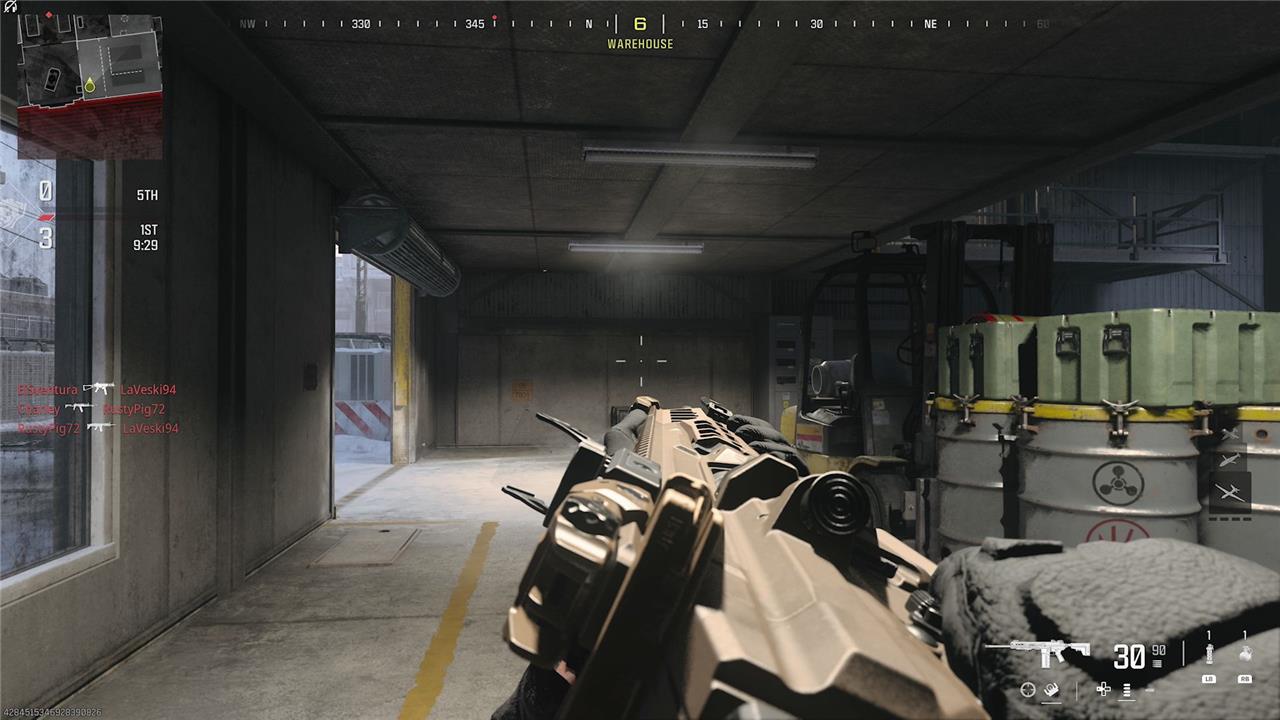
The tell-tale sign you are aiming with Tactical Stance is the weapon will be at a slanted angle, with a tighter crosshair appearing on screen.
Here’s what aiming with Tactical Stance look like:
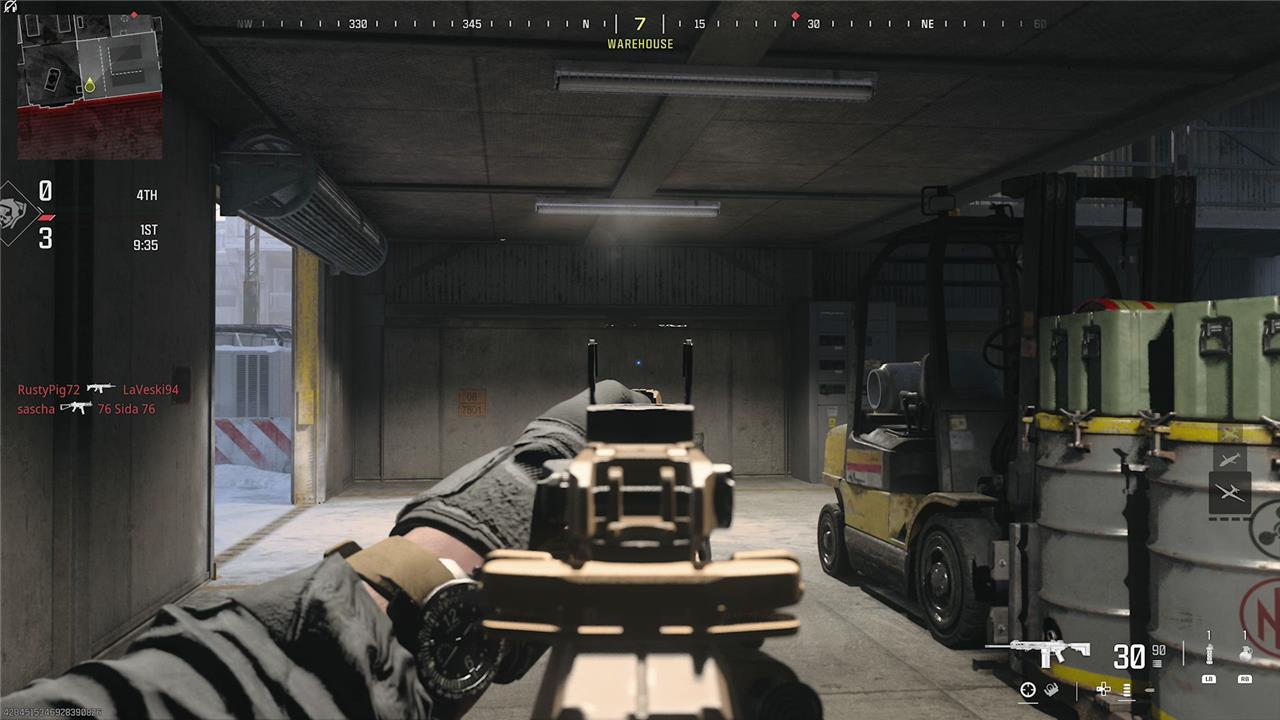
Compare this to ADS, or aiming down sights:
And to regular hip fire:
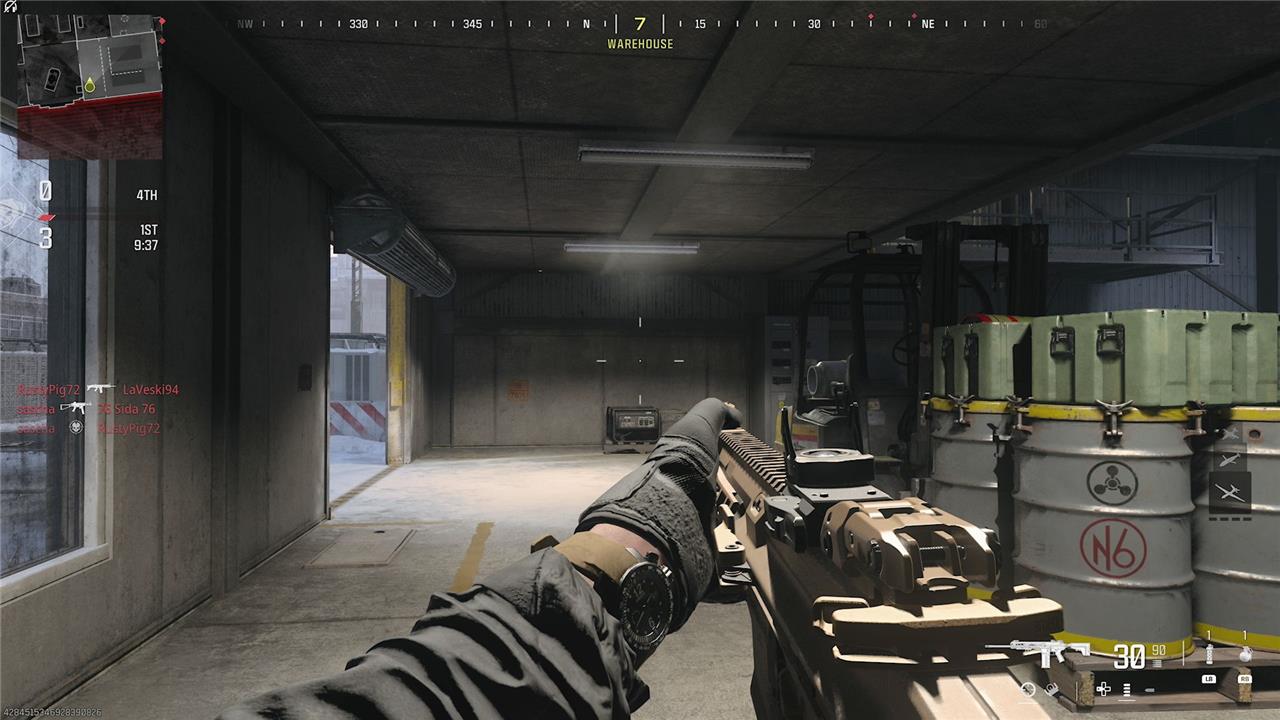
What the above screens don’t show is the mobility difference, allowing you to walk and aim faster than the ADS’s slow inching forward.
How to enable Tactical Stance and change Tactical Stance controls in MW3
How to enable Tactical Stance and change Tactical Stance controls in MW3 can be done in the settings menu. By default, Tactical Stance is always active in MW3 and can be used by pressing ADS + Melee, which is right click + V on a keyboard, or LT + down on a controller. To change the controls, go to the Gameplay tab in settings, then alter Tactical Stance Activation and Tactical Stance Behavior to your preferred configuration. Available options include turning Tactical Stance off, ADS + Armor, ADS + Alt Fire, a custom input, or double tapping ADS.
By default, Tactical Stance will activate while sliding, or by aiming with the left trigger and pressing down on the D-Pad when using a controller.
To change Tactical Stance controls, go to Settings (press the “menu” or three line “burger” button on a controller), then select Controller.
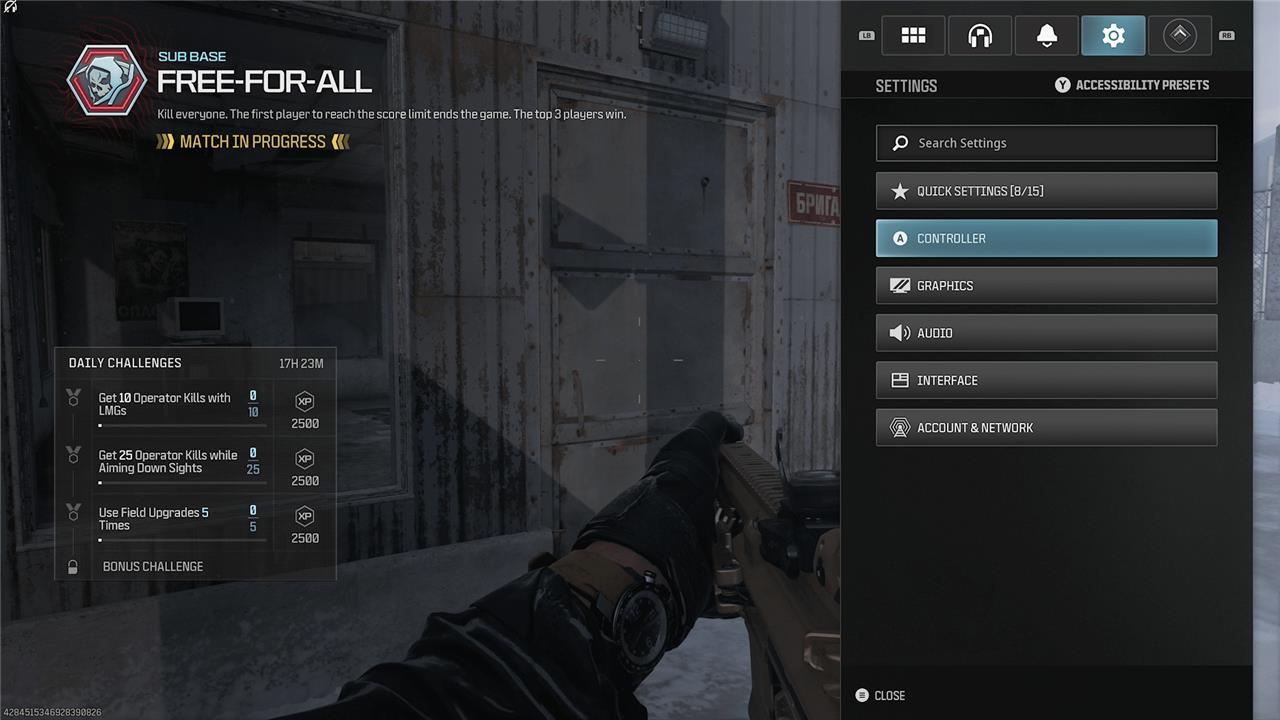
From here, tab over to the Gameplay section, then scroll all the way down to Combat Behaviors.
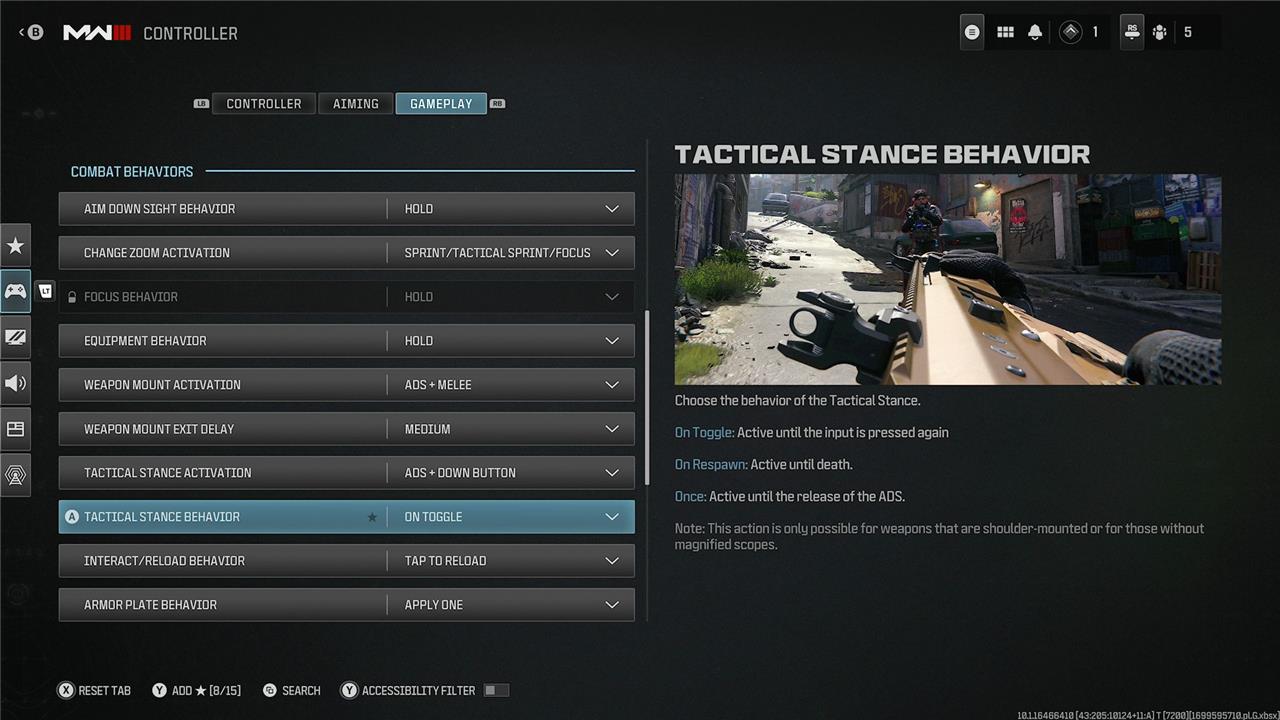
Here is where you will see two Tactical Stance options: Tactical Stance Activation and Tactical Stance Behavior.
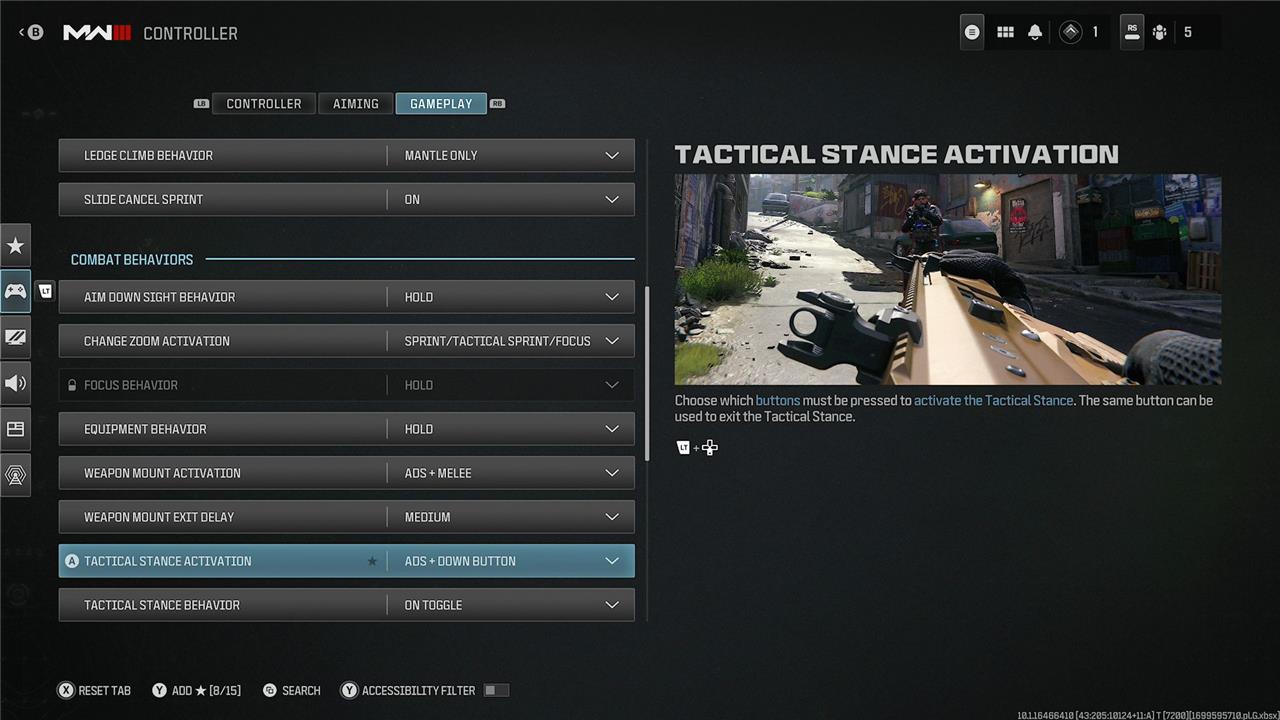
For Tactical Stance Activation – essentially the controls – you have five options:
- Off
- ADS Sprint (left trigger and clicking in the left stick by default)
- ADS Melee (left trigger and clicking in the right stick by default)
- ADS Down Button (left trigger and down on the D-Pad by default)
- Double-tap ADS (left trigger twice by default)
As for Tactical Stance Behavior, this dictates whether it’s on a toggle (enabled until disabled), On Respawn (enabled until your next death), or Once (enabled until you stop aiming).
For me, I found double-tap ADS the most natural method of switching to Tactical Stance, as I didn’t have to move my thumb to the D-Pad – though I can see one of the two stick click methods also being preferable over time. If you’re not sure yourself, it’s well worth experimenting with the various options and seeing what works for you.
How does Tactical Stance give me an edge in close-quarter fights
Tactical Stance gives you a significant edge in close-quarter fights by striking a perfect balance between accuracy and mobility. Unlike traditional aiming down sights (ADS), which slows your movement by about 50%, Tactical Stance reduces this penalty to just around 10%, allowing you to strafe and maneuver much faster while maintaining better control over your shots than hipfire. This means you can quickly track and engage enemies in tight spaces without sacrificing precision, as Tactical Stance tightens your bullet spread and offers improved weapon stability, making your shots more reliable under pressure.
Additionally, Tactical Stance provides a wider field of view compared to ADS, helping you stay aware of your surroundings and spot threats more easily during frantic close-range encounters. It also allows you to use weapons with larger scopes more effectively in close quarters by reducing zoom, so you’re not caught off-guard when enemies rush in. Altogether, Tactical Stance enhances your agility, accuracy, and situational awareness, making you a harder target to hit and improving your chances of winning fast-paced, close-range gunfights.
How does Tactical Stance improve my weapon stability in close fights
Tactical Stance improves your weapon stability in close fights by significantly tightening your bullet spread compared to hip firing, while still allowing much greater mobility than fully aiming down sights (ADS). This hybrid aiming mode reduces the randomness of your shots, making them more accurate and reliable at close range without the heavy movement penalty of ADS. As a result, your weapon recoils less erratically, and your shots land more consistently on target when using Tactical Stance. This enhanced control over your weapon’s recoil and accuracy helps you maintain steady fire during fast-paced, close-quarter engagements, giving you a crucial advantage over opponents relying solely on hip fire or ADS.
