
Azure kelp drifts in Hytale’s hidden currents, powering potions that turn tides in battle. Pinpoint its rare strands before foes claim them all.
How to find azure kelp in Hytale
Search for azure biomes on your map and head toward the blue-tinted forests and clearings with dark blue water pools. Check every pond, lake, and river you pass, focusing on spots where faintly glowing blue plants are visible just below or slightly above the water surface. Prioritize areas marked by clusters of azure trees, since bodies of water near them have a higher chance of spawning azure kelp. Once you spot the kelp, wade in and interact with each plant to collect it, then sweep nearby pools in the same biome to quickly gather a full stack.
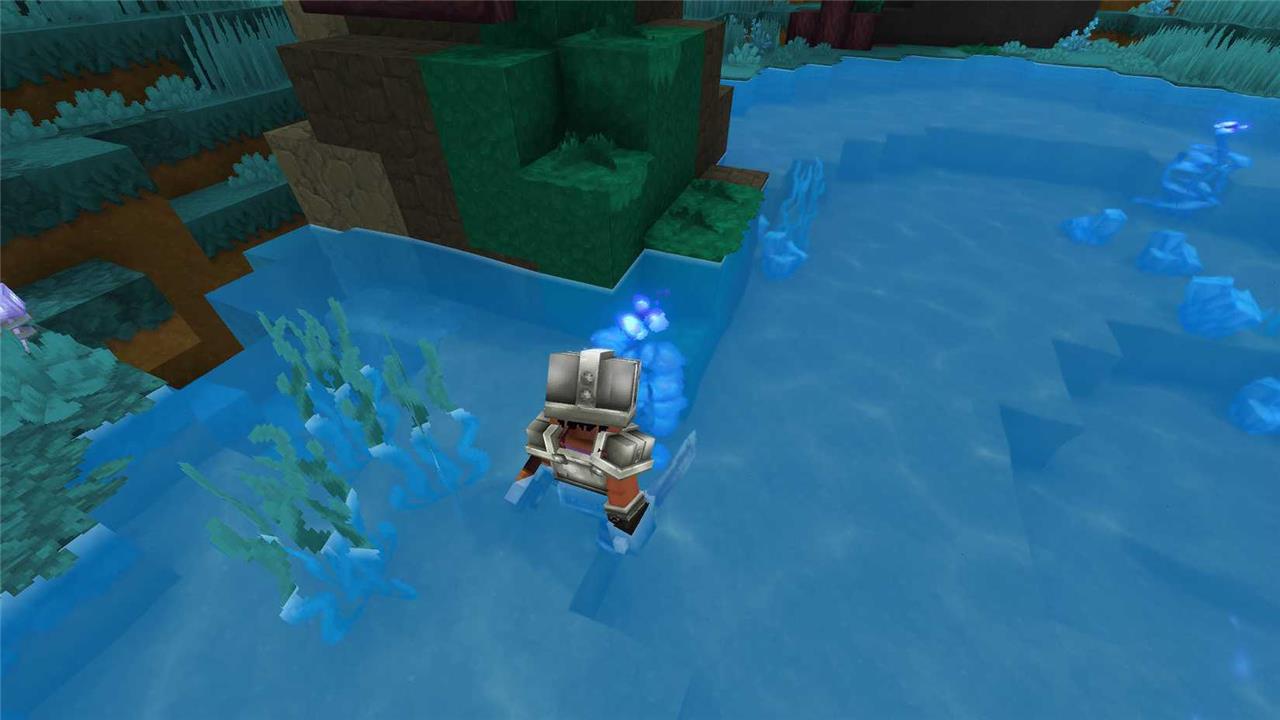
You can find azure kelp in bodies of water, like lakes and ponds. You can spot them coming out the water, so it shouldn’t take long for you to know whether a pond has azure kelp or not. To identify places with a high chance of finding these plants, look at your map for watery areas with dark blue circles inside.
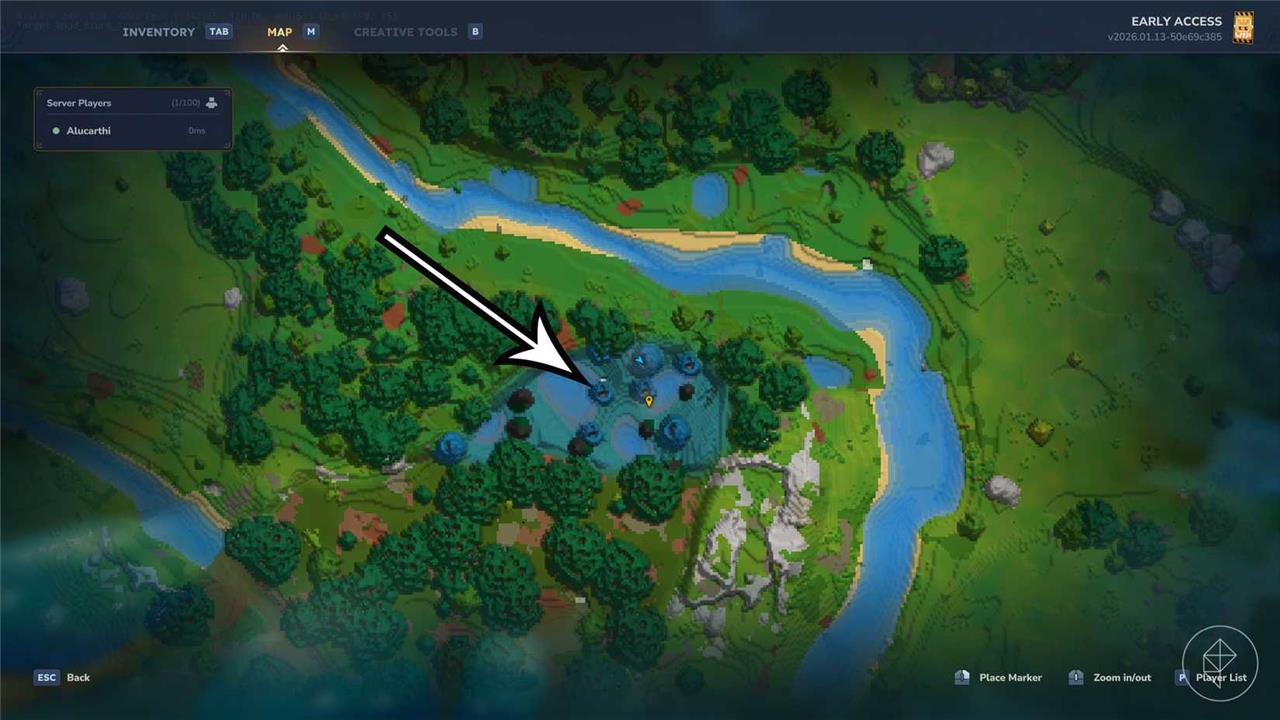
These circles indicate the presence of azure trees, which are usually near bodies of water where azure kelp grow. It’s possible to find places like this in the Emerald Wilds zone, allowing you to start farming this material quite soon.
We also have found azure kelp in an oasis in the middle of the second zone in the game, the Howling Sands. When using the map, it’s possible to locate a few small areas with trees and small lakes deep in the desert. Although the locations marked by azure trees have a higher chance of containing azure kelp, oasis also provide a good amount for you to collect.
Best Azure biome locations on the Orbis map
Azure Forest biomes on Orbis are easiest to spot as large, bright blue patches on the map, usually in or near Zone 1’s temperate regions rather than the extreme zones.
How Azure biomes look on the map
-
The Azure Forest shows up as a vibrant blue or blue-green forested area, clearly different from the green of Emerald Grove and the yellow of deserts.
-
These biomes often appear as mid-sized blobs rather than tiny specks, usually with several small blue water icons (ponds/rivers) inside them for Azure Kelp.
Good regions to search
-
Many guides report Azure Forests spawning on the fringes of Zone 1 (Emerald Grove), reachable by riding outward from the starting area until you see a distinctly blue forest on the Orbis map.
-
Another strong candidate area is near large desert zones (Zone 2): desert oases and adjacent blue-tinted forests frequently contain Azure trees and Azure Kelp, so checking the borders where green/blue meet sand is efficient.
Practical map tips
-
Zoom the Orbis map out and scan for big, saturated blue tree icons; those almost always mark Azure Forests with multiple ponds inside.
-
If your seed doesn’t show an obvious Azure patch near spawn, follow coastlines or ride around Zone-1 edges; the biome layout is procedurally generated, so “best” spots vary by world, but blue forest clusters you can see without zooming in are typically the most resource-dense.
Show Azure biome coordinates on the Orbis map
There is no fixed set of “universal” Azure biome coordinates for Orbis, because Hytale worlds are procedurally generated and every seed lays out biomes differently. That means specific X/Y numbers someone shares from their world will not match yours.
Why there are no fixed coordinates
-
Orbis is generated fresh per save, with biomes arranged based on your world seed rather than a single static map.
-
Guides describe how Azure Forests tend to spawn (e.g., near Zone 1 edges), but they do not provide globally valid coordinate lists that work in every world.
How to find Azure biomes by coordinates in your world
-
Open your map, place a marker on any bright blue forest patch you suspect is Azure, and read the X/Y coordinate shown in the marker/tooltip; that becomes your personal Azure biome coordinate.
-
To build a small “coordinate list” for yourself, ride around the edges of Zone 1 and near large deserts, mark every blue forest cluster you see, and write down each marker’s coordinates so you have multiple Azure spots to return to later.
If you share your current world seed and any coordinates you already have, it is possible to talk through where to scout next relative to those positions.
