
Glinting scales, rare fossils, and sheer patience-Pokémon Legends: Z-A turns shiny hunting into an art form of timing, precision, and luck. Here’s how dedicated trainers are mastering the odds and adding brilliance to their fossil collections.
How does shiny hunting work in Pokémon Legends: Z-A?
Shiny encounters in Pokémon Legends: Z-A rely on repeatedly refreshing wild spawns around Lumiose City until the game’s random number generation rolls a different-colored variant of your target species, starting from a base rate of 1 in 4,096. You typically pick a specific Pokémon, find a spawn point close to a fast travel location or door, and then reset the area by fast traveling, using benches to change the time of day, or briefly leaving and re-entering so that the local Pokémon pool rerolls. Once a shiny appears, it is marked by a distinct sound and visual sparkle and will remain on the map until you interact with it, letting you safely reposition or save before engaging.
While yes, you can just encounter shiny Pokémon as you run around the city, if you’re explicitly looking for a specific Pokémon, you’ll want to find a place where the Pokémon spawns, and then rapidly reload that area.
There are a few ways to reset/reload an area:
- Fast travel to an area. Even if you fast travel to an area you’re already standing it, it will completely reload the map.
- Fast-forward time on a bench. This will skip forward to the next part of the time cycle (day or night), while reloading the area.
- Go in and out of a doorway that reloads the area, such as the staircase in Wild Zone 3 or the entry to the Lumiose Sewers.
- Run out of range of the Pokémon so it despawns, and then run back closer to it so it spawns again. Most Pokémon will show up when you’re around 50 units within range and then vanish when you get about 75 units away from them. You can track the distance by pinning the location of the Pokémon you’re hunting on the map.
From there, you pretty much just want to keep resetting the spawn of your desired Pokémon until you get lucky. It’s definitely a very different method from what we’re used to, as this involves more mindless button spamming and RNG than using sandwiches in Scarlet and Violet. In Legends: Z-A, there’s no breeding, so there’s no Masuda method. It’s all shiny hunting from organic encounters!
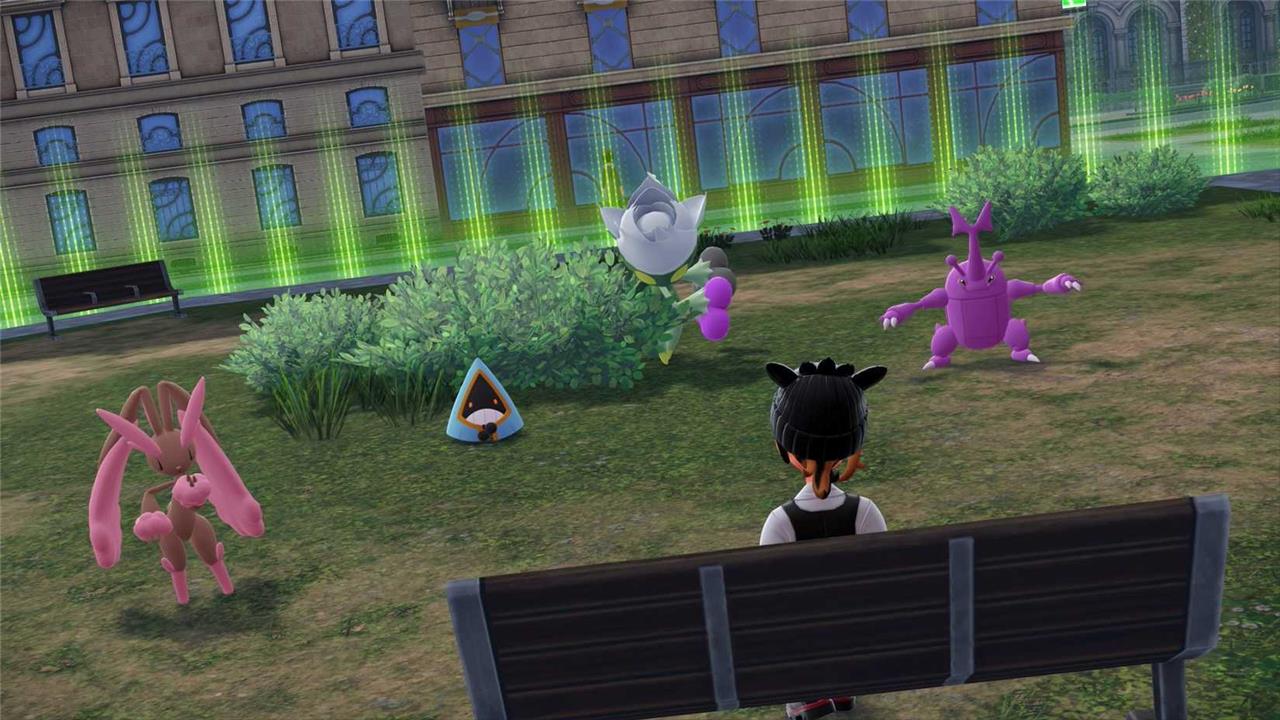
According to the Pokémon expert Twitter, the game will also save up to 10 shiny Pokémon encounters on your map. This means that if you spawned a shiny Pidgey and you didn’t quite notice it, the Pidgey will actually stay there until you either catch it, defeat it, or make it fly away. Up to 10 Pokémon will retain their spots on the map until you get rid of them through the aforementioned methods, so you don’t have to worry too much about missing shinies that are out of your sight.
How to shiny hunt in Pokémon Legends: Z-A
Shiny hunting in Pokémon Legends: Z-A relies on locating reset points near your target, listening for the shiny sound cue, and cycling through encounters to trigger new spawns efficiently. The Fossil Pokémon path is notably slower since fossils don’t benefit from the Shiny Charm, so expect a grind without guaranteed quick results. This approach emphasizes systematic resets, close-up map pins, and consistent encounter loops to maximize shiny odds over time.
Shiny hunting in Pokémon Legends: Z-A is all about resetting the spawns in your area, and as mentioned above, there’s quite a few ways to do so. Once you figure out the best way to reset the area with your target Pokémon in it, it’s pretty much just a matter of patience and button mashing. Here’s how to shiny hunt in Pokémon Legends: Z-A:
- First, figure out what you want to hunt and where it shows up. Mark its location on your map with a pin.
- Second, try to either find a reset point (see above) within 50 units of that pin.
- If you can’t find that, then you’ll need to seek out a path that brings you to and from that Pokémon quickly (ideally without the use of ladders or too much parkouring). This path ideally will bring you within 50 units of the Pokémon you are hunting and 75 units away from it.
- Once that’s sorted out, either spam the buttons to reset the area (passing time on a bench, going into a building, fast traveling, etc), or run back and forth to respawn the Pokémon you’re hunting quickly.
- You can opt to check in to see if the Pokémon you’re hunting has appeared shiny as often as you’d like, though some players only check every 30 minutes or so.
- Eventually, with some luck, you will hopefully hear the shiny sound effect as you approach your target, and your shiny hunt will be over.
If you’re having a hard time finding a spot to reset for your favorite Pokémon, Austin John Plays actually put in the work and has a location for each Pokémon (or at least a Pokémon in each evolution line).
However, if you want the fossil Pokémon, the shiny hunting method is a wee bit different…
How to shiny hunt the fossil Pokémon in Pokémon Legends: Z-A
To track down a shiny fossil Pokémon in Pokémon Legends: Z-A, first stock up on Jaw Fossils, Sail Fossils, or Old Amber for Tyrunt, Amaura, or Aerodactyl at the Stone Emporium, ideally grabbing at least 10 of the fossil you want to focus on to cut down on constant restocking. Head to the second floor of the Pokémon Research Lab, make a manual save right in front of the restoration NPC, then revive all of your fossils in one go by repeatedly pressing the A button until the entire batch is restored. Once everything is revived, check the box where the fossil Pokémon were sent; if none are shiny, close the game without saving and reload your file so the fossils are back in your bag, then repeat the restore-and-check cycle until a shiny appears. The odds remain at the base 1/4096 rate and are not improved by the Shiny Charm for these fossil species, so expect a grind, but this reset method is still the fastest way to chase fossils in the current version of the game.
If you want Tyrunt, Amaura, or Aerodactyl, your shiny hunting method is going to be different. You will need to just keep restoring fossils until you get the shiny, and unfortunately, these Pokémon are not affected by the Shiny Charm, so you’re stuck at a base shiny rate.
To get them, you can do the following:
- Buy 10 or so fossils for the Pokémon you want from the Stone Emporium. You’ll need the Jaw Fossil for Tyrunt, the Sail Fossil for Amaura, and the Old Amber for Aerodactyl. You can buy more if you want to reset the game less often.
- Head to the second floor of the Pokémon Research Lab and manually save.
- Talk to the man in front of the fossil restoration machine, effectively just spamming the A button until all the fossils you bought are restored.
- If you didn’t get a shiny, close the game and repeat step three until you get your shiny.
This one is obviously a bit tougher and more annoying than the other methods, but alas. The trailer for the Mega Dimension DLC had an Alpha Amaura, so it may be possible to catch these in the wild in the DLC, but for now at least, you’ll need to use fossils only.
Shiny hunting tips for Pokémon Legends: Z-A
Boost your shiny odds in Pokémon Legends: Z-A by targeting fossil Pokémon outbreaks in Kalos zones, where spawn rates spike during specific weather patterns. Chain encounters through repeated battles or catches to build momentum streaks that gradually raise probabilities. Use the sandwich method at picnics to lure mass outbreaks with shiny charm boosts, stacking them for quicker results. Track progress with the in-game shiny counter and reset outbreaks via area hops if rates dip. Focus on high-density spots near Lumiose City for sustained sessions.

If you’re going hard in the paint, here are some tips that you should make sure to keep in mind as you hunt:
- If you plan on doing a lot of shiny hunting, you should get the Shiny Charm. It does require you to complete most of Mable’s Requests (including completing the Pokédex and doing 1,000 battles), but it also quadruples your chance of finding a shiny (up from 1 in 4,096 to 1 in 1,024).
- Shiny hunting is a game of patience. You can see well over 4,000 Pokémon without seeing a single shiny. It can take hours of resets to find your shiny target – or it can just take one single reset. If you’re about to start hunting, be prepared for the long haul.
- Don’t forget to check your surroundings for other shiny Pokémon that you haven’t necessarily been targeting. You never know when you’ll find a spare shiny Fletchling or Bellsprout that just happened to be within your respawn radius.
- Unfortunately, gifted Pokémon and set encounters are all shiny locked in Pokémon Legends: Z-A, which means they cannot be shiny. This includes the starter Pokémon, any Pokémon you get from side missions, the three Legendary Pokémon you can catch in the post-game, and the two gift Pokémon you can also get in the post-game (which we will not spoil in this guide).
- Yes, there is third-party hardware that will automate the shiny hunting process for you, whether it’s a tool that allows you to macro a string of commands or a controller with a “turbo” function that will spam one button repeatedly for you. This is safe and won’t lead to a “ban” from Pokémon or anything like that. (Personally, we just wouldn’t recommend buying a controller or hardware just for this, unless you plan on doing a ton of shiny hunting.)
- There are also some very specific methods that may have you defeat a Pokémon, wait an exact number of minutes before it respawns, save the game, and then spam reloading the save until it respawns as a shiny. However, since respawn timers in this game seem to vary, this involves some personal testing and timing depending on what you’re hunting for.
Best area resets for specific fossil spawns
In Legends: Z-A, fossil Pokémon themselves do not have overworld “area resets” the way wild spawns do; the best “reset” is the lab restore loop, while area-based fossil spawns mainly matter for collecting fossils faster.
1. True fossil shiny resets (lab method)
For Amaura, Tyrunt, and Aerodactyl, the only reliable shiny reset is batch reviving at the lab, then hard-resetting the game.
-
Save once inside the lab right before talking to the fossil scientist, having a box row (or more) reserved for the revives.
-
Restore all of one fossil type, check the box for shinies, then close the game without saving if none are shiny and repeat; there is no “better” in-field reset spot for the actual fossil Pokémon.
2. Best areas to farm fossils (faster inputs for resets)
What does have “best areas” is fossil item farming, since you want to stockpile fossils to feed the lab loop.
-
Use routes and Wild Zones with high rock, item, or mining node density that drop Jaw/Sail/Old Amber equivalents most often, as listed in dedicated fossil location guides.
-
Loop these small, circular paths so that going through a load transition (stairs, doors, elevators, or short fast-travel hops) constantly refreshes the breakable rocks or item spots.
3. When people say “best area resets” for fossils
If guides or videos talk about “best area resets for fossils” in Legends: Z-A, they usually mean one of two things:
-
A tight rock/item circuit that respawns fossil items quickly, not shiny fossil Pokémon themselves.
-
A specific lab-adjacent setup (e.g., saving in front of the restoration machine with a clean box) so all your “resets” are menu reloads rather than overworld running.
4. Quick practical setup for you
For the most efficient fossil shiny hunting in this game:
-
Choose one fossil species at a time and farm its fossil in the recommended high-density area from a fossil-location guide.
-
Once you have 10-20 of that fossil, move to the lab, save once, and do continuous restore-and-reset batches there instead of trying to reset a field spawn.
If you say which fossil (Amaura, Tyrunt, or Aerodactyl) you’re focusing on, a more specific “farm loop + lab setup” can be outlined that matches that fossil’s best source spots.
Which fossils appear most frequently in each Legends Z-A area
There is not yet a reliable, fully mapped breakdown of “which fossil appears most frequently in each individual area” for Pokémon Legends: Z-A; most confirmed information points to fossils being handled primarily through shops and a few broader locations rather than distinct per-area drop-rate tables.
How fossils actually work in Z-A
-
Legends Z-A only uses three core fossils for revives: Jaw Fossil (Tyrunt), Sail Fossil (Amaura), and Old Amber (Aerodactyl).
-
Current guides emphasize that these fossils are first and foremost purchased from the Stone Emporium in Lumiose rather than being heavily farmed as low-rate random drops in many different areas, which is why most coverage doesn’t list per-area frequency tables.
What is known about locations
-
General fossil location guides agree that all three fossil types can be obtained through a mix of Stone Emporium purchases and a small number of exploration rewards, not broad “this route drops more Jaw Fossils than Sail Fossils” style distributions.
-
Broader “rare Pokémon location” resources for Z-A focus on where to find living Pokémon in Lumiose City and Wild Zones, and do not currently document differing fossil rates across specific routes or Wild Zones.
Practical approach without exact per-area rates
Given the lack of a published per-area frequency chart:
-
Treat the Stone Emporium as your primary, consistent source for all three fossils, then use the lab revive-and-reset shiny method.
-
Use exploration only for one-off extra fossils (from sidequest rewards, chests, or specific dig spots) rather than trying to optimize around undocumented “this area drops more Jaw Fossils” rates.
If detailed datamined drop-rate tables appear later, those would be needed to truly answer “which fossils appear most frequently in each area” with exact percentages. At the moment, guides simply do not provide that level of per-area fossil frequency information.
