
Powering up your heroes can transform every battle in Minecraft Legends, but not all upgrades are created equal. Here’s which improvements make the biggest impact early on-and why choosing them first can turn the tide of your campaign.
If you’re wondering what the best improvements in Minecraft Legends are, don’t fret, as we’ve scrounged the overworld looking for the most optimal picks to prioritize first and foremost.
How improvements work in Minecraft Legends
Improvements in Minecraft Legends function as permanent upgrades that strengthen your gameplay by boosting your structures, mobs, and resource production. They are built at the Well of Fate using gathered materials, and each one adds specific advantages, such as increasing resource limits, enhancing golem strength, or speeding up building and gathering. Choosing the right upgrades early can make a big difference in how well you defend towns, expand your army, and progress through tougher Piglin encounters.
In Minecraft Legends, improvements are structures you build at the Well of Fate, which unlock all sorts of upgrades. From gathering new resource types to increasing your building or gathering capabilities, improvements are a key part of your experience in the campaign.
Whenever you’re at the Well of Fate, you can open the songbook to see all of the improvements that are available. Some will appear on your hotbar by default, but you can swap between them from the songbook menu.
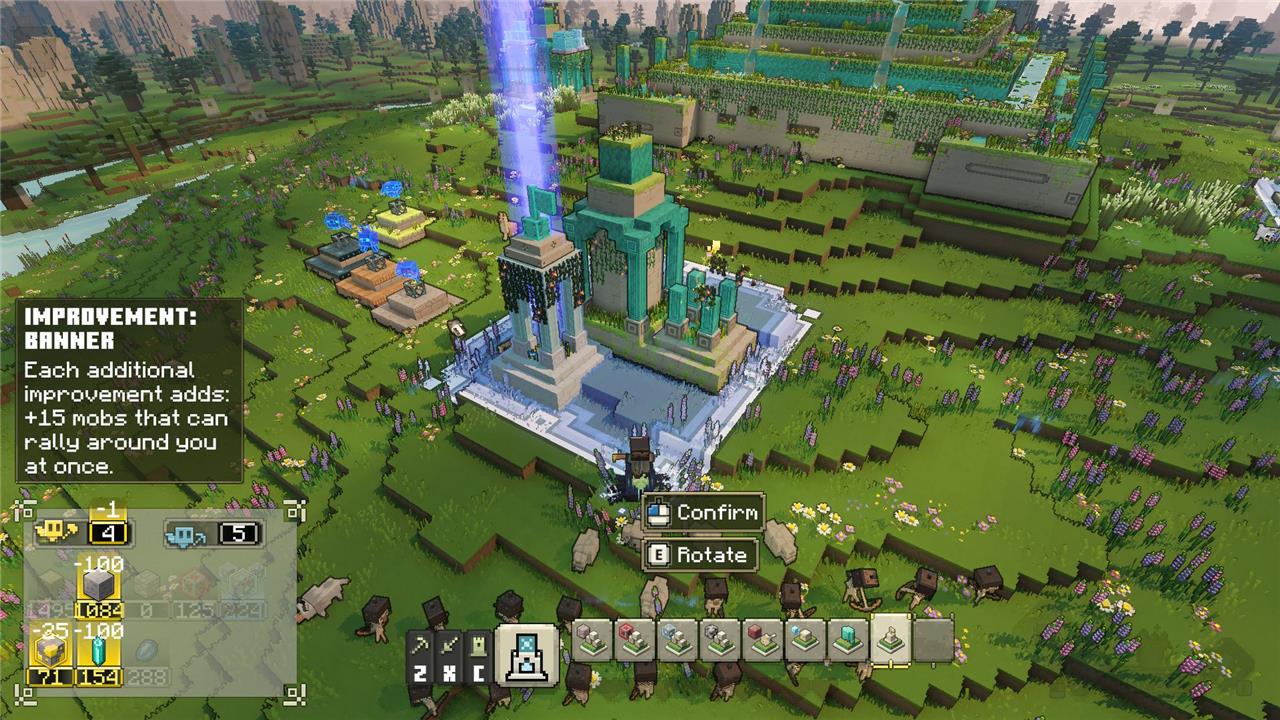
A few tips: Once you first get a gathering improvement, you’ll receive a small batch of it as a freebie. In addition, unlocking improvements also make it so the resource will start appearing in village chests or allay chests around the world. This can be helpful for materials like redstone or diamonds, since they tend to be hard to find and generally exist in small batches.
If you change your mind about an improvement, you can simply get near the structure you placed and remove it. You’ll recoup the exact number of resources you spent, which is nice.
An easy way of knowing whether or not you have enough resources is to check the songbook. If the colors of an improvement are greyed out, that means you’re missing something
Lastly, if you’re wondering what “each additional improvement” means, that’s basically a term for upgrading the improvement in question. In order to do so, you need to place another one of the same type, or as many as you want, to get the additional benefit on top of the base one.
Best Minecraft Legends improvements to choose first
Prioritize upgrades that boost your allay count and banner abilities right away. These let you summon more units faster, overwhelming enemies in early battles. Next, grab improvements for faster mount speed and stronger basic attacks to control the map and strike decisively. They turn chaotic skirmishes into controlled victories, giving you a solid edge before tougher foes appear.
Once you gain access to improvements in Minecraft Legends, you’ll likely be struck by indecision. Resources are scarce – prismarine in particular – and it’s not possible to unlock several facilities at once. As such, below is a suggested order of what you should unlock first, though your priorities might differ depending on your playstyle.
Here are the best Minecraft Legends improvements to pick first:
Improvement: Allay Storage
Requirements: 100 stone, 100 prismarine, 10 gold
This improvement increases the amount of resources you can carry. In other words, you’ll be able build more structures and spawn more mobs than you can by default.
From there, each additional Allay Storage improvement that you place will allow you to carry 500 wood, 500 stone, 150 lapis, 150 prismarine, and 150 gold. But having just one will already make a difference, and you can move onto other, more pressing improvements.
Improvement: Gather Coal
Requirements: 100 stone, 100 prismarine
Following the campaign will lead you to get the improvement to gather iron. That said, you shouldn’t overlook the one for coal. There are plenty of spots in the overworld to gather it, and you’re bound to stumble upon them often.
Having a sizable amount of coal will always come in handy, especially as it’s the resource that allows you to summon creepers, which are a helpful unit to have due to their explosive nature. Remember that you first need to interact with the Creeper Homestead, and rescue them after they’re occupied by Piglins.
Improvement: Gather Redstone
Requirements: 100 stone, 100 prismarine
Redstone is helpful for many structures, starting with the Redstone Launcher, and it’s definitely worth prioritizing. In addition, having the upgrade enables a chance for chests located in swam and allay chests to have redstone inside them.
This improvement also lets you summon zombies. Remember that in order to do so, you first need to interact with the Zombie Homestead, and rescue them after they’re occupied by Piglins.
Improvement: Banner
Requirements: 100 stone, 100 prismarine, 25 gold
Before you begin recruiting more mobs, you’re going to need to increase your banner. This improvement adds 15 mobs that can rally with your hero, and each additional improvement you build adds 15 on top. Having one at first will be enough, but if you have the resources to spare, the more the merrier.
This particular naming in Minecraft Legends can be quite confusing. In short, increasing your banner capacity allows for more people in your party, so to speak. This means rallying your spawn mobs, and then recruiting some animals or other units along the way. If you want to increase how many mobs you can spawn, however, you’ll need the following improvement.
Improvement: Flames of Creation
Requirements: 200 stone, 200 prismarine, 25 gold
Having as many units helping you as possible is key, and this improvement increases how many mobs you can summon at a time. Each additional improvement that you build is going to increase it by four mobs at a time.
As mentioned, this improvement pairs nicely with the banner improvement. Having just one Flames of Creation will be enough at first, but here’s my advice: Once you gain access to special units (creepers, skeletons, and so on), you’ll want to build some more improvements of this type to allocate for them.
Improvement: Wake the Firsts
Requirements: 100 stone, 100 prismarine
This upgrade is crucial. Once you’ve gotten yourself a sizable pool of units and resource types to pull from, it’s nice to wake the firsts. These are golems that you can find around the map, which require a considerable amount of gold to activate them.
That being said, they’re some of the most powerful units in Minecraft Legends. They’re going to take one slot of your banner units, and if they die, you can rally them back from the closest village, or the Well of Fate.
Others like Expert Carpentry are useful, but you don’t really have to prioritize it over others, especially during the first few hours into the campaign. You’ll have plenty of resources to defend villages during nocturne attacks for the beginning few in-game days anyway, as the sieges won’t be too complex to withstand.
The same applies to Abundant Allays. You can keep this on the lower end of your list, as it’s focused on building first and foremost. Being able to gather more resources at a time is a useful mechanic, but once more, you won’t need to worry about speed too much until you’re in the mid to late points of the campaign. If anything, deploy several gather allays instead of just one around the same area. This is going to speed up the process and, once they’re all done, they’ll automatically return to you to use them again.
Detailed costs and resource boosts for Cure Netherrack
Cure Netherrack in Minecraft Legends is a single improvement with a fixed build cost and a powerful “indirect” resource boost by letting you build on piglin terrain.
Exact cost
To construct the Improvement: Cure Netherrack at the Well of Fate you need:
-
100 stone
-
100 prismarine
There is no ongoing maintenance cost; once the improvement is built, the ability is permanently unlocked for that world.
What the improvement does
-
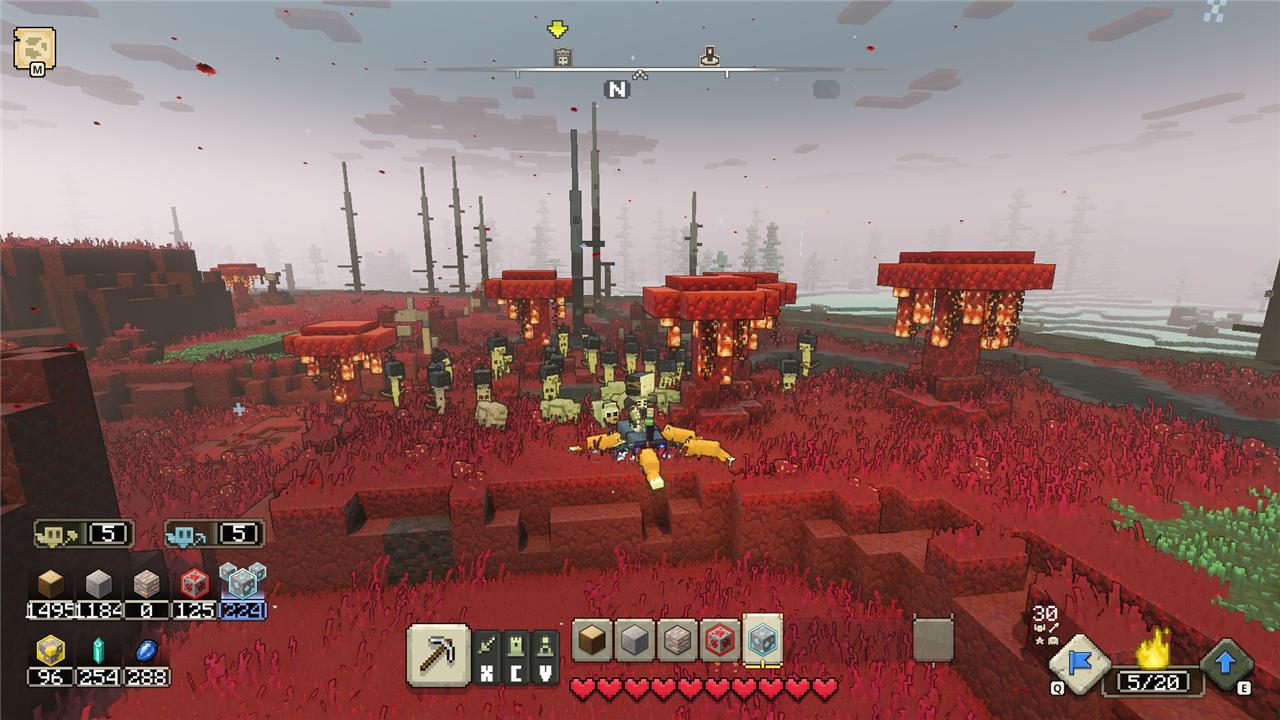
Unlocks the Cure Netherrack ability on your gather-harvesting hotbar, letting you place an area where Allays will convert netherrack into normal overworld blocks (usually grass).
-
The curing spreads in a spiral within the selected square until the whole area is converted or the Allays are interrupted or killed.
-
You still cannot cure lava or certain special unbuildable blocks, so those remain even after curing.
“Resource boosts” and why it’s so strong
Cure Netherrack does not directly increase resource yields (it does not give extra stone, wood, etc.), but it massively improves your effective resource use:
-
You can build spawners, arrow towers, power towers, walls, and other structures right next to or inside piglin bases instead of far away.
-
This reduces the amount of wood/stone you waste on long walls or paths and lets you use the same resources for concentrated defenses and siege instead.
-
Shorter run distances for your mobs and Allays mean you need fewer structures and fewer units to achieve the same result, which is a big efficiency gain in prismarine and lapis over time.
A common example is curing a strip of netherrack along a base wall so you can drop a spawner and a couple of towers right there, instead of building a whole forward base far back on natural terrain.
How to unlock Cure Netherrack in the improvements menu
You unlock Cure Netherrack by building its improvement at the Well of Fate, then equipping the ability in your hotbar.
Step-by-step unlock
-
Go to the Well of Fate
-
Travel to the central Well of Fate on your world map; all Improvements are built only here, not out in the field.
-
-
Open the Improvements menu
-
Stand near the Well and open the build/improvement menu (same interface used when you first learned to build Gather Iron, etc.).
-
Look for “Improvement: Cure Netherrack” in the list of Improvements.
-
-
Pay the cost and build it
-
Requirements to place Cure Netherrack: 100 stone and 100 prismarine.
-
Place the improvement structure on one of the Well of Fate’s build pads and let your Allays finish building it.
-
-
Equip the ability in your hotbar
-
After the structure is complete, open your Songbook/hotkey configuration.
-
Find the Cure Netherrack ability in the resource-gathering tab and assign it to a slot on your gather hotbar.
-
-
Use it on the battlefield
-
Swap to the gather hotbar, select Cure Netherrack, and drag out a square on the edge of piglin netherrack for your Allays to start curing.
-
Once you’ve built the improvement once, the ability stays unlocked for that save and you don’t need to rebuild it again.
