
Linking your Harry Potter Fan Club and WB Games accounts brings your Hogwarts Legacy experience to life with special rewards, custom house traits, and unique cosmetics that reflect your wizarding identity across both platforms.
After your accounts are linked, you’ll be sorted into your house and you’ll bring your wand into the game – and receive bonus rewards.
How to link Harry Potter Fan Club and WB Games accounts in Hogwarts Legacy
Access the Harry Potter Fan Club website and log in to your account. Navigate to the account settings or integrations section, then select the option to connect with WB Games. Enter your WB Games credentials when prompted, and confirm the linkage. Return to the Hogwarts Legacy platform or WB Games portal to verify the connection appears active. This process grants access to exclusive in-game rewards and content tied to your Fan Club membership.
- Create a WB Games account and a Harry Potter Fan Club account if you don’t already have them.
- Head over to the Hogwarts Legacy account linking page, and log in with your Harry Potter Fan Club account or create a profile.
- Click the “Get Sorted Now” button on the Legacy Connect page to get sorted into your house. After completing the quiz, return to the Legacy Connect page by clicking the “Let’s Go!” button at the bottom of the page.
- Click the “Discover Your Wand” button on the Legacy Connect page to receive a wand. After completing the Wand Ceremony Quiz, return to the Legacy Connect page by clicking the “Let’s Go!” button at the bottom of the page.
- Click on the “Go to WB Games” button on the Legacy Connect page, and log in to your WB Games account or create a new one.
- Switch to the Connections tab, and link the platform that you’ll be playing on as well as your Harry Potter Fan Club account.
To verify that you’ve connected your accounts, open the Settings menu in the main menu and switch to the last tab, User Interface Options. Select the “WB Games Account” button for a pop-up to appear saying you’ve successfully linked your accounts. If a pop-up with a code appears on your screen, you’ll have to redo the linking process.
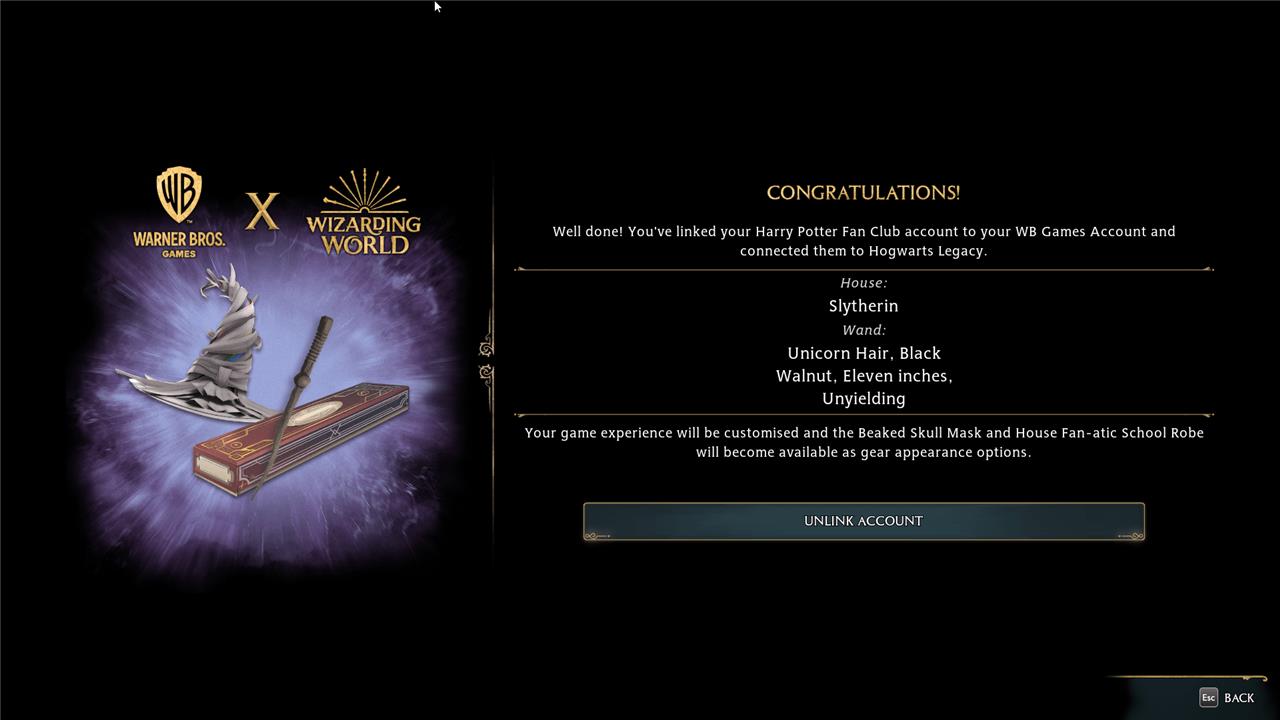
Account link rewards list
Linking your Harry Potter Fan Club and WB Games accounts grants special in-game rewards in Hogwarts Legacy, including an exclusive House Fan-Atic School Robe that matches your chosen Hogwarts house, as well as a unique Beaked Skull Mask. These bonuses celebrate your fan identity while adding extra flair to your character’s appearance during gameplay.
As well as the ability to select your wand and house early, you’ll also receive the following in-game bonuses for linking your accounts:
- House Fan-atic School Robe
- Beaked Skull Mask
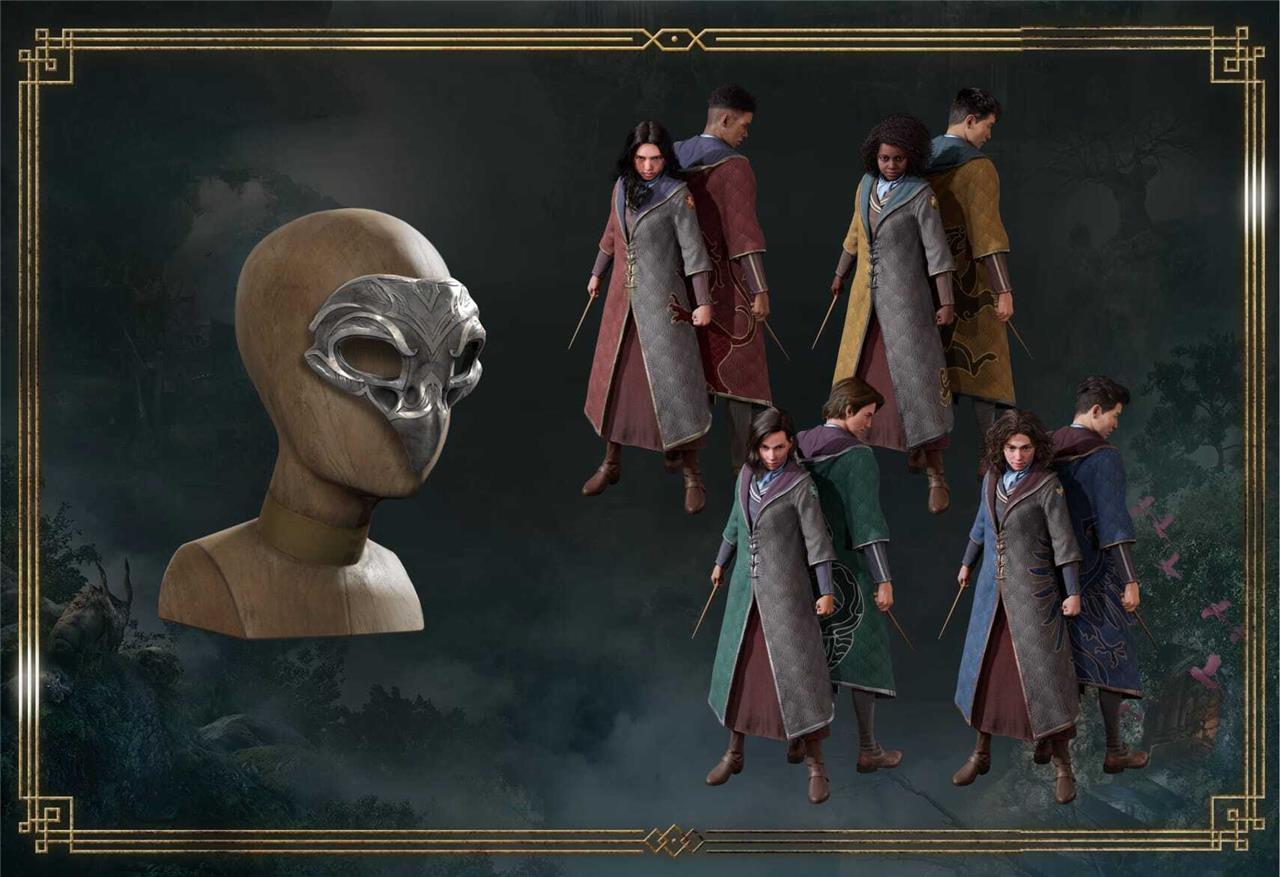
How to use account link rewards in Hogwarts Legacy
You can use account link rewards in Hogwarts Legacy by claiming them through the linked WB Games and Harry Potter Fan Club accounts, then applying the rewards in-game from the Wire Transfer or Rewards menu to boost in-game perks, cosmetics, or currency.
After receiving your field guide, you’ll be able to change the appearance of your clothes in the Gear section. Hover over either the Facewear or Cloaks and Robes section, and press the “Change Appearance” button.
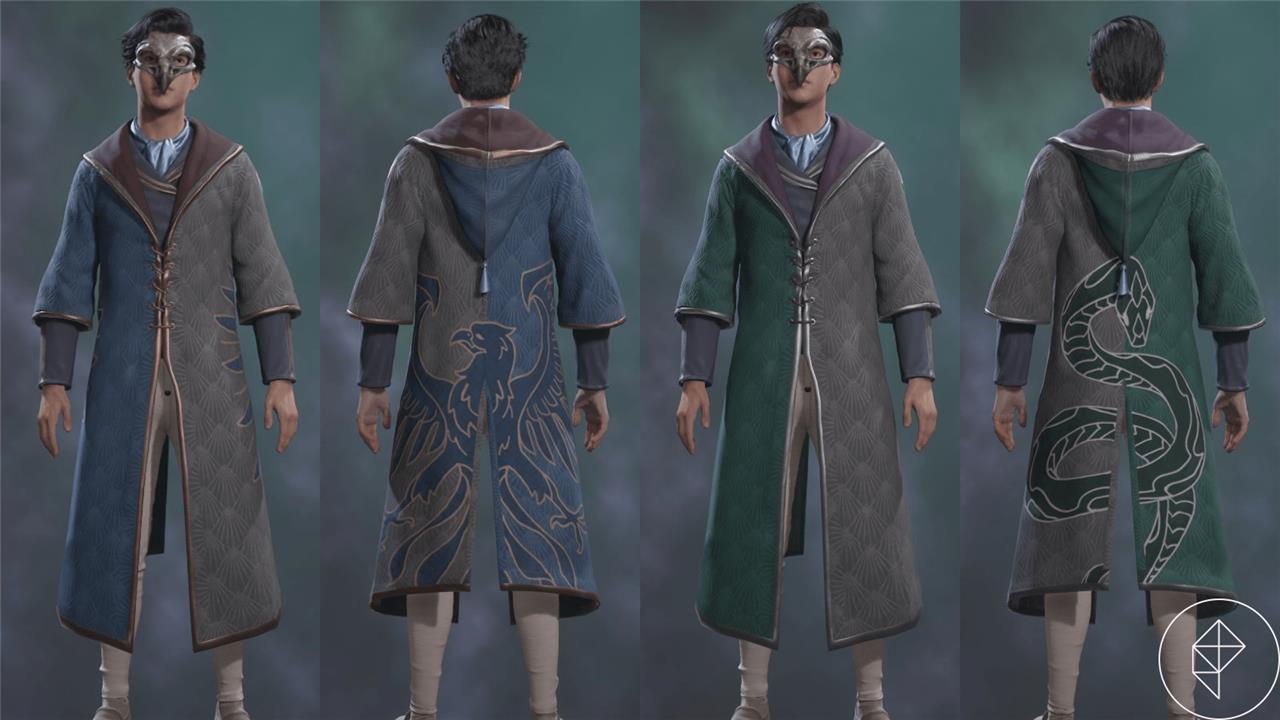
From there, a new menu will open, showing you all of the possible cosmetic options you can use.
On numerous occasions in recent years, billionaire and Harry Potter creator J.K. Rowling has taken public stances against inclusive transgender laws and trans rights, and has written fiction that has been condemned by LGBTQ organizations for its use of harmful anti-trans tropes. Hate crimes, as well as legislation that denies the rights of trans people, have become more prevalent in the U.K. since 2019, and, more recently, in the United States as well.
According to an FAQ from Hogwarts Legacy publisher Warner Bros. Interactive – the parent company of Avalanche Software, the game’s developer – Rowling is “not directly involved” with the creation of Hogwarts Legacy. Regardless, the sales and widespread attention generated by a AAA video game will benefit Rowling, and that has led some fans to decide not to buy the game. For a more in-depth explainer of the yearslong controversy leading up to Hogwarts Legacy‘s release, read AELGAMES’s breakdown.
What if I encounter errors during account linking
If you encounter errors while linking your Harry Potter Fan Club (Wizarding World) and WB Games accounts for Hogwarts Legacy, common issues often stem from login problems, browser glitches, or prior connections. Try clearing your browser cache, using incognito mode, or switching browsers/devices before retrying the steps from https://www.wizardingworld.com/legacyconnect.
Troubleshooting Steps
-
Verify credentials: Double-check emails/passwords for both accounts; reset if forgotten via their login pages.
-
Unlink prior accounts: Log into WB Games at account.wbgames.com/oa/identity/connections, disconnect any existing Wizarding World or platform links, then retry.
-
Check platform status: Ensure your game platform (e.g., Steam) is linked correctly in WB Games settings first.
-
Avoid VPNs/ad blockers: Disable them, as they can block the process.
Common Errors and Fixes
| Error Type | Likely Cause | Solution |
|---|---|---|
| “Account already linked” | Duplicate/existing connection | Unlink via WB Games connections page, then relink. |
| Login failure or timeout | Invalid credentials/browser issue | Clear cache, use incognito, or try mobile/desktop switch. |
| No confirmation in-game | Sync delay | Restart Hogwarts Legacy, check Settings > Account after 10-15 mins. |
| Page won’t load/redirect | Network or regional block | Use direct link; English-only page-if issues persist, contact support. |
Next Steps if Unresolved
Launch the game and check Settings > User Interface > WB Games Account for prompts. For ongoing problems, submit a ticket at portkeygamessupport.wbgames.com with screenshots, account emails (no passwords), and platform details-responses typically take 24-48 hours.
How to contact WB or Harry Potter Fan Club support for linking issues
Contact WB Games Support for Hogwarts Legacy account linking issues via their official Portkey Games portal, as they handle game-related queries including Harry Potter Fan Club (Wizarding World) connections. Harry Potter Fan Club support is typically routed through the same system or Wizarding World help pages. Use the email tied to your WB Games account for tickets to speed up resolution.
WB Games Support Options
-
Submit a Ticket: Go to https://portkeygamessupport.wbgames.com/hc/en-us/requests/new or pause in-game and select “Report Issue.” Include account emails (no passwords), platform, error screenshots, and linking steps tried.
-
Knowledge Base/FAQ: Search https://portkeygamessupport.wbgames.com for “account linking” articles before submitting.
-
Social Media: Follow @WBGamesSupport on Twitter/X or Facebook for updates; they occasionally respond to public posts.
Harry Potter Fan Club Support
-
Visit https://www.wizardingworld.com/help for general account help or the legacyconnect FAQ at https://portkeygamessupport.wbgames.com/hc/en-us/articles/8742610865939.
-
If the issue is solely Fan Club login/sorting, use their contact form there; otherwise, direct to WB as linking is game-side.
Tips for Effective Support
Expect 24-48 hour responses; provide precise details like “error during WB redirect from wizardingworld.com/legacyconnect.” Check ticket status via the portal login. In the interim, retry troubleshooting like cache clear or incognito mode from prior steps.
