
Want to run a tight ship (or a productive outpost) in Starfield? Knowing how to assign the right crew members, with the right skills, to the right roles is key to efficient galaxy exploration. But it’s not as simple as pointing and clicking; you’ll need to consider crew stations, skills, and outpost management to truly optimize your team.
As you explore the hub cities and watering holes strewn across Starfield, you’ll come across plucky pioneers who you can Persuade and pay to join your crew, each with their own set of unique skills to consider based on the skills you can choose during the level-up process. As such, some crew members are more efficient when assigned to outposts, while others can leverage their skills to help you in a dogfight.
To help you put together a team to rival the crew of the Planet Express, our Starfield crew assignment guide will show you how to assign crew to your ship and how to assign crew to your outposts – once you’ve picked the perfect planet to settle on, that is.
How to assign crew to your ship in Starfield
To assign crew to your ship in Starfield, open the main menu and navigate to the Ship submenu. From there, access the Crew menu to view all available crew members. Select a crew member from the roster and assign them to an available station on your ship. The number of crew members you can assign depends on how many Crew Stations your ship has, which can be increased by upgrading your ship with better cockpits, habs, and by investing in the Ship Command skill. Assignments can be changed anytime when your ship is landed, allowing you to optimize crew placement based on their skills and your current needs.
During Starfield’s opening missions, you’ll pick up your ship and gain crew members, like Vasco and Sarah Morgan, as part of the main questline. You might also encounter the Adoring Fan if you picked the Hero Worshipped trait during character creation.

Once you’ve got pals on your team, you can choose how they are assigned by opening up the main menu and selecting the ship submenu in the bottom left corner. Then, you need to hit the Y button to enter the “Crew” screen.
From here, you’ll have a list of your available crew and some tabs across the top showing different designations across your current ship and outposts. Select the crew member you want to assign, and then hit the A button to prompt another menu where you can choose to assign them to your ship.
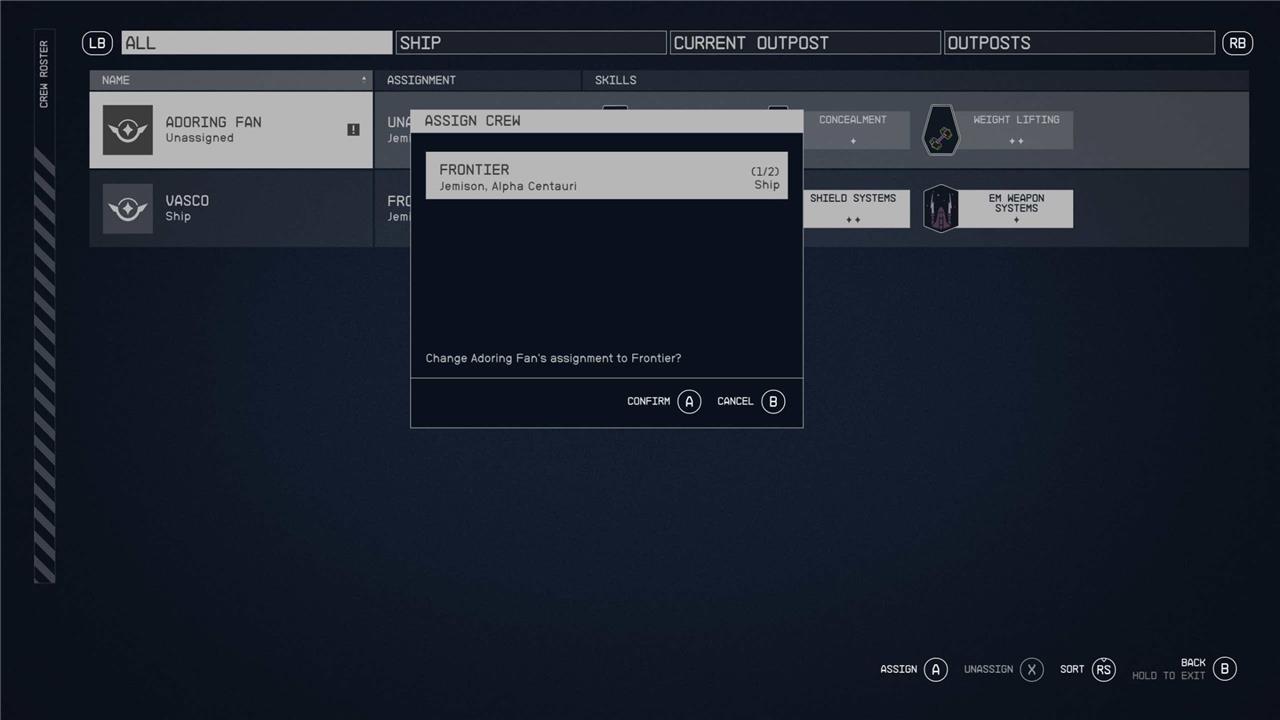
Bear in mind that the amount of crew you can assign to your ship will depend on the rank of your Ship Command skill and the parts of your ship that contribute towards the crew capacity metric.
How to assign crew to an outpost in Starfield
To assign crew to an outpost in Starfield, you first need to build a Crew Station at the outpost location. This structure, found in the Miscellaneous category of the Outpost Builder menu, requires resources like Nickel, Iron, and Aluminum to construct. Once the Crew Station is placed, open your ship menu, navigate to the Crew options, select the crew member you want to assign, and choose the outpost from the list of available assignments. The crew member will then automatically travel to and manage the outpost, utilizing their skills to benefit its operations. You can assign multiple crew members by building additional Crew Stations and upgrading relevant skills like Outpost Management to increase capacity.
To assign crew to an outpost in Starfield, you must first settle on a habitable planet. To do this, hit LB to open up your scanner on the planet’s surface and place an Outpost Beacon with the X button. You also don’t have to stick to one outpost – you can have multiple outposts in Starfield and split your crew across them accordingly.
Once you have an outpost, you need to build and place a crew station within it to give your buddies a new home. A crew station costs two iron, five aluminum, and three nickel, so ensure you’ve mined or extracted those resources first.
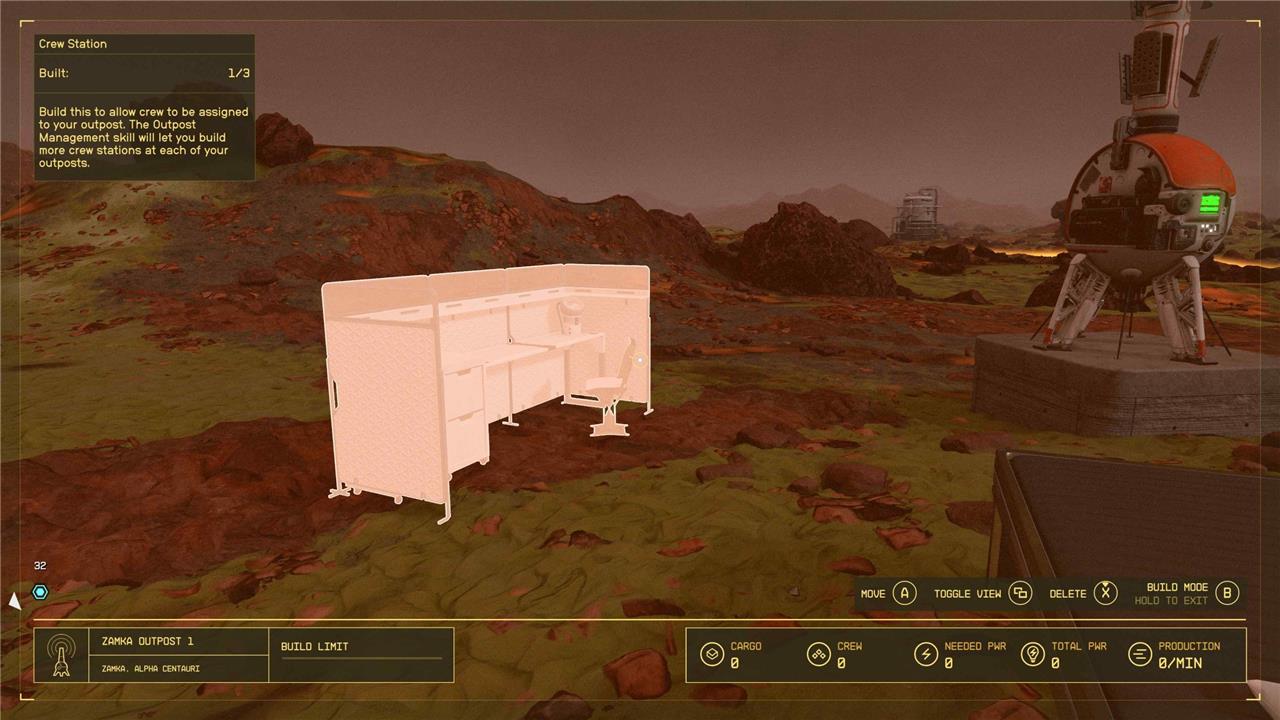
Once you’ve placed a crew station at your outpost, you can open up the main menu, select the ship submenu in the bottom left corner, and then hit the Y button to open the “Crew” screen.
From here, you can select the crew member you want to assign to an outpost with the A button, which will open up another submenu displaying all your available outposts. As long as your outpost has a crew station on-site, you will be able to station your crew members there.
What are the secrets to optimizing crew skills for starship efficiency in Starfield
To optimize crew skills for starship efficiency in Starfield, focus on assigning crew members who provide complementary and high-rank bonuses that enhance key ship systems without skill overlap. Key secrets include:
-
Prioritize crew with Astrodynamics to reduce fuel costs by up to 30%, significantly extending travel range. Sarah Morgan is a top choice here with rank 4 Astrodynamics and Leadership, which also increases crew capacity by +1 without counting against the limit.
-
Assign crew with Piloting skills to boost top speed by up to 30% and add engine power, greatly improving maneuverability and speed. Sam Coe and Amelia Earhart are notable for high Piloting ranks.
-
Include crew specializing in Shield Systems to increase shield capacity and add an extra green shield bar, enhancing survivability. Omari Hassan is a strong Shield Systems specialist.
-
Add crew with Aneutronic Fusion skills to boost reactor power, enabling better energy management for engines and weapons. Andromeda Kepler and Vasco are examples.
-
Use Payloads specialists to increase cargo capacity by 10-20%, which helps with resource gathering and mission logistics.
-
Remember that crew skills of the same type do not stack; only the highest rank counts, so assign the best specialist for each skill. However, all crew skills stack with your own character’s skills, amplifying overall ship performance.
-
The minimal optimal crew setup includes Sarah Morgan (Astrodynamics, Leadership), Sam Coe (Piloting, Payloads), Omari Hassan (Shield Systems), and a Fusion Systems specialist like Vasco or Andromeda Kepler. This setup provides a balanced boost across reactor power, engine power, shields, cargo capacity, speed, and fuel efficiency.
-
Some crew members, like Sarah Morgan, do not count against the crew limit, allowing you to have more specialists onboard without needing to increase crew capacity perks.
-
Finally, traits like Taskmaster may synergize with crew skills to provide additional benefits such as instant repairs when systems are damaged, though this requires further verification.
By carefully selecting and assigning crew based on these skill synergies and ranks, you maximize your starship’s speed, defense, range, and cargo capacity for superior efficiency in Starfield’s vast universe.
How do crew skills stack to maximize starship performance in Starfield
To maximize starship performance in Starfield, understanding how crew skills stack is essential. Here’s what you need to know:
-
Skills Don’t Stack Among Crew Members Crew skills of the same type do not stack with each other. The game only considers the highest rank for each specific skill.
-
Crew Skills Stack with Player Skills All crew skills stack with your own skills, even beyond Rank 4. For example, if you have Aneutronic Fusion Rank 4 and assign a crew member with Aneutronic Fusion, you still get an additional +1 to reactor power. Similarly, if you have Astrodynamics Rank 4 and assign a crew member with Astrodynamics, fuel cost is further reduced.
-
Crew Skills Activate in Suitable Environments Crew member skills activate when they are in a suitable environment, so it’s important to assess their skills and assign roles accordingly. Crew members whose skills are most valuable at the outpost should be stationed there, while those better suited for tasks aboard the ship should accompany you on space journeys to maintain the starship.
-
Skills with Notable Stacking Effects
-
Astrodynamics: Having crew members with this skill reduces fuel costs, with Sarah Morgan providing a 30% reduction at Rank 4.
-
Piloting: Crew members with Piloting skills boost top speed and engine power, with Sam Coe offering +30% top speed and +1 engine power at Rank 4.
-
Aneutronic Fusion: This skill adds reactor power, with crew members like Vasco or Andromeda Kepler providing +1 reactor power at Rank 1.
-
Shield Systems: Crew members specializing in Shield Systems increase shield capacity.
-
Payloads: This increases cargo capacity.
-
By strategically assigning crew members with complementary skills, you can significantly enhance your starship’s capabilities. Remember to focus on high-ranking skills and avoid overlap to maximize efficiency.
