
Ready to brave the eerie and unpredictable Olympic Exclusion Zone? Before you hit the road in Pacific Drive, mastering your car’s controls, unlocking key upgrades, and knowing how to survive the relentless storms and mysterious anomalies can mean the difference between life and a quick end. Our beginner’s guide equips you with essential tips and tricks to keep your vehicle running, your wits sharp, and your journey thrilling on both PC and PlayStation. Buckle up-adventure and danger await!
Our Pacific Drive beginner’s guide will help you get started exploring the Exclusion Zone with tips and tricks from our roughly 20 hours with the game, including advice about how to treat your car, deal with its quirks, getting it unstuck, and a great upgrade to unlock early.
Your car has personality in Pacific Drive
In Pacific Drive, your car is much more than just a vehicle-it has its own personality and plays a crucial role in your survival. You will need to manage various aspects of your car, from controlling its functions like headlights and wipers to maintaining its condition by repairing tires and keeping the battery charged. The car’s status is constantly monitored through a Driver’s Checklist, which helps you stay on top of necessary repairs and upgrades. Crafting new parts and abilities for your car, such as better tires or shields, can significantly improve your chances of surviving the hazardous Exclusion Zone. Treating your car as a trusted companion and learning its quirks is essential to mastering Pacific Drive and making your journeys safer and more efficient.
Your car in Pacific Drive is more than just a means of transportation (it’s technically not even really a car). It’s your Family Truckster, your mobile base, your protection from the Zone, and your constant companion. It keeps you alive (or tries to, anyway). If you’ve ever owned a car that you had to pat on the dashboard reassuringly after you hit a particularly nasty pothole, you know how your relationship with your car in Pacific Drive works.
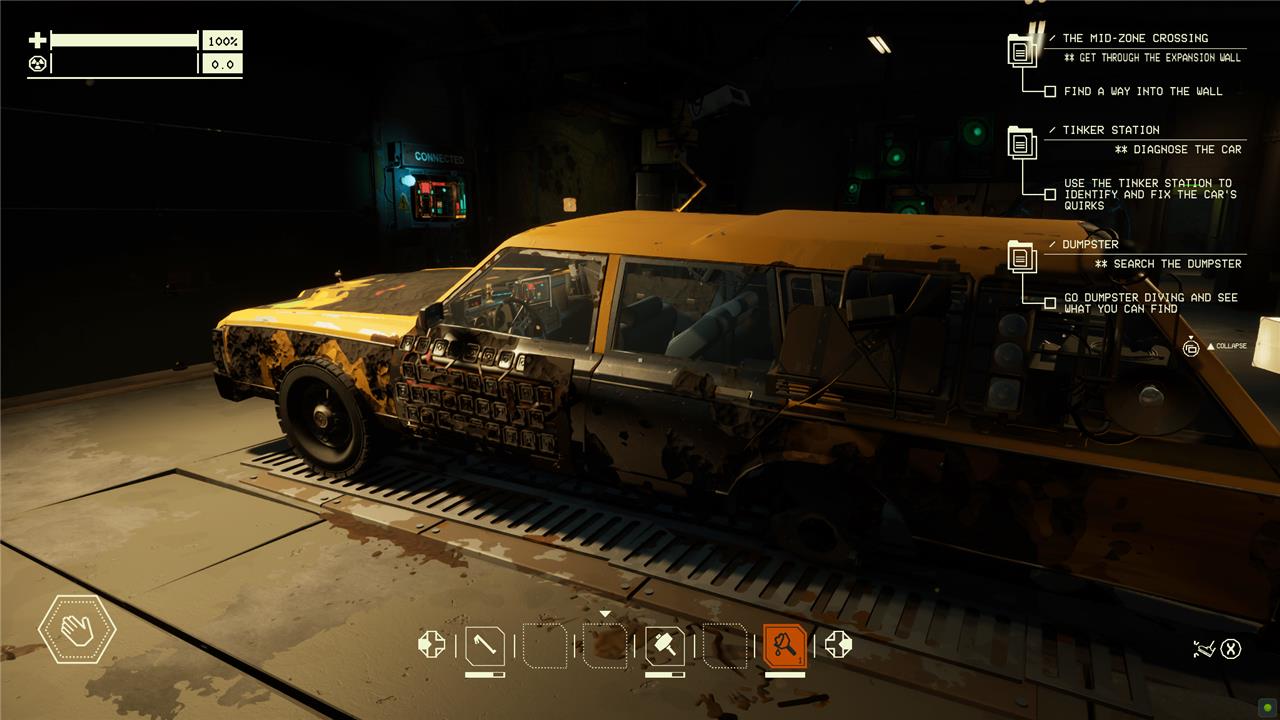
Sure, the car might come back to the auto shop with fewer wheels than it left with, but it’ll always get you back. Treat it with some respect. Keep up on the repairs, outfit it with new and better gear when you can, put on that new sticker you found.
And most of all, be forgiving when it develops its quirks.
Your car develops quirks
In Pacific Drive, your car can develop unique quirks-unusual and unexpected behaviors caused by the strange anomalies in the Exclusion Zone. These quirks might make your wipers turn on by themselves, cause gauges to move erratically, or even trigger headlights to switch off randomly. To fix these issues, you need to carefully observe your car’s behavior, then use the Tinker Station to diagnose and repair the defects by matching symptoms with causes. This process involves some trial and error, making it a challenging but rewarding part of the game that keeps you engaged with your vehicle’s maintenance and survival.
As your car takes enough damage, it’ll start to develop quirks: things like a door popping open periodically, the radio turning on and off, or the horn honking seemingly at random.
These quirks are part of a (charming) mechanic, and there’s always a simple cause and effect to them. Right next to where you park in the auto shop, you’ll find the tinker station. It’s a computer with a crossed wrench and screwdriver displayed on the screen. Interacting with it lets you diagnose your car’s quirks.
It’s not really a straightforward process, though.
Diagnosing quirks takes experimentation in Pacific Drive
Diagnosing quirks in Pacific Drive requires careful observation and experimentation. These quirks are random, often strange malfunctions where one car function triggers another unexpectedly, like headlights turning off when you activate the wipers. To fix them, you must first notice the unusual behavior while driving, then use the Tinker Station to input your guesses about the cause and effect. The process involves trial and error, as the game only initially tells you how many guesses are correct without specifying which ones. Upgrading the Tinker Station with modules like the Investigation and Analysis Modules can help by marking correct guesses and partially diagnosing the problem, making the process less frustrating. Overall, fixing quirks is a unique, player-driven mini-game that blends real-world car troubleshooting with survival gameplay, demanding patience and experimentation to keep your vehicle running smoothly.
Pacific Drive doesn’t explain diagnosing quirks, so it’s a bit of a guessing game. On the computer, you’ll enter information to fill in blanks in a sentence. That sentence is, effectively, “if the [car part] does [action], then the [different car part] does [quirky action].”
Using that structure, we’ve had quirks like, “if the shifter does shifts to park, then the front left door does opens” and “if the car does moves backwards, then the radio does changes channel.”
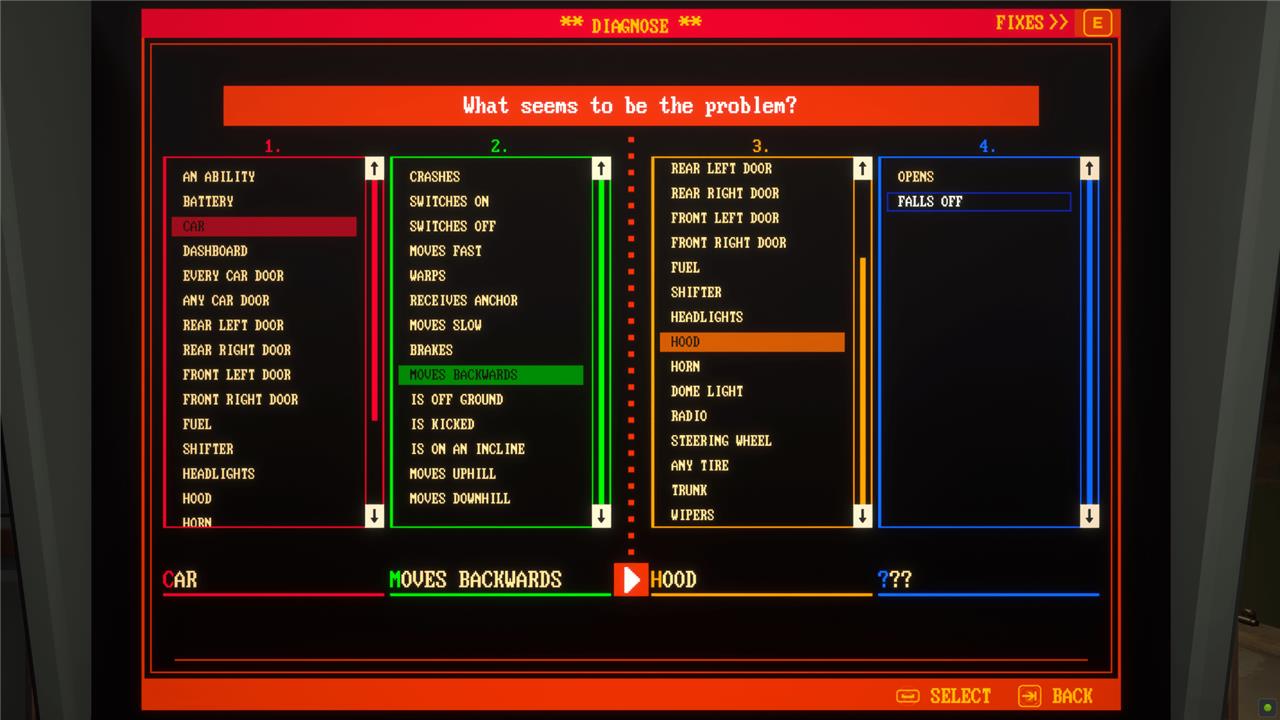
The problem is, the line between cause and effect isn’t always clear – especially when you’re dodging hazards and driving for your life out in the Zone. When you get a quiet moment in a stable part of the Zone, do some experimenting. Use the options listed in the columns on the tinker station to guide you.
When you guess the quirk correctly, you’ll be able to fix and remove it. Usually, this involves a mechanic’s or electrician’s kit.
Sometimes replacing parts is better than repairing them
In Pacific Drive, sometimes replacing parts is a smarter choice than repairing them. While repairing can save resources initially, heavily damaged parts may continue to cause issues or break down again soon after. Replacing worn-out components with new ones ensures better durability and reliability, which is crucial for surviving the harsh conditions of the Zone. This approach can save you time and resources in the long run, allowing you to focus on exploration and survival rather than constant repairs.
Outside of developing quirks, your car is just going to take damage while you’re out driving around. If you happened to find chemicals while you were in the Zone, you can make repair putty (2 scrap metal, 2 plastic, 2 glass shards, 2 chemicals) that’ll patch up almost anything.
Over time, though, some of your car’s parts will become fragile. This just means they’re old and worn. And, sometimes, you just don’t have the resources on hand to make enough repair putty to fix the whole car. In both those cases, remember you can always just make a new part and replace it instead of using up all of your precious repair putty.
Teleport your car when it gets stuck in Pacific Drive
If your car gets stuck in Pacific Drive, don’t panic-there is a handy emergency teleport feature to save you. Simply press the “T” key on PC or simultaneously press L3 and R3 on a PlayStation controller to activate the ARC Warp, which teleports your car back onto the road instantly. This teleportation uses battery power, so make sure to keep your battery jumpers charged to avoid being stranded. This method helps you avoid frustrating resets and losing your hard-earned loot, making it the quickest and safest way to get your car unstuck in the unpredictable terrain of the Zone.
Exploring the Zone is rarely as simple as just driving along a road from point A to point B. There’s inevitably swerving, fleeing, and offroading, no matter how careful you are. And that means that your car is going to get stuck eventually.
You’ve got two options when that happens. You can kick it with the square button or by hitting F on your keyboard. That usually works, but it damages your car a little (see above). In more dire situations, you have another option.
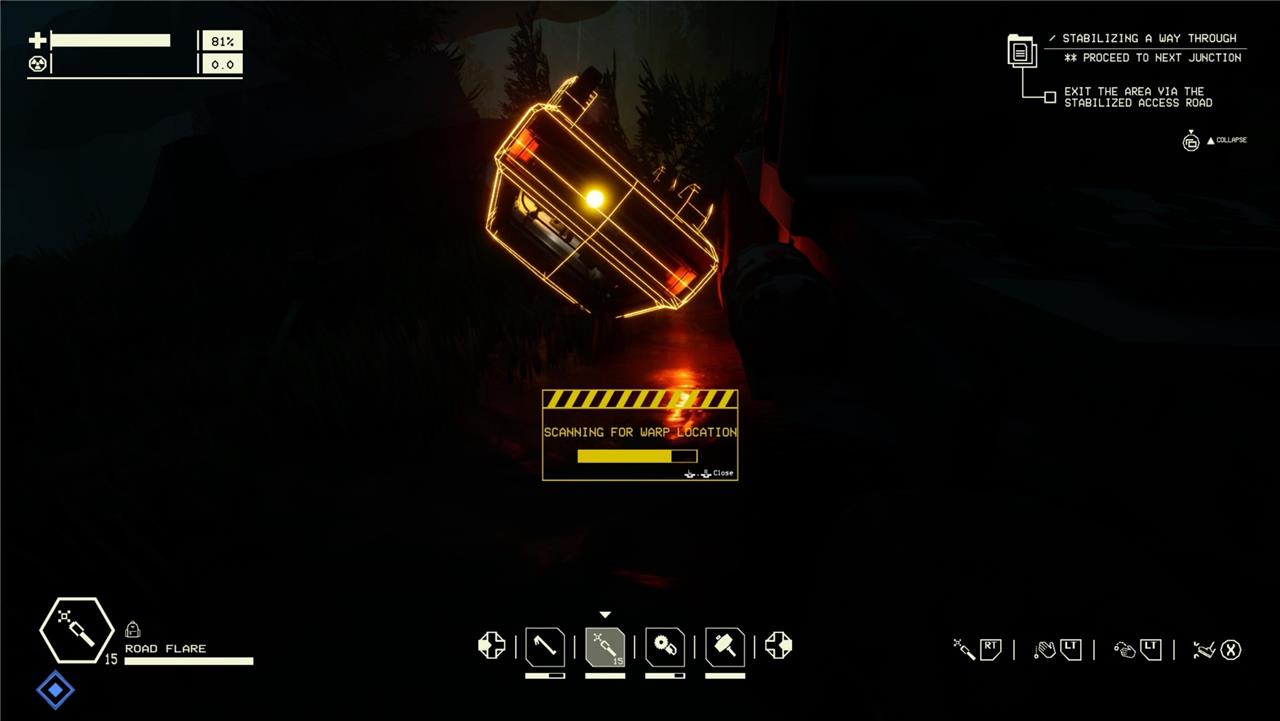
Hitting both the left and right thumbstick at the same time (L3 R3) or T on the keyboard will attempt to summon your car to you with the ARC warp ability. You have to be outside of the car and a little ways – but not too far – away. If your car can find an open area to teleport to, it will. Just remember that it will be in the same state as it was when it got stuck, so if you teleport onto a hill while it’s in drive, you’ll be chasing your car down that hill.
Triggering the teleport uses a huge amount of your battery, though, so make sure you’ve got a battery jumper on hand.
And to make battery jumpers, you’ll need electronics.
Scrap electronic at the auto shop
At the Auto Shop in Pacific Drive, scrapping electronic items and an abandoned car is a smart way to gather essential materials early in the game. You can use your scrapper to break down the rusted vehicle opposite the Friendly Dumpster for scrap metal, glass, plastic, duct tape, and rubber. Additionally, a radio and a computer on the nearby shelf can be scrapped for valuable electronics and copper wire. While these resources might be modest in quantity, they provide a reliable source of crafting materials without the risk of venturing into the Zone, making it a vital part of your preparation and survival strategy.
Battery jumpers are incredibly useful during your exploration of the Zone. Using electronics like your lights, windshield wipers, and radio drain the battery (and apparently alternators aren’t a thing in Pacific Drive). To recharge your battery out in the Zone, you’ll need a battery jumper (4 9v batteries, 2 copper wire, 1 electronics).
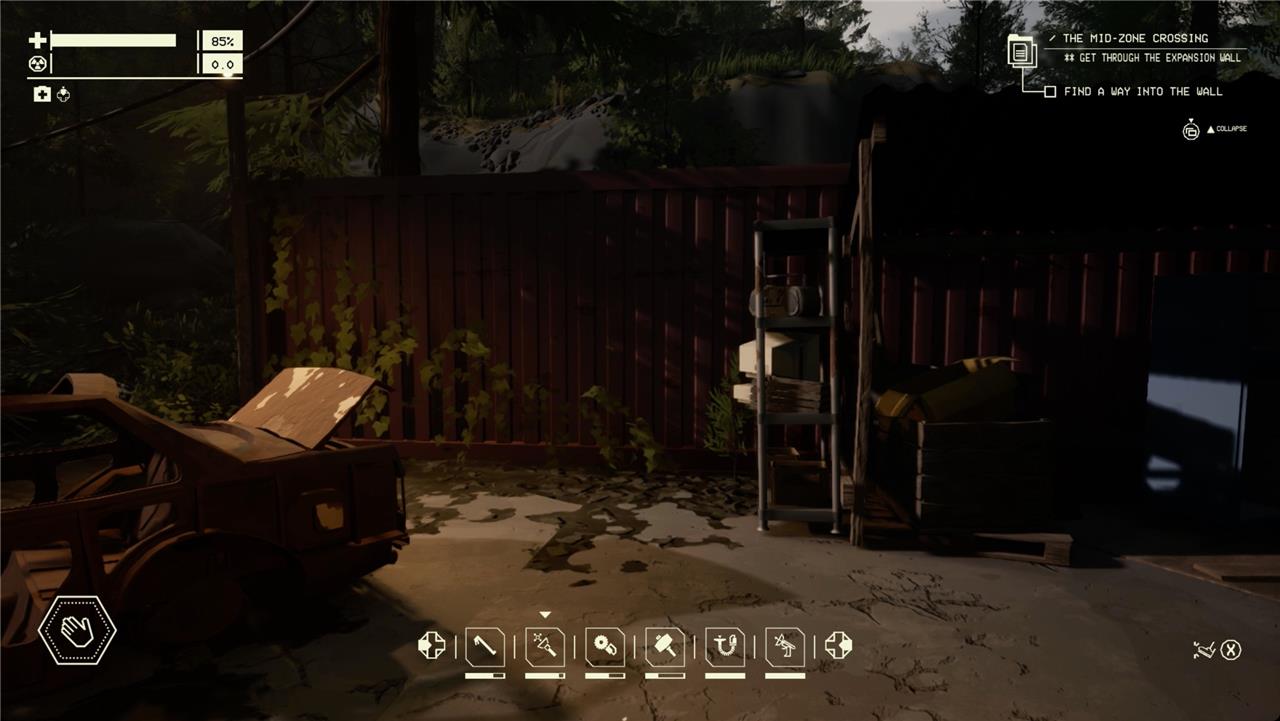
Those resources are a little harder to find than most everything else you’ll need early in the game. Luckily, there’s a (small) supply of them at the auto shop. Head over by the wrecked car out front and look to the right. There’s a shelf next to it with a couple pieces of electronics – usually a computer and a radio – that will drop the parts you need for a battery jumper when you scrap them.
There are a ton of tech trees at the fabricator
The Fabrication Station in Pacific Drive offers a vast array of tech trees that allow you to upgrade your car, workstations, and even yourself, making exploration much smoother and more efficient. Unlocking this station early on is crucial as it provides access to numerous blueprints for essential upgrades like better tires, improved car abilities, and useful gadgets such as the Anchor Radar. With so many options available, players can customize their vehicle to better handle the challenging terrain and hazards of the Zone, significantly increasing their chances of survival.
Aside from repairing your car for the next journey into the Zone, the other thing you’ll do in the auto shop is research new gear at the fabrication station. This is your tech tree for Pacific Drive.
At the fabrication station, you’ll spend resources and stable energy (more on this in a second) to unlock things like new workstations at the auto shop, better tools, and new and better parts for your car.
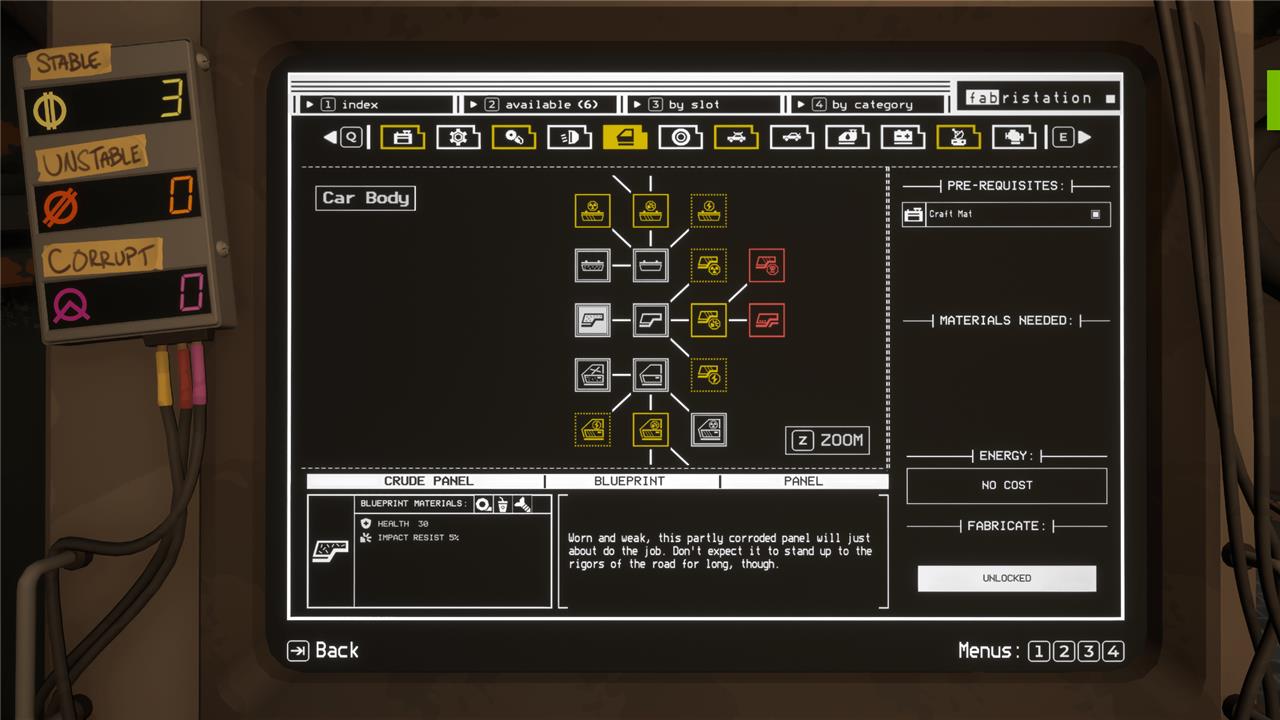
There are 12 different trees across the top of the screen. When you’re looking to unlock something, make sure you check them all. Don’t focus on building up the auto shop when you could be unlocking puncture-proof tires.
Unlocking new tech in at the fabrication station requires a lot of stable energy, though. And you get that from collecting anchors.
Anchors earn you stable energy
Anchors in Pacific Drive are essential for earning stable energy, which is crucial for progressing in the game. These stable energy Anchors are scattered throughout the Outer Zone and appear as yellow markers with circles on your in-car map. Collecting them involves dislodging the Anchor from its platform and carrying it back to your vehicle’s ARC device, where the energy is stored. Stable energy is primarily used to establish gateway links that allow you to teleport back to the Auto Shop, making it a vital resource for safe exploration and survival. Larger Anchors provide more energy, so prioritizing these can help you maintain a steady energy supply for upgrades and continued exploration.
The first couple times you pick up a stable anchor – those glowing yellow orbs you use to trigger the Gateways that bring you back to the shop – that’s all you’ll use them for. You’ll grab the anchor, open the glowing pillar, and start over.
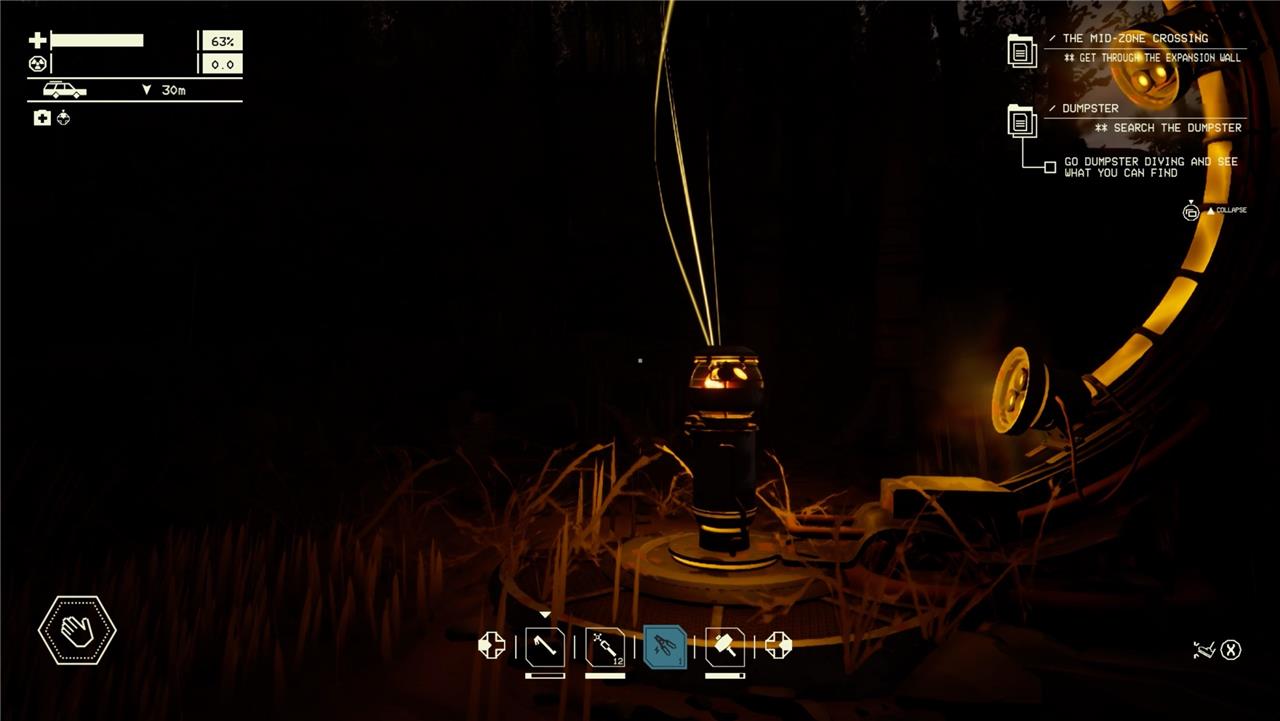
You’ll need some of the stable energy from the anchor to open the Gateway back to the auto shop. Whatever’s left over goes toward unlocking new tech at the fabrication station. As your trips get longer, start looking for ways to gather multiple anchors each trip – you can even gather anchors from multiple junctions per trip. More stable anchors fed into Oppy’s ARC device means more stable energy for the fabricator and new stuff to unlock.
New stuff like.
Unlock the anchor radar early in Pacific Drive
Unlocking the Anchor Radar early in Pacific Drive is crucial for navigating the Zone effectively. The Anchor Radar can be unlocked at the Fabrication Station under the Survival Tools tab once you have the required materials like Fabric and Stable Energy. Crafting it requires plastic, 9v batteries, copper wire, and electronics. This tool is invaluable because it helps you locate Anchors, which are essential for opening gateways and returning safely to the Auto Shop. Without it, you risk getting lost, especially when your car’s built-in radar is disrupted by anomalies or Anchor Obfuscation conditions. Using the Anchor Radar involves holding it and activating its scan, which reveals the direction of nearby Anchors, guiding you back home even in tricky situations.
Not long into your explorations of the Outer Zone in Pacific Drive, you’ll start to encounter junctions with the anchor obfuscation condition. In these junctions, the anchors won’t appear on your map as the little yellow dots you’ve relied on. Instead, they’ll be large, vague dots that move and blink in and out of existence. This is a problem for when you’re just looking for an anchor so you can escape the Zone.
Luckily, there’s a tool for that. At the fabrication station, tab over to the third tree, survival tools. Two down from the scrapper is the anchor radar that costs 1 fabric and 0.8 stable energy to unlock. That’s a handheld tool that will let you find anchors even when they’re obfuscated.
The anchor radar doesn’t have any prerequisites to unlock it. Other tech, though, needs you to find something out in the Zone first. Which is why you need to.
Scan everything in the Zone in Pacific Drive
Scanning everything in the Zone is crucial for survival and progression in Pacific Drive. Using the mechanic headset from the Auto Shop, you can scan your car to identify damaged parts that need fixing, anomalies to unlock new items, and specific destinations to reveal landmarks, travel times, and weather conditions. This thorough scanning helps you gather essential resources, unlock crafting materials, and gain valuable information that will aid you throughout your exploration and encounters in the Zone. Making it a habit to scan everything you come across ensures you maximize your chances of survival and success in the game.
Once you’ve picked up the mechanic’s eye headset as soon as you get to the auto shop, you’ll be able to scan things in Pacific Drive with L1 on a controller or C on your keyboard. This enters the information into your logbook menu.
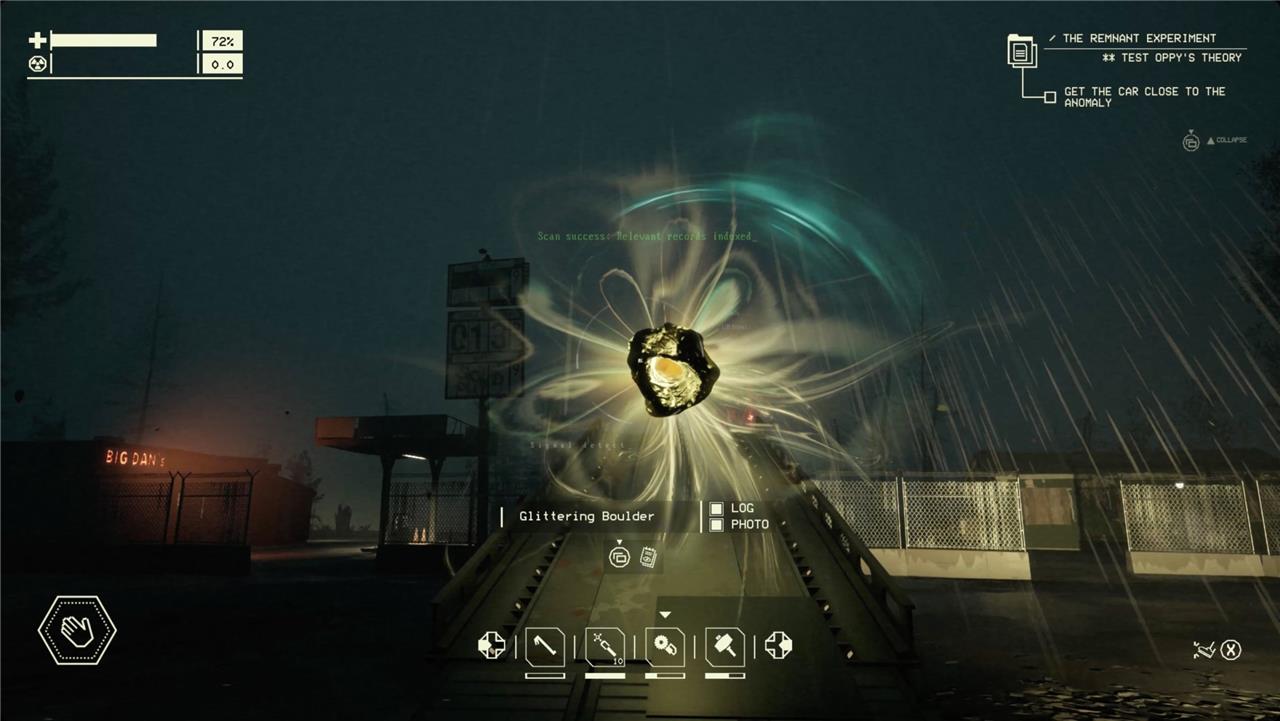
More importantly, though, certain things in the fabrication station tech tree require you to have scanned something out in the Zone. Make it a point to scan everything you come across – especially anomalies. Scanning a wriggling wreck anomaly, for example, unlocks the lightning rod that charges your battery. Scanning a spike puddle anomaly unlocks puncture-proof tires.
What are the must-know controls to master before exploring Pacific Drive
Must-Know Controls to Master Before Exploring Pacific Drive
Before venturing into the Olympic Exclusion Zone in Pacific Drive, mastering your vehicle’s controls is crucial for survival and smooth exploration:
-
Steering and Driving: On PC, use A/D keys to steer; on PlayStation, use the left joystick. Get comfortable with the car’s handling as it differs from typical driving games.
-
Headlights and Wipers: Toggle headlights with Z on PC or D-Pad Left on PlayStation, and wipers with C on PC or D-Pad Right on PlayStation. Managing these is vital, especially during storms, but remember to turn them off to conserve battery.
-
Starting and Stopping the Car: You must manually start the engine by interacting with the key and shift into drive. When stopping, turn off the engine, headlights, and wipers, and put the car in park to avoid battery drain and unintended movement.
-
Car Abilities and Battery Management: Learn to craft and assign car abilities early. Keep an eye on your car’s battery level and conserve power by turning off unnecessary systems.
-
Driver’s Checklist: Regularly check your car’s status and repair needs via the Driver’s Checklist to avoid breakdowns during expeditions.
-
Interaction: Hold the interaction button to pick up items or repair parts on your car. Familiarize yourself with this to efficiently manage repairs and resource gathering.
Mastering these controls will help you navigate the hazardous environment, manage your vehicle’s condition, and improve your chances of survival in Pacific Drive.
Which vehicle controls are essential to learn before your first expedition in Pacific Drive
Before your first expedition in Pacific Drive, mastering these essential vehicle controls is key to survival and smooth exploration:
-
Ignition and Gear: Hold E to start the car’s engine and to toggle between park and drive modes. Always put your car in park when stopped to prevent it from rolling away and causing damage.
-
Steering: Use A/D keys on PC or the left joystick on PlayStation to steer your vehicle precisely through the challenging terrain.
-
Headlights and Wipers: Toggle headlights with Z (PC) or D-Pad Left (PlayStation) and wipers with C (PC) or D-Pad Right (PlayStation). These are vital for visibility during storms but consume battery power, so manage them wisely.
-
Car Status Monitoring: Keep an eye on the car’s status screen to check for damaged parts, fuel levels, and battery charge to avoid breakdowns mid-expedition.
-
Car Abilities: Learn to craft and assign special car abilities early on to enhance your vehicle’s performance and survivability.
-
Parking Brake: Use the parking brake (hold E) to secure your vehicle when stopped, especially near dangerous zones like Anchors.
-
ARC Device: Use this device to place Anchors and manage power for opening gateways, crucial for safe navigation and escape.
Mastering these controls before heading out will help you manage your car’s condition, conserve resources, and navigate the hazardous Olympic Exclusion Zone more effectively.
