
Starfield’s Dream Home trait promises players a slice of luxury among the stars-a sprawling, customizable mansion on a tranquil planet, ready to be called your own from the earliest hours of your journey. But this dream comes with a catch: a hefty 125,000 credit mortgage and weekly payments just to unlock the front door. Is the allure of the galaxy’s finest real estate worth the ongoing debt, or is this trait a trap for unwary explorers? Here’s how the Dream Home trait really works-and whether it’s the investment your spacefaring hero should make.
To make sure you’re not caught out by any small print, we’ve covered the entire process below, including how the Dream Home trait works, how to find your Dream Home, and how to pay it off, plus a breakdown on if the Dream Home trait is worth it.
How the Dream Home Trait works
The Dream Home trait in Starfield is an optional character creation choice that grants you immediate access to a luxurious, customizable house on the planet Nesoi in the Olympus System, right from the start of the game. However, this perk comes with a significant catch: your new home comes with a hefty 125,000 credit mortgage owed to GalBank, which you can pay off in full at any time, or maintain access by making weekly interest-only payments of 500 credits. The house itself is spacious but unfurnished, giving you plenty of room to decorate and use as a base, storage area, or workshop as you see fit. If you miss a payment, you temporarily lose access rather than losing the house entirely, and you can always choose to pay off the mortgage later to make the property truly yours.
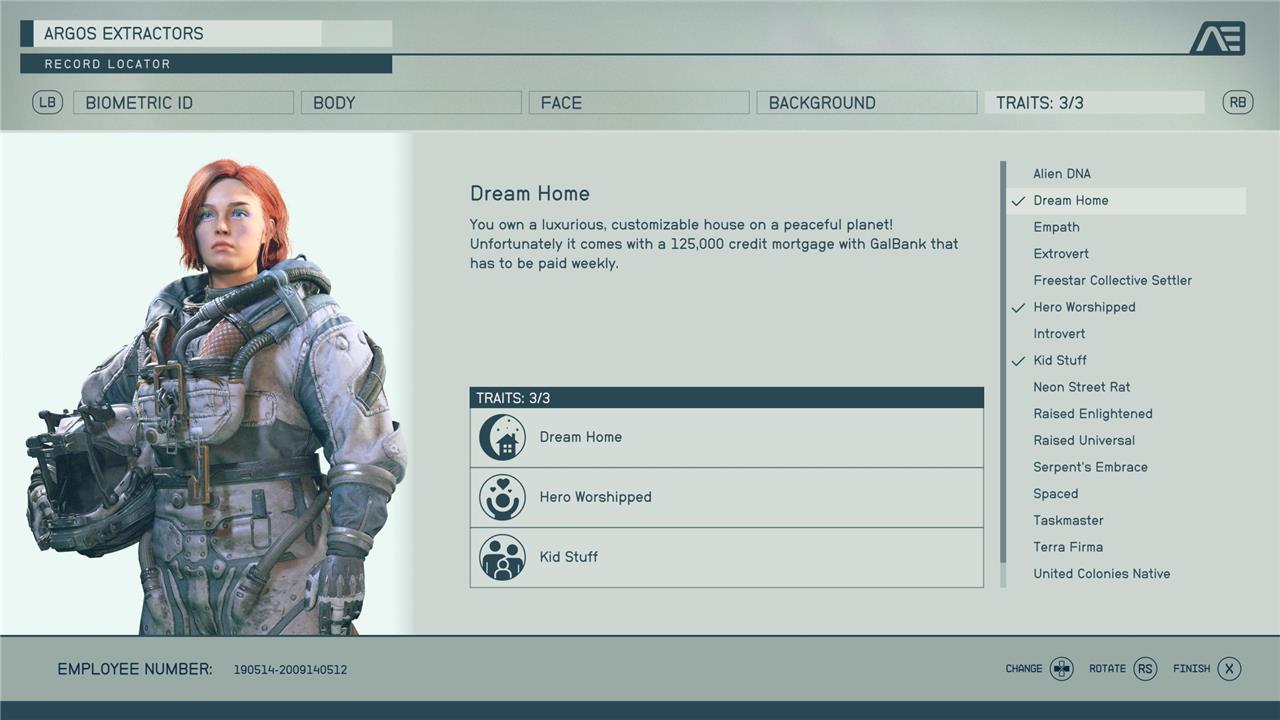
Once you’ve spent the customary few hours designing your avatar, you’ll need to pick some traits that will further ground your character. The Dream Home trait saddles you with a hefty debt from the get-go in return for immediate access to one of the best properties in the game.
The debt we’re talking about is a mortgage to the tune of 125,000 credits, which you’ll owe to Starfield’s intergalactic GalBank. To own the house and use it freely, you will need to pay this debt off. Think of GalBank like a celestial Tom Nook who wants all the money upfront. However, especially in the early game, earning 125,000 credits is a tall order.
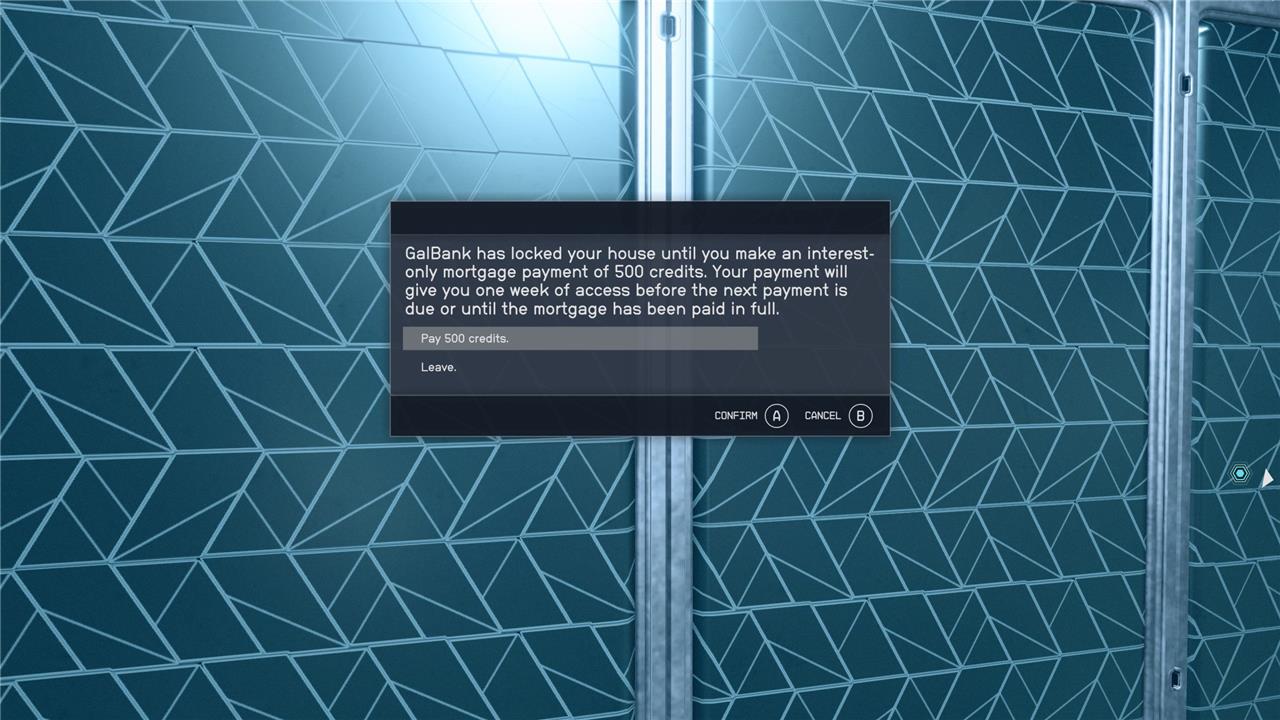
Alternatively, you can pay 500 credits on a weekly basis to get in the door before settling the debt, though notably, these installments will not deduct anything from the total sum owed. Thankfully, unlike an actual mortgage, if you don’t pay, GalBank won’t evict you. You just won’t be able to get into the house without paying a fee.
If you can cope with paying 500 credits per week, there really is no pressure to settle the debt right away, or at all. As you push through the game, you’ll pick up more expensive loot to sell that’ll easily cover the entrance fee, and eventually, the mortgage itself. If you need a little extra help bringing home the bacon, though, we have a guide on how to earn credits fast that can help boost your finances in the early-game.
Is the Dream Home Trait worth it?
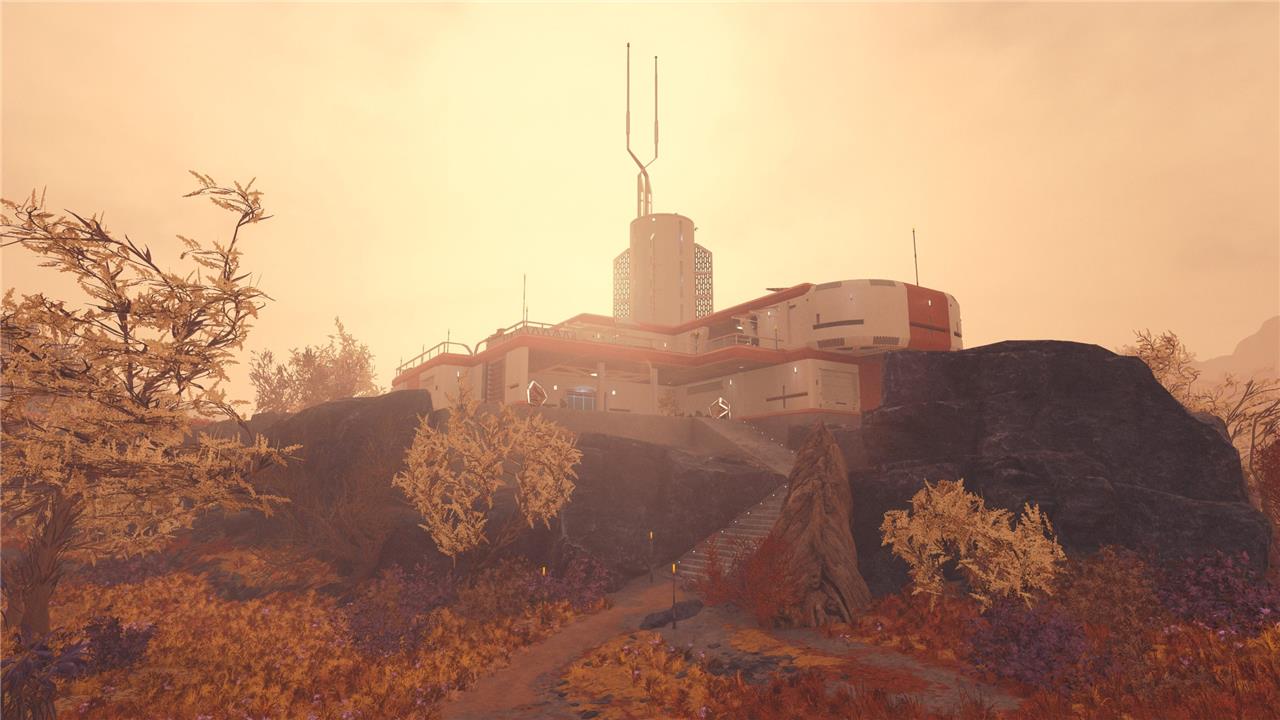
The Dream Home trait in Starfield is generally considered worth it for players who value having a spacious, customizable home early in their adventure. The property is one of the largest and most luxurious available, featuring two floors, multiple bedrooms and bathrooms, a kitchen, and a rooftop terrace, making it ideal for storage, relaxation, and personal decoration. While the trait comes with a significant 125,000 credit mortgage and requires weekly interest payments to maintain access, it offers better value than most other homes at a similar price point. For those who enjoy the lifestyle and role-playing aspects of Starfield, or want a convenient, permanent base from the start, the Dream Home trait is a strong choice. However, if your focus is on exploration or combat and you don’t plan to use a home much, you may find more practical value in other traits or by building outposts instead.
As is the case with most perks in most RPGs, the trait’s actual value comes down to how you intend to play. Your should be driven by your intentions, whether you’re focused on comfy space living or exploratory pirate pillaging. For someone like me, who enjoys spending my time moseying through space – crafting, cooking and indulging in Starfield’s astro lifestyle – the Dream Home trait was a smart choice, even with the mountains of associated debt.
However, if you’re more keen on adventuring and don’t want to be beholden to a financial institution, you may want to avoid taking the trait. You don’t need the Dream Home trait to get a home, and will soon get various options. Plus, even with the Dream Home, if you’re a keen adventurer, you’ll likely build outpost as you venture further into space, and you may not see the benefit.
Where to find the Dream Home house
The Dream Home in Starfield is located on the planet Nesoi in the Olympus System. To access it, you must select the Dream Home trait during character creation. After completing the early main quest “One Small Step” and meeting Constellation at the Lodge, a side mission called “Dream Home” will appear in your missions menu. This quest provides a waypoint to Nesoi, where your house will be marked as a special landing point named after your character. Once you land, you’ll find your expansive home situated on a hill, easily identifiable as the only building nearby. If you haven’t paid your mortgage, you’ll need to pay a fee for access, but you can visit the house at any time once the trait is unlocked and the mission is active.
Once you’re in the main game with the Dream Home trait, you’ll have to jump through a few hoops to gain access to your new property. Mainly, you’ll have to complete the “One Small Step“ main story quest first, which frees you up to explore the galaxy and seek out your new digs.
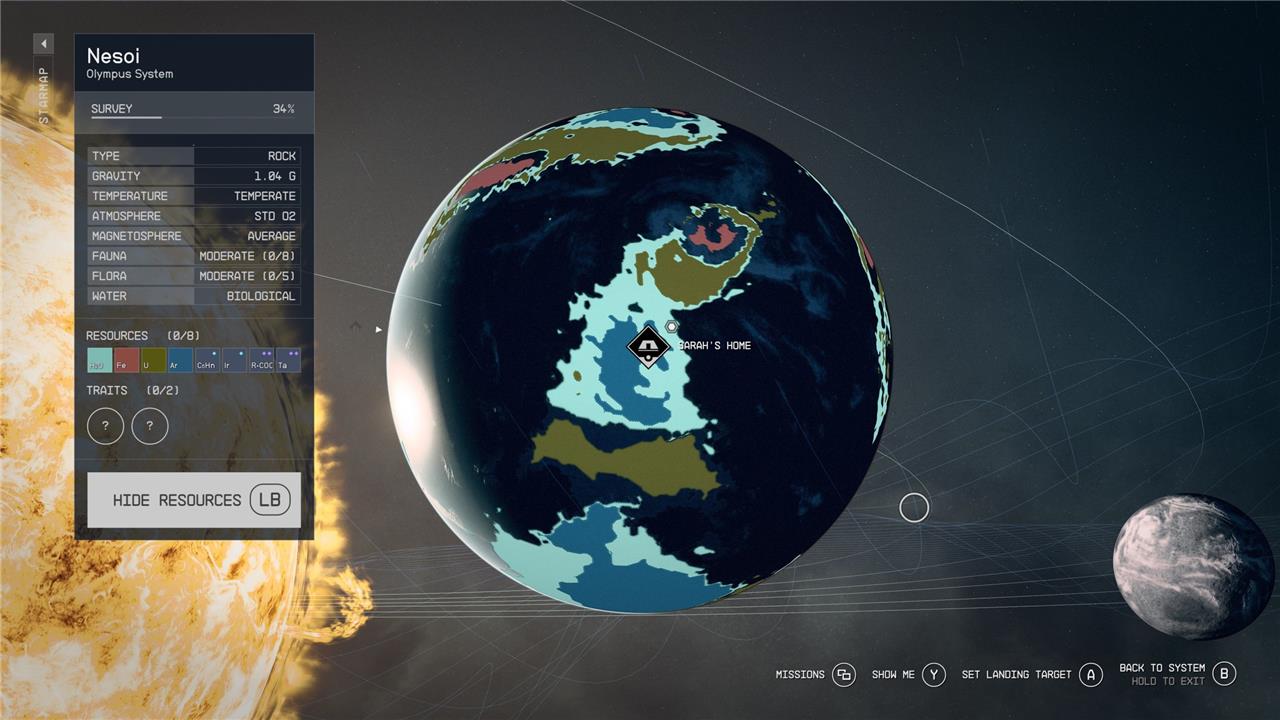
Your new home is located on Nesoi in the Olympus system, so hop in your ship, check the Starmap, and grav-jump to that pocket of the galaxy. Once you’ve found Nesoi within the system, you can rotate around the planet until you find the landing point called “[Player Name] home.” Land there and ascend a small hill from your ship, and you’ll find the Dream Home house.
How to pay off your Dream Home
To pay off your Dream Home in Starfield, you must settle a 125,000 credit mortgage with GalBank. While you can access your home by paying a weekly 500 credit interest-only fee, these payments do not reduce your mortgage balance-they simply allow you to keep using the property for another in-game week. If you want to own the house outright and stop making weekly payments, you need to pay the full 125,000 credits at once. To do this, visit GalBank in New Atlantis and speak to Landry Hollifield, where you’ll get the option to pay off the mortgage in a single lump sum. Until then, you can continue making weekly payments to maintain access, but only paying the total amount will make the home truly yours.

As we mentioned, you’ll be paying 500 credits per week to use the space, which is taken at the entrance of the property.
If you’re looking to settle the debt completely, though, you’ll need to make your way back to New Atlantis. In the Mast District, seek out the local GalBank on the way back to the spaceport. Here, you’ll find your mortgage broker, Landry Hollifield, who will facilitate the daylight robbery that is paying off your home.
It can take a few nudges to get Landry talking in the right direction, so don’t worry if the Dream Home option isn’t showing up at first. If it’s causing you trouble, just leave the interaction and strike up another conversation until it triggers. The conversational option you’re looking for is: “I want to talk to you about my home on Nesoi.” After a few more exchanges, Landry will give you an option to pay the debt in full.

If you don’t want to deal with the debt anymore, Landry also lets you know you will be able to foreclose on the house, nullifying the contract and subsequently the Dream Home Trait. Be careful though, as if you don’t remove all the items inside, they will default to the bank.
How to decorate your Dream Home
To decorate your Dream Home in Starfield, enter the house and locate the small glowing panel on the wall opposite the front door. Interacting with this panel activates the build mode, where you can customize your home by purchasing and placing various items such as furniture, decorations, crafting stations, and displays. The customization options are divided into categories including crafting, furniture, decorations, displays, and miscellaneous, allowing you to personalize your space extensively. You can choose different variants of most items to match your style, making your Dream Home truly your own luxurious retreat on the planet Nesoi.
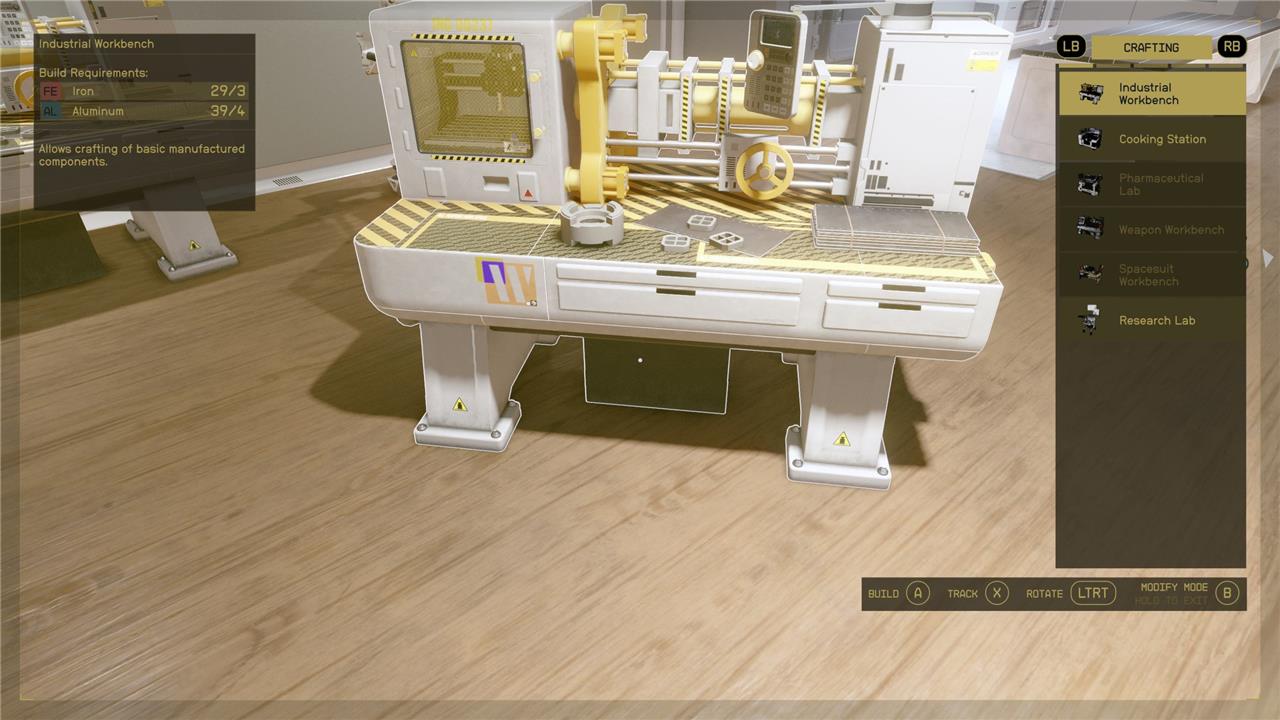
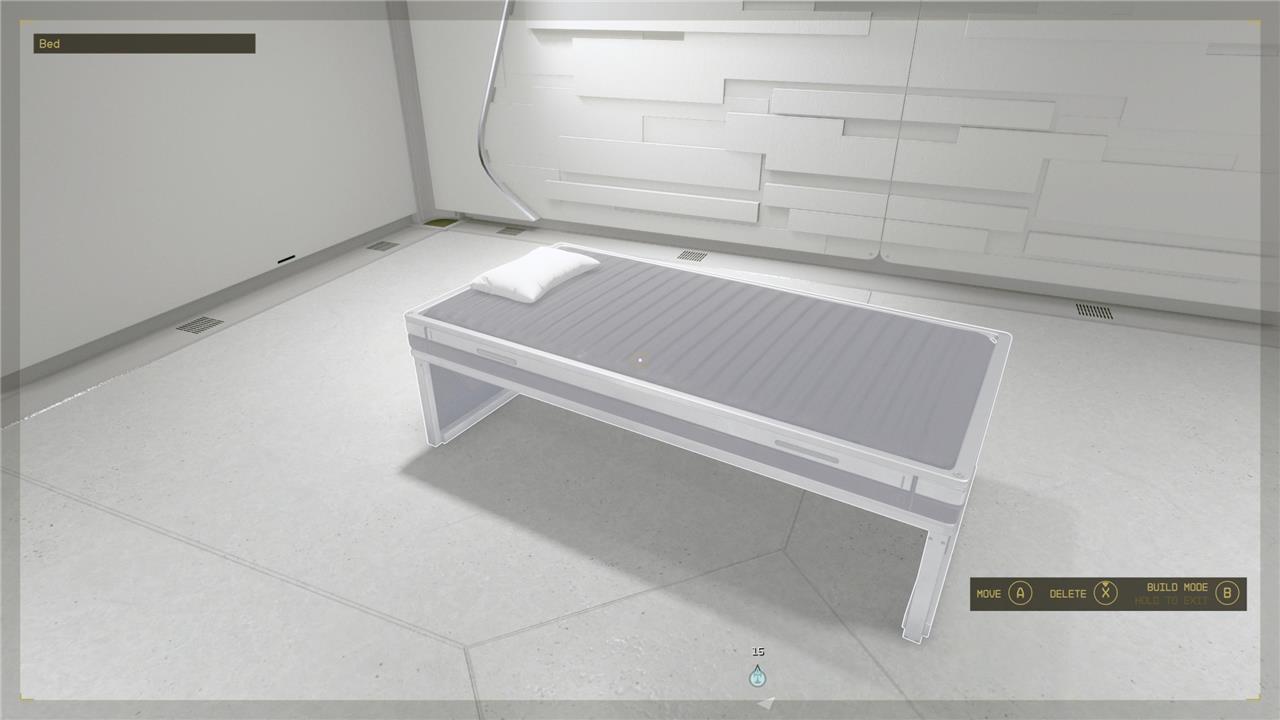
The dream home is bare bones to begin with, boasting empty bedrooms, bathrooms and a cooking station. Even so, you can craft plenty of things to fill the space, like various tool benches, furniture, weapon and clothes displays and decorations. You can access this crafting menu via a small panel on the wall directly in front of the entrance, or by activating your scanner and selecting the decorate option. Bear in mind that you’ll need resources to craft specific decor, so you might not be living large immediately. In the meantime, though, it’s a great place to dump all your junk!
How does the process of paying off the Dream Home mortgage impact my gameplay in Starfield
Paying off the Dream Home mortgage in Starfield affects your gameplay by determining your access to the property and shaping your financial priorities early on. Here’s how the process impacts your experience:
-
You can access the Dream Home as soon as you complete the “One Small Step” main mission, but the house is initially locked until you pay a weekly interest-only fee of 500 credits to GalBank. This payment grants you access for another week.
-
If you miss a weekly payment, you lose access to the house, but you don’t lose ownership. You can regain access by paying the fee again.
-
There is no obligation to pay off the full 125,000 credit mortgage immediately. You can continue making weekly payments for as long as you like, which can be more affordable in the short term.
-
To clear the debt entirely and unlock permanent, unrestricted access, you must pay the full 125,000 credits in a lump sum at GalBank in New Atlantis.
-
Paying off the mortgage frees you from weekly payments and lets you use, customize, and store items in your home without interruption.
-
If you decide you no longer want the home, you can ask GalBank to foreclose, which removes the Dream Home trait and access to the property, along with any items left inside.
Overall, the mortgage system introduces a recurring financial commitment that can influence your spending and priorities, especially in the early game. However, it doesn’t penalize you beyond restricting access if payments are missed, and you can pay off the debt at your own pace.
Does paying off the Dream Home mortgage unlock new gameplay features in Starfield
Paying off the Dream Home mortgage in Starfield does not unlock new gameplay features beyond granting you permanent, unrestricted access to your luxury home. While you can already use and customize the house, including setting up crafting stations and storage, as soon as you pay the weekly access fee, fully settling the 125,000 credit debt simply removes the need for ongoing payments and ensures you can always enter your home without interruption. There are no unique quests, mechanics, or features that become available specifically because you have paid off the mortgage-the main benefit is convenience and peace of mind.
