
A fallen satellite, a corrupted signal, and a trail of lost data – The Clean Dream quest hides more than a routine cleanup. What begins as a standard sweep through Arc Raiders’ shattered sectors soon reveals a deeper glitch pulsing beneath the ruins.
‘The Clean Dream’ quest walkthrough in Arc Raiders
The Clean Dream quest in Arc Raiders guides you through a tight, action-packed sequence where timing and positioning shape success. You’ll navigate hazardous zones, coordinate with teammates to trigger alarms and bypass defenses, and exploit brief windows of vulnerability to advance toward the objective. Quick reloads, precise shots, and map awareness keep you ahead as you push through each checkpoint and consolidate control over key loot points.
You only have two locations to visit for this quest, one after the other, but the specific things you need to find can be quite difficult, especially in the underground tunnels on Spaceport. Here’s everything you need to know to complete “The Clean Dream.”
Search four containers in the underground tunnels on Spaceport
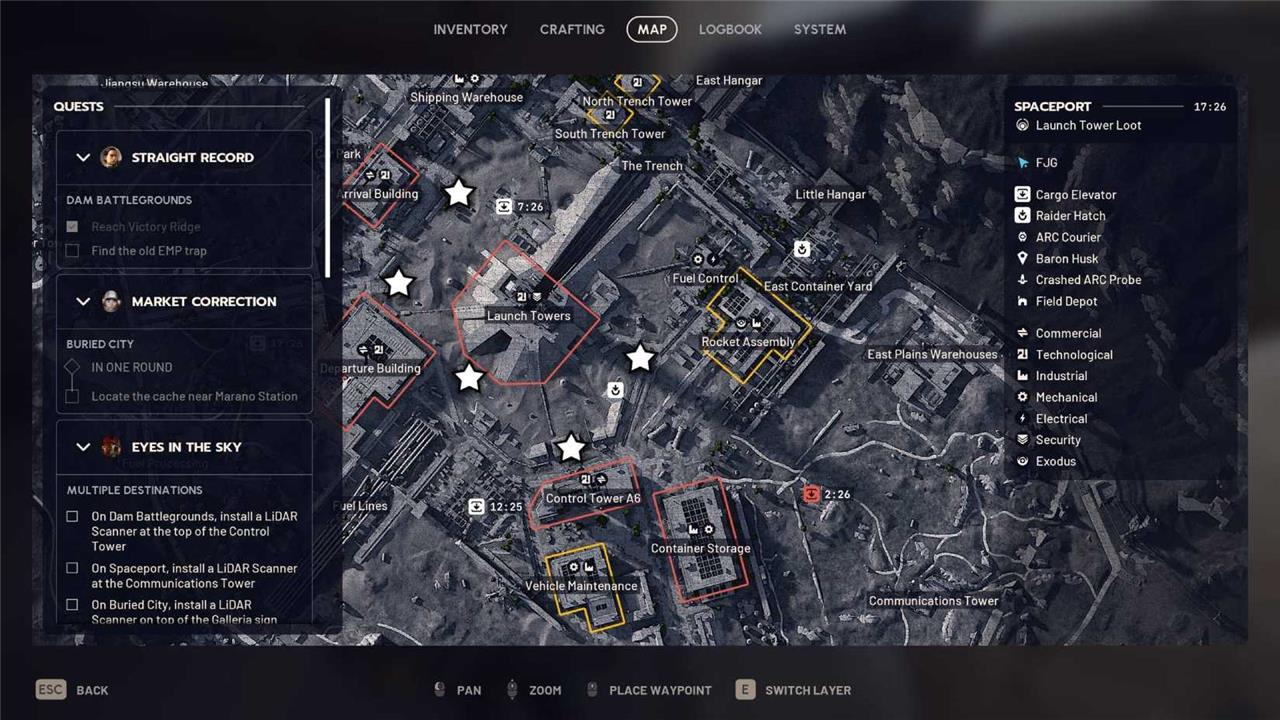
First up, the underground tunnels on Spaceport. This is a huge area but since it’s underground and not marked on the map, finding one of the numerous entrances can be tricky. We’ve highlighted a few of them on the map above, but essentially, you want to circle around the Launch Tower.
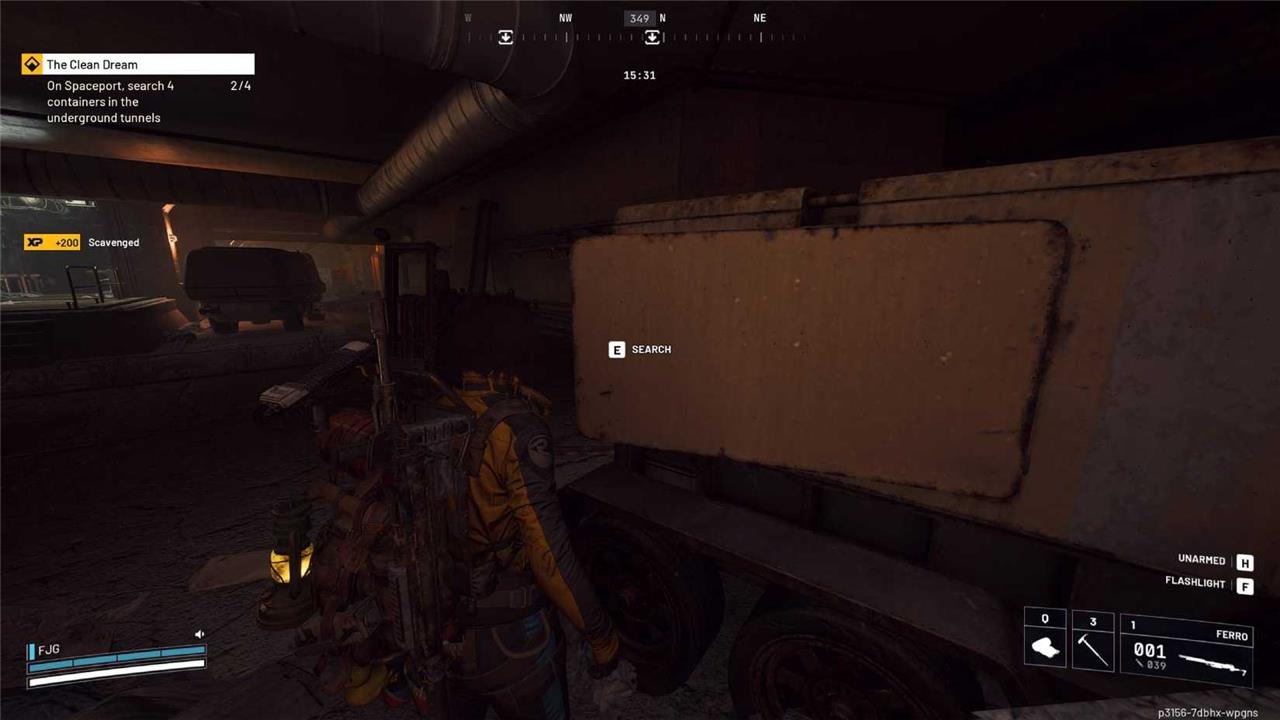
When you’re inside the underground tunnels, you simply need to find four containers to search, which is actually more difficult than it sounds. This is because the tunnels are somewhat devoid of loot, but keep an eye out for any cabinets on the slightly raised walkway, or breachable containers and vehicles on the main path.
Find and monitor any filtration system in the tunnels
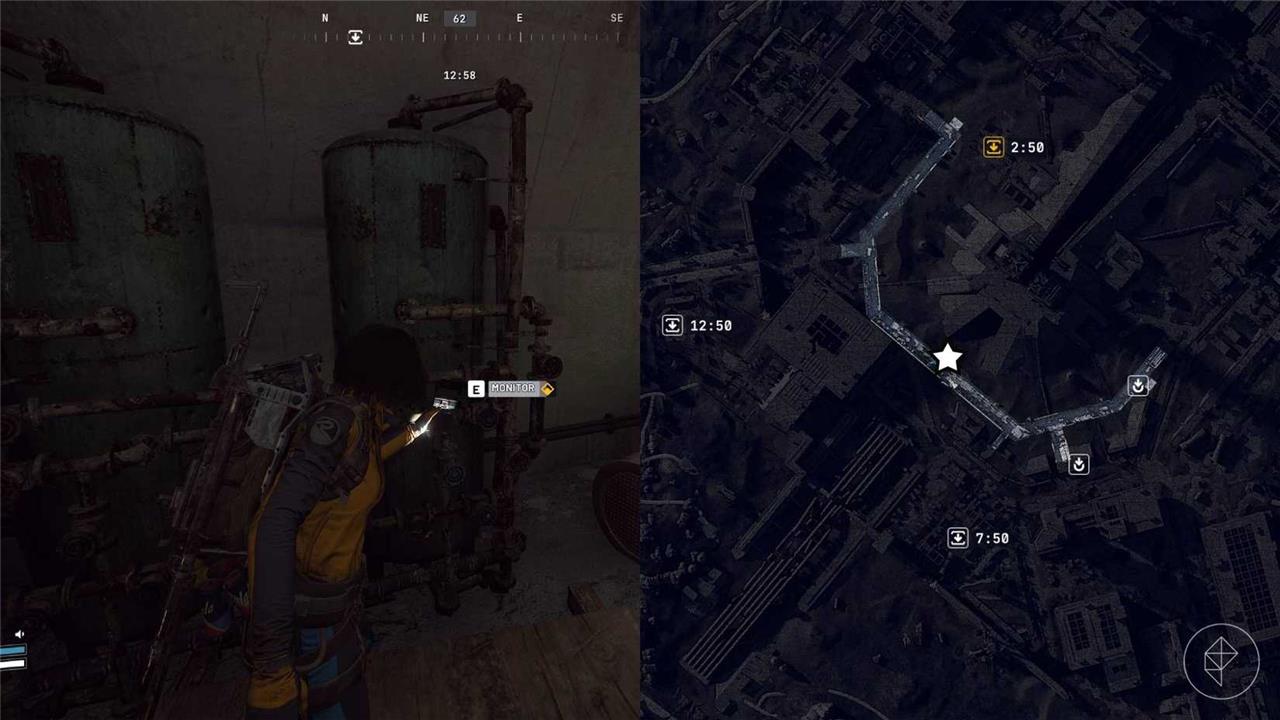
If you’ve completed the “Switching The Supply” quest, you’ll be familiar with the objective here, because you need to interact with the same machine. Head to the central part of the tunnels, in the middle of the longest section, and you’ll find a green water tank against the far wall. Interact with it to complete this objective.
Monitor the purification system in the Maintenance Bunker
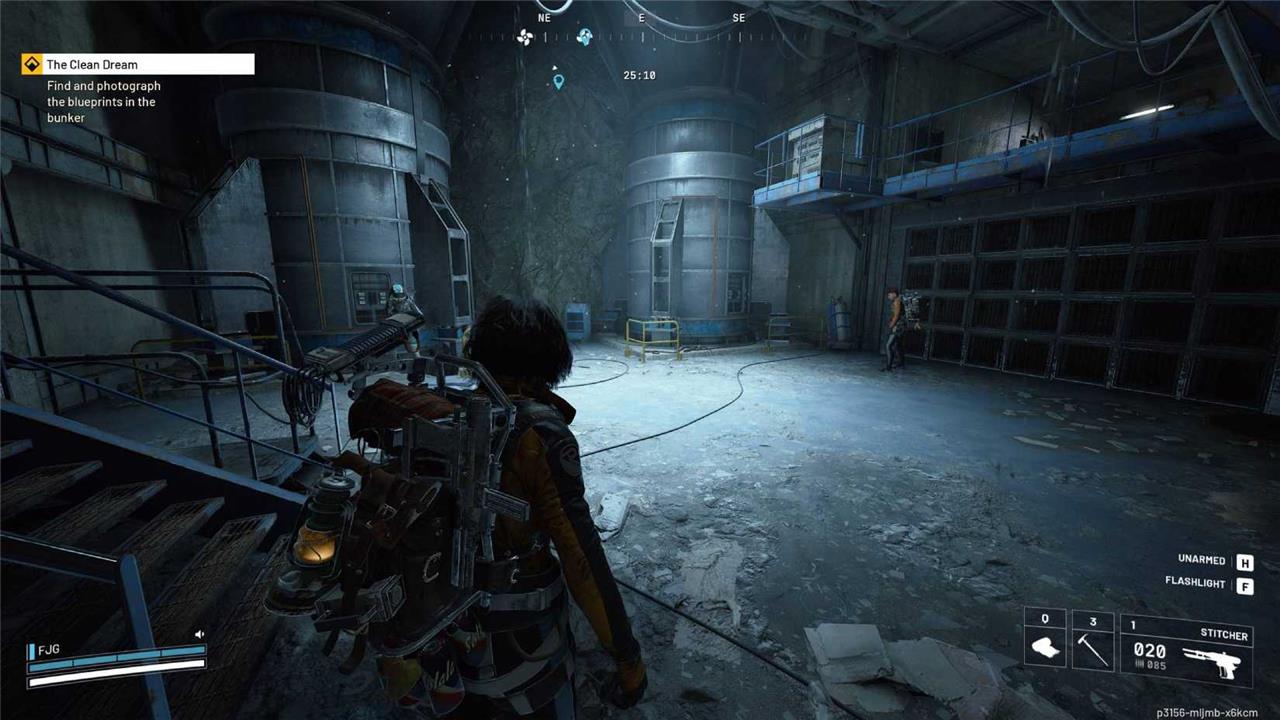
Get the heck outta Spaceport and head over to The Blue Gate for this objective, as you need to go straight to the Maintenance Bunker first. This is a named location on the map, but it’s hard to find when you get there, so look for the small hatch with a ladder descending into the ground.
Head down, then look for the main room, which has two enormous water tanks side by side. It’s not difficult to find, and there are multiple ways in. One of them will have a prompt to interact with it, which will tick off this objective.
Find and photograph the blueprints in the Maintenance Bunker
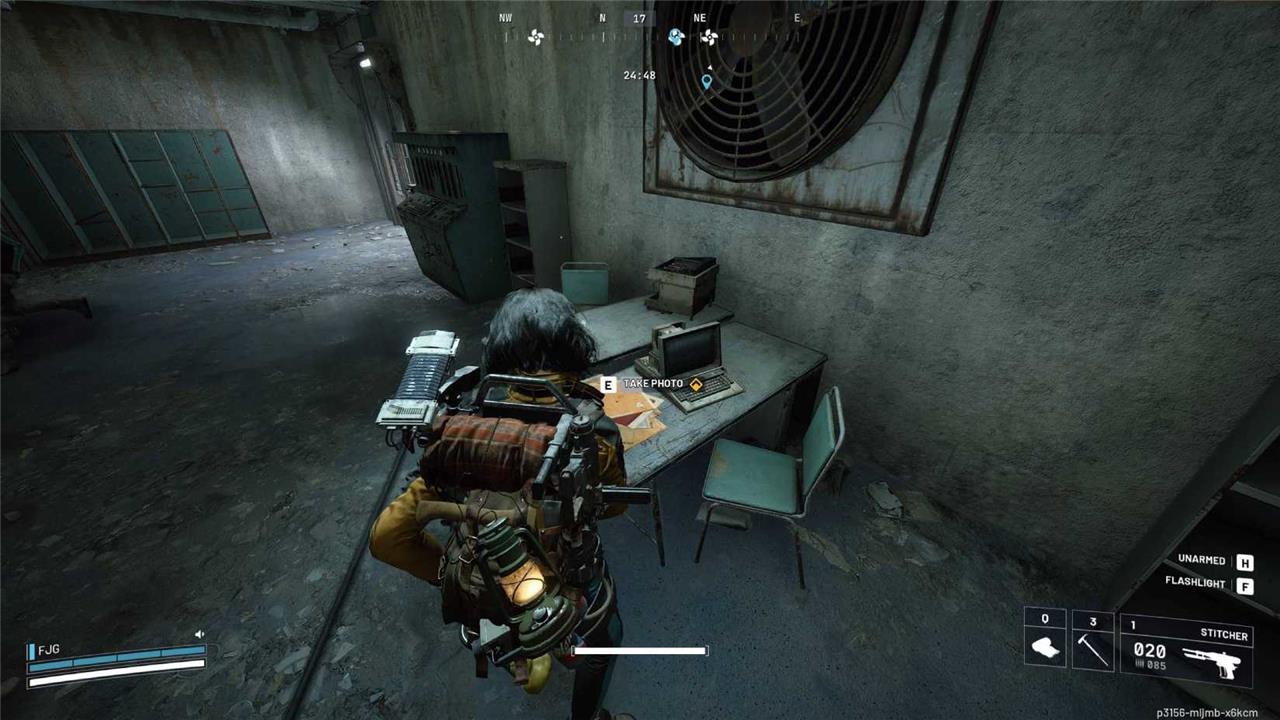
Finally, you need to take a photo of some documents. Head up onto the walkway in that main room, then go through a couple of doors to find a room with some desks inside as well as a pile of blueprints you can interact with again. Like I said, the Maintenance Bunker is small, so you should be able to find it without too much difficulty.
Tips for finding underground tunnels on Spaceport
Finding underground tunnels on the Spaceport map in Arc Raiders requires focusing on key landmarks around the central Launch Towers. Multiple entrances exist, often marked on the map’s underground layer by switching views (e.g., pressing E on keyboard).
Main Entrance Locations
Look for a large hole or collapsed cement in front of the Launch Towers, particularly south or southwest of the central area. Other access points include ladders, slopes, or ramps near the towers, visible once you switch to the underground map layer for precise markers.
Navigation Tips
Drop down carefully into visible pits or follow main paths downhill from overlooks to avoid patrols like Arcs or Bastions. Inside, stick to elevated walkways and central tunnels for objectives like containers or valves, staying alert for enemies and using low-risk loadouts.
Switching the Supply quest full walkthrough after tunnels
Switching the Supply is a straightforward quest in Arc Raiders on the Spaceport map that concludes quickly after entering the underground tunnels. The post-tunnels steps focus solely on locating and interacting with a single valve.
Valve Location Details
After dropping into the tunnels via entrances near Launch Towers, head northwest or left along the main path for about 150-200 meters, avoiding side passages. Look for a bright yellow pipe with a red steering-wheel-style valve on the right wall, often right under a concrete ramp leading back to the surface or near green filtration tanks.
Completion Steps
Interact with the valve to turn it, instantly updating and completing the quest-no further objectives, collections, or extractions required. Rewards include the Radio Renegade color outfit, a Spaceport trench tower key, and synthesized fuels. Use a free loadout and extract or die to finish the run safely.
