
Launching a rocket in Kerbal Space Program 2 is equal parts science and chaos. With the right setup, a steady hand, and a bit of patience, you can send your Kerbals hurtling toward the stars instead of scattering across the launch pad. Here’s how to lift off without blowing up your mission before it begins.
First, you’ll start a new game by providing a file name and naming your space agency, as well as the important task of picking the colors and emblem of your newly founded organization. You don’t have to dwell too hard on this though, as this can be changed after starting your game.
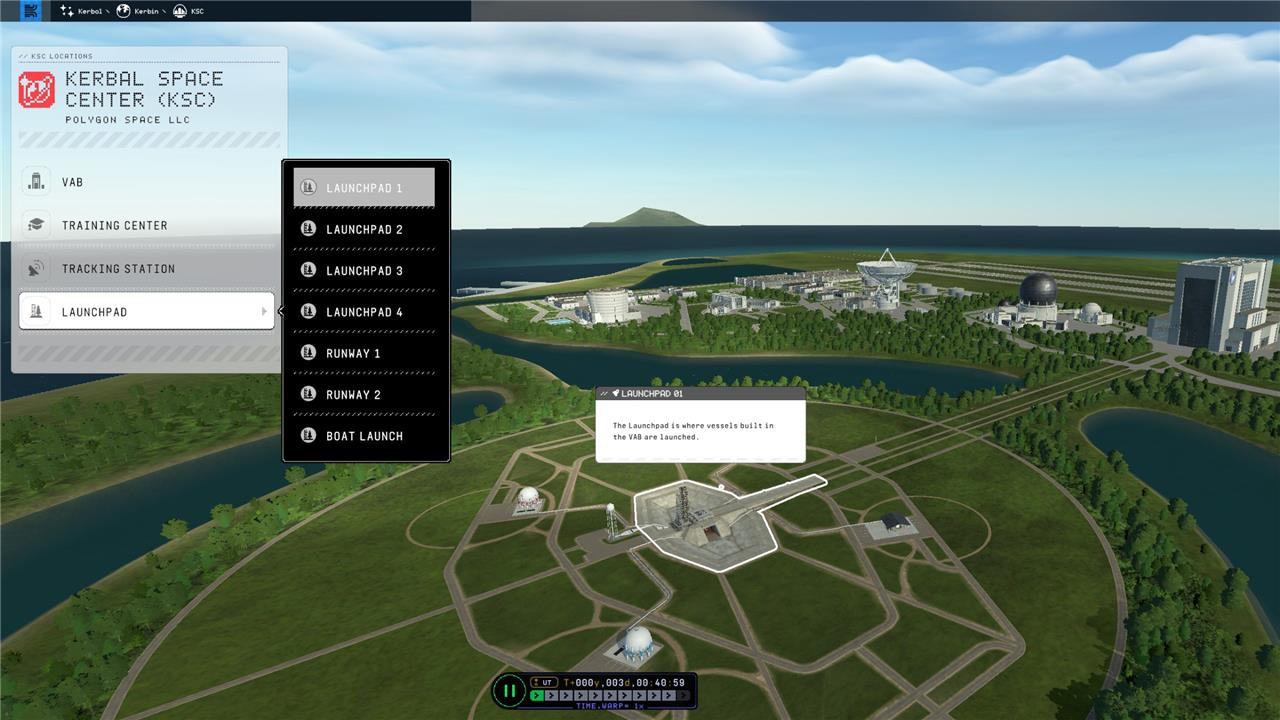
Next, you’ll be brought to the revamped Kerbal Space Center, complete with a pair of runways and a whopping four launchpads. You’ll also see the Vehicle Assembly Building (or VAB). The VAB allows you to construct your own rockets and spaceplanes, but for the fastest possible time to orbit, we’ll want to head straight to the launchpad.
How to launch a rocket in Kerbal Space Program 2
Building and launching a rocket in Kerbal Space Program 2 begins with designing a stable craft in the Vehicle Assembly Building, balancing thrust, fuel, and aerodynamics. Once on the launchpad, throttle up the engines, stage to ignite them, and wait for the rocket to lift off. As altitude increases, gradually tilt the rocket eastward to begin a gravity turn, which helps achieve orbit more efficiently. Monitor fuel levels, stage boosters as needed, and adjust the trajectory to reach the desired orbital path around Kerbin.
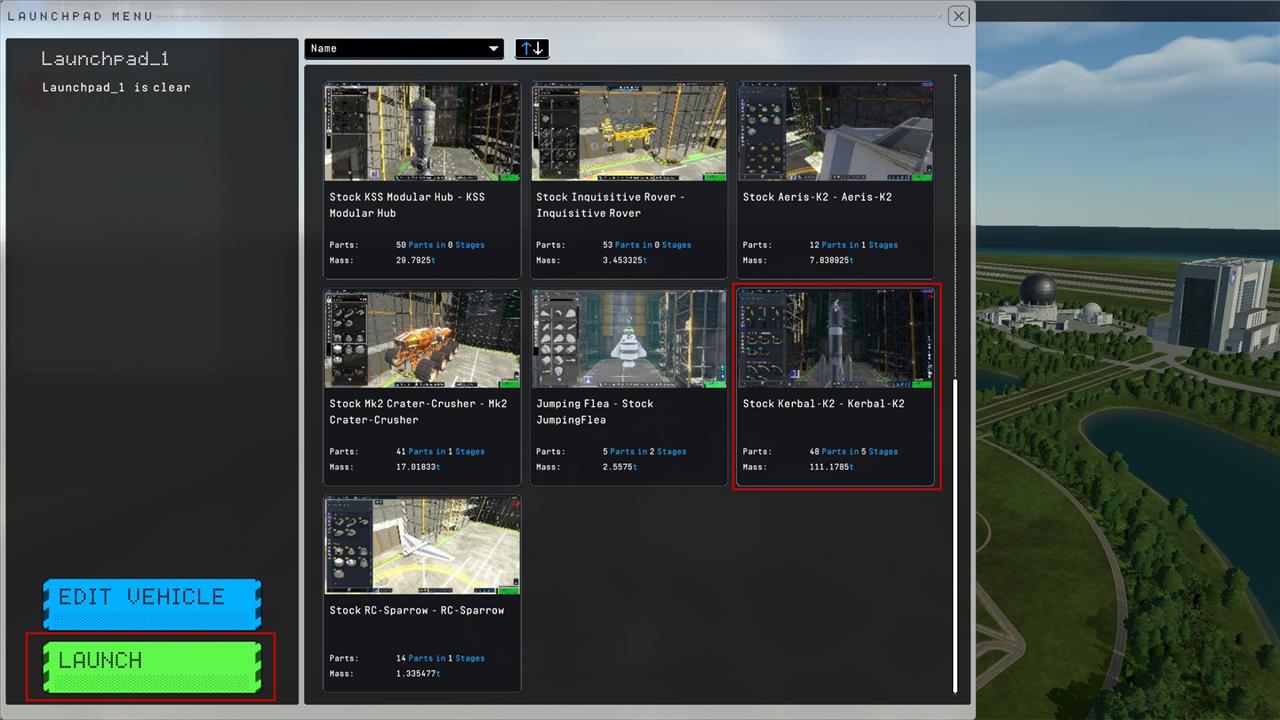
- Selecting “Launchpad” from the menu on the left, choose one of the four available launchpads. You’ll then be prompted to select a vehicle, which will open up one of the pre-made rocket assemblies in the game’s files.
- For our purposes, we’ve picked the Kerbal K2, a three-stage orbiter that’s more than capable of sending a couple of Kerbals into low orbit.
- Once you’ve selected the vehicle, hit “Launch” and you’ll be taken to the launchpad.
- While launching a rocket in the original Kerbal Space Program required you to know what button to press, KSP2 is far less coy, providing you with a big green button to smash to send your unwitting astronauts hurtling into the stars. Pressing the launch button will commence a super-dramatic countdown, but you can press the launch button again to skip it.
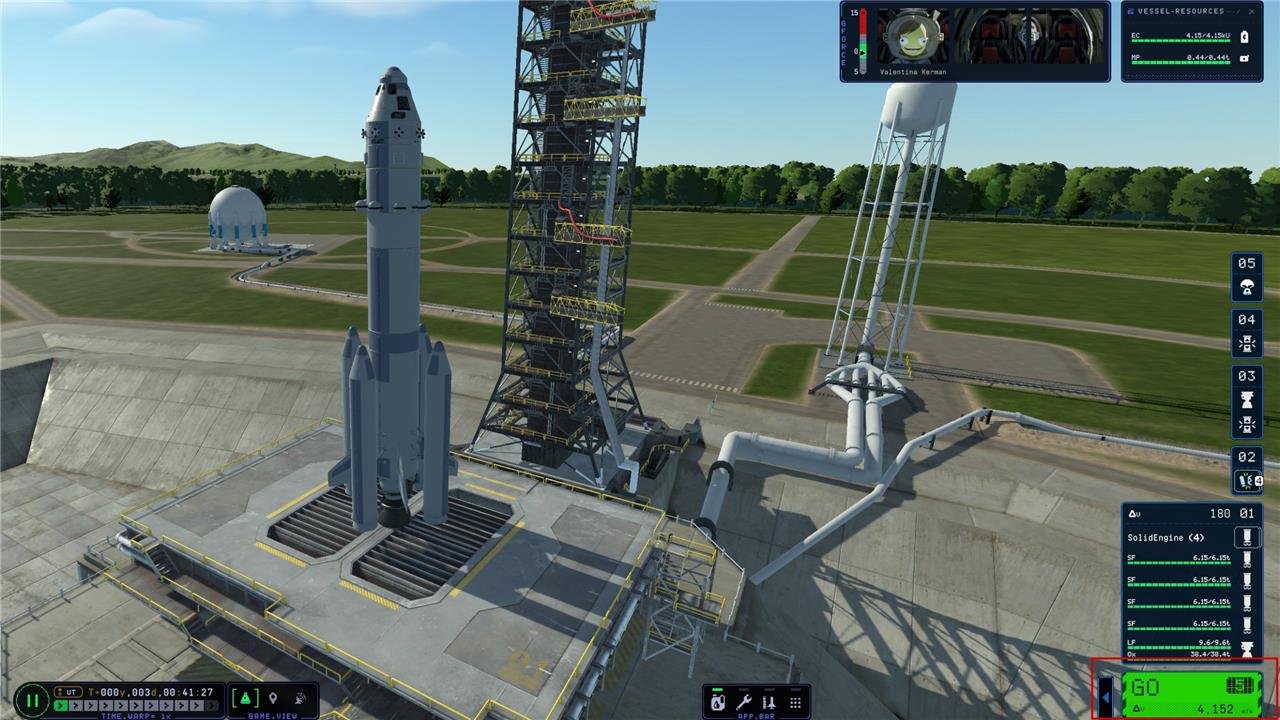
After that, your first-stage boosters will ignite, and you’ll be hauling the mail.
How to build your first rocket in the VAB for KSP2
Building your first rocket in the Vehicle Assembly Building (VAB) of Kerbal Space Program 2 (KSP2) involves starting simple with stable parts that provide enough thrust and delta-V (around 3,500-4,000 m/s) for orbit. Prioritize matching part sizes, proper staging, and center-of-mass alignment to avoid wobbling or explosions.
Access the VAB
Enter the VAB from the Space Center screen (second building icon). Use the toolbar on the left for part categories-start with “Pods” or “Probes” tab for the command module. Drag parts from the inventory to stack them vertically; rotate with right-click and symmetry (X for 2-way, etc.) for fins or boosters.
Core Stack
Build from top to bottom for stability:
-
Command Pod: Mk1-2L or small pod (top)-add a heat shield and parachute below it.
-
Decoupler: Stack separator between stages.
-
Fuel Tank: Mk0 or small liquid tank (e.g., methalox for efficiency).
-
Engine: Swivel or Kickback for first stage (high thrust); Terrier for upper stage (vacuum-optimized).
Example single-stage starter: Pod > Parachute > Small tank > Engine. Aim for Thrust-to-Weight >1.3 in the engineer report.
Add Stability and Power
-
Fins or stabilizers (3-4 in radial symmetry) at the base to counter drag.
-
Batteries (2-4) and solar panels (2-way symmetry) for control in vacuum-KSP2 capsules need extra reaction wheels.
-
Nose cones on boosters to reduce drag.
Staging and Checks
Right-click the staging list (right side) to reorder: boosters first (spacebar activates), then main engine, then separation. Verify delta-V (bottom-right), center-of-lift behind center-of-mass (orange/blue markers), and no part clipping. Save as “First Rocket” and launch. Test suborbitally first, then scale up boosters for full orbit.
How to launch the rocket after building in VAB
After building your rocket in the VAB of Kerbal Space Program 2, head back to the Space Center and select a launchpad to deploy and ignite it for ascent. The process emphasizes checking staging, enabling stability aids, and executing a gravity turn to reach orbit safely.
Deploy to Launchpad
Exit the VAB by clicking the green checkmark or save button, then select “Launchpad” from the Space Center’s left menu (one of four pads). Choose your saved craft from the vehicle list and press the prominent green “Launch” button in the top-right-this skips or starts the countdown and places the rocket on the pad with initial stage boosters igniting automatically.
Pre-Flight Checks
Review the staging stack on the right (drag to reorder if needed-engines first, parachutes last). Activate SAS (bottom toolbar, set to “Hold Up” or radial in), throttle to 100% (right UI slider or Shift key), and monitor the engineer report for thrust-to-weight ratio above 1.3. Use the navball for direction and ensure batteries/solar panels are active for control.
Ascent Steps
-
Press Spacebar to ignite/full throttle if not auto-started; climb straight up to 100m/s.
-
Pitch east 10° (follow prograde cue on navball) for gravity turn-gradually to 45° by 10km altitude.
-
Stage (Spacebar) as fuel depletes; coast to 70km apoapsis, then circularize orbit with a burn at periapsis.
