
A secret bunker lurks in Arc Raiders’ Hidden Bunker event, packed with data retrieval loot-but only sharp-eyed raiders spot its concealed entrance.
Hidden Bunker overview in Arc Raiders
The Hidden Bunker serves as a key site in Arc Raiders’ data retrieval event, packed with loot and challenges for squads. Players access it through underground tunnels marked by faint surface clues like debris piles or cracked earth in remote zones. Inside, tight corridors demand close teamwork against AI guards and traps, while central rooms hold data drives and rare gear. Completing retrieval tasks here boosts faction progress and unlocks vendor stock. Expect heavy competition during peak event hours.
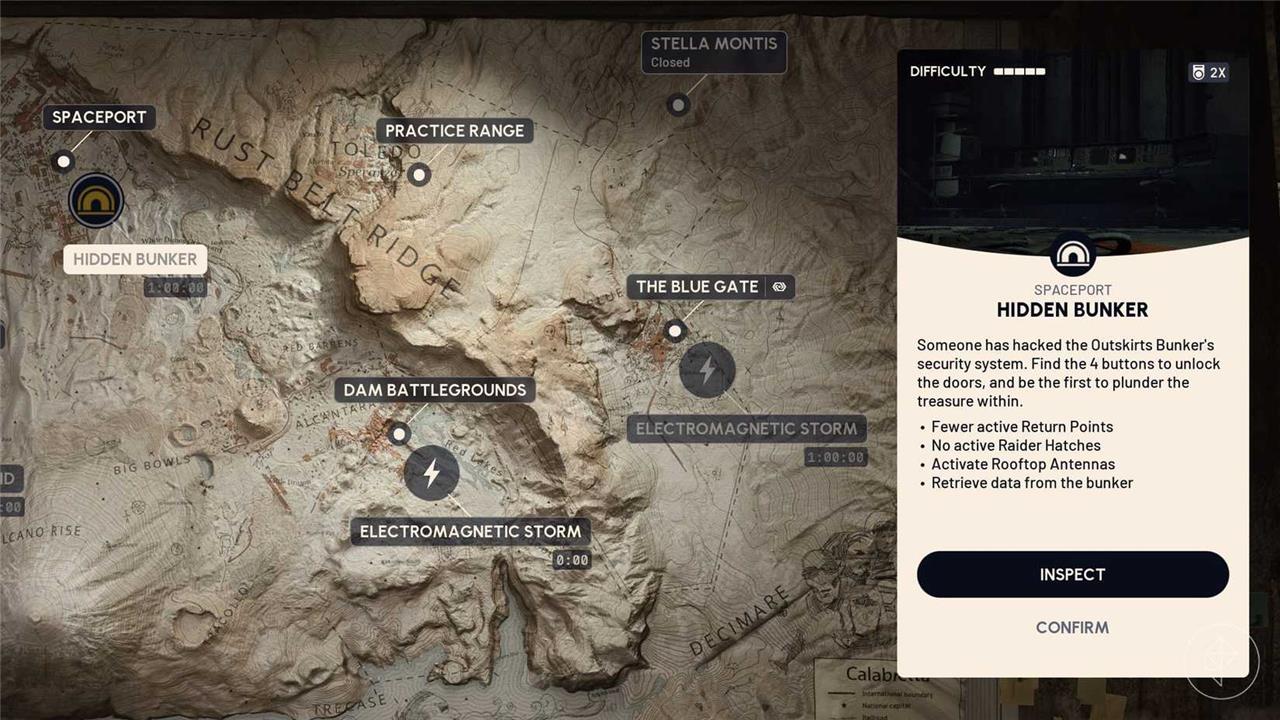
First things first, you’ll need to make sure that the Hidden Bunker map condition is active on Spaceport. The map condition is only active for an hour at a time, and its start time is a bit sporadic. To check if Hidden Bunker is coming up, press play and see if the Hidden Bunker map condition is either yellow or grayed out. If it’s yellow, the event is currently active, so make sure to queue up as soon as possible. If it’s gray, the Hidden Bunker is going to start soon. Look at the timer below the Hidden Bunker button to see how much time is left until it starts.
Before you head inside, make sure to prepare for a fight. The event itself promotes cooperation between raiders, but you’ll never know if you’ll be betrayed or if other raiders will want to work with you in the first place. Even if other raiders are willing to cooperate, you’ll still encounter a lot of Arc enemies like Bastions and Bombardiers as you run around the map and make your way to the bunker, so it’s best to gear up with some weapons and healing items.
Additionally, we recommend that you’re at least level 15, so you can participate in the “Download Data during Hidden Bunker” trial. If you successfully complete every step and safely extract, you’ll receive epic loot.
There are three steps to the Hidden Bunker event:
- Activate the four antennas around the map.
- Find the Hidden Bunker.
- Retrieve data from the eight terminals inside.
For more information on how to complete each step, check out the sections below.
Activate the four antennas
Position yourself at the bunker’s core control panel. Interact with each of the four antenna nodes marked on the map-two on the upper level near the ventilation shafts and two on the lower platform by the power relays. Power them up one by one using the nearby circuit breakers, watching for the green activation lights to confirm connection. This syncs the signal array and opens the path to the data core.
As soon as you load into a game of Spaceport with the Hidden Bunker condition, open up your map to notice four antennas around the map. Each of the antennas will spawn in one of the cardinal directions: north, east, south, and west. However, their spawn location will not be the same every game, so you’ll have to make note of each one at the start of the game. The antennas will always spawn on a rooftop, so make sure to look up and get to higher ground.
If you’re having trouble spotting the antennas and their icons, here’s what they look like in-game:
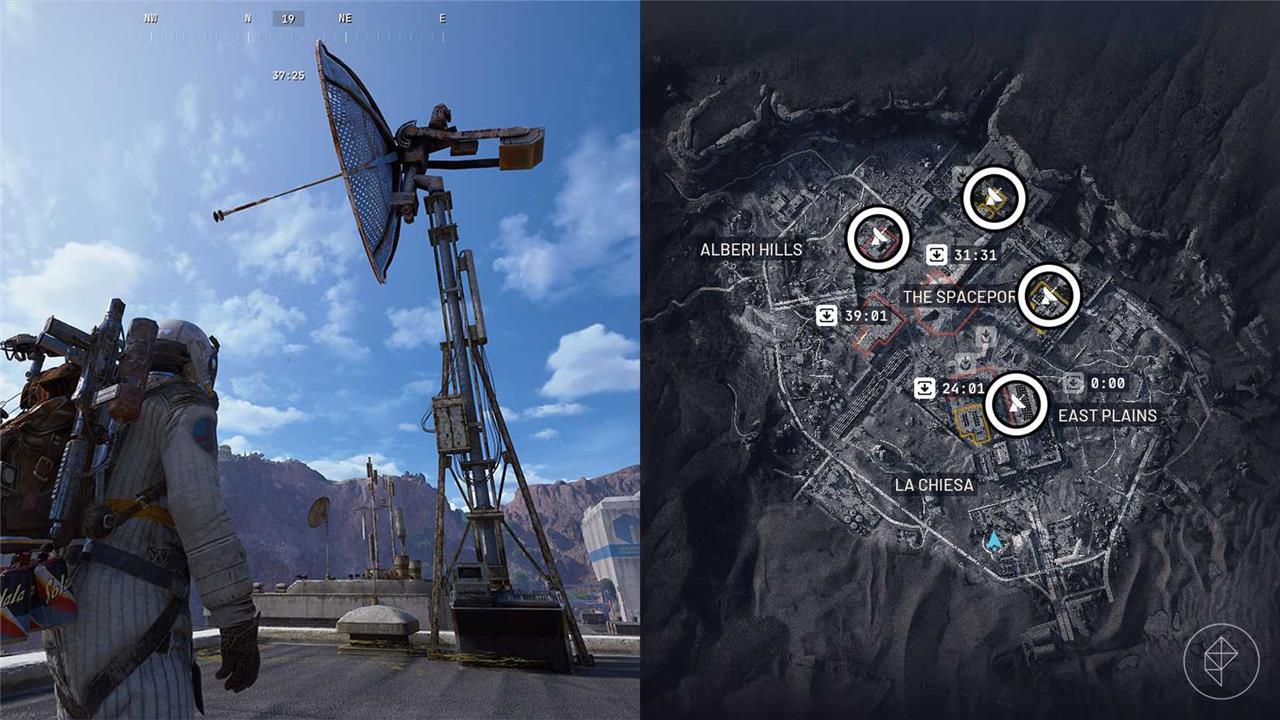
Once you reach an antenna, you’ll need to establish a connection, which can be done by interacting with the terminal at the base of the antenna. However, be careful as doing this will call in a Hornet and a Wasp. Take them out as fast as possible, and wait for the connection to be completed. Once it’s done, interact with the terminal again to send an unlock signal. This will broadcast a message to the entire lobby saying that an antenna has been successfully activated.
It’s important to note that you don’t have to activate every antenna yourself. Other raiders will make their way to the other antennas, and you’ll receive notifications of them being activated. However, if it’s taking a while to activate all four antennas, you might have to activate more than one on your own.
When all four antennas are activated, all raiders will receive the message: “Attention all raiders, Hidden Bunker is now open.”
Hidden Bunker location in Spaceport
The Hidden Bunker sits in the Spaceport’s northwest corner, tucked behind a stack of rusted cargo crates near the main landing pad. Players reach it by scanning the area with their data retrieval tool during the event, which reveals a concealed door panel after clearing nearby enemies. Once inside, grab the event items quickly before reinforcements arrive from the adjacent hangar.
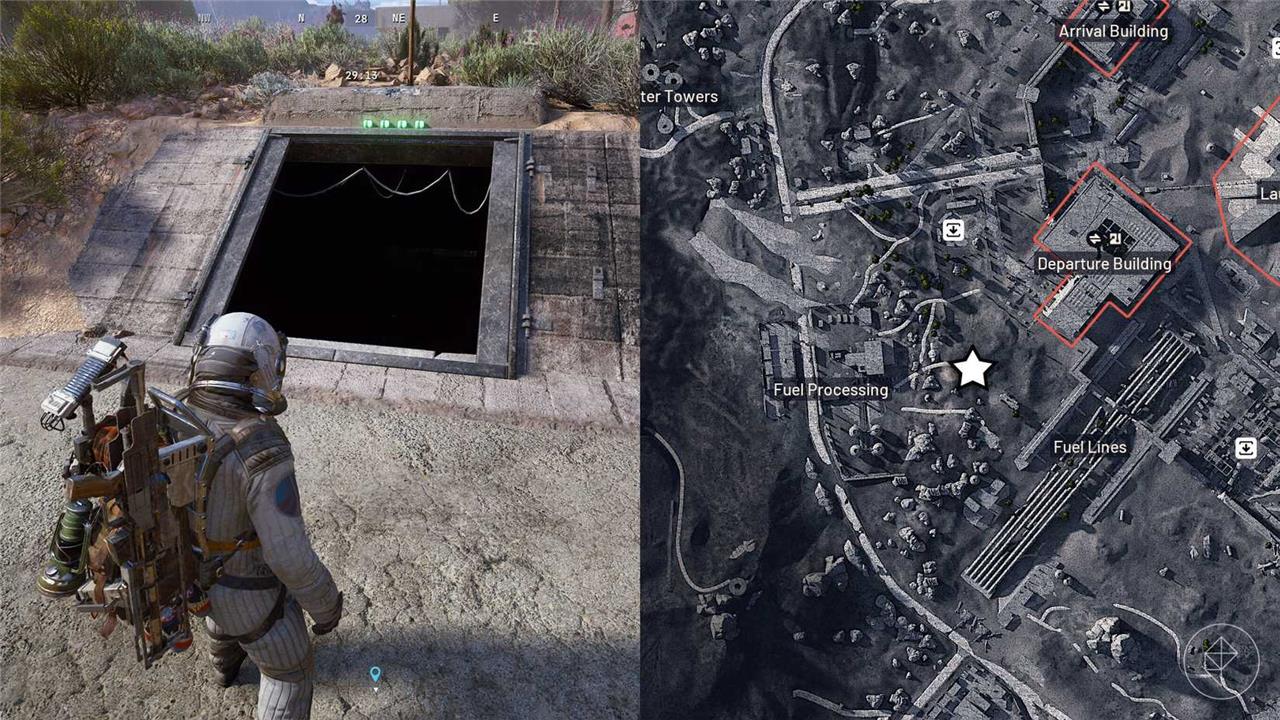
The Hidden Bunker is located between Fuel Processing and Fuel Lines, which are located in the southwestern corner of Spaceport. If you zoom in on your map, you’ll see three light gray paths in between Fuel Processing and Fuel Lines. The main entrance to the Hidden Bunker is on the middle path.
If you’re having trouble finding it, there is an alternate entrance that is found at the eastern end of the southernmost path.
Before you rush to the Hidden Bunker, it’s important to note that the surrounding area is swarming with Arc enemies. It’s common to find a couple Bastions and a Bombardier patrolling the area, so you’ll either have to sneak in or team up with other raiders to take them down. Additionally, there are a few Fireballs and Pods inside, so make sure to turn your flashlight on and look out for the roly-polies.
Retrieve data from the terminals inside the Hidden Bunker
Once inside the Hidden Bunker, head to the terminals scattered across the main chamber and side rooms. Interact with each one by pressing the designated key to initiate the data extraction sequence. A progress bar appears, filling as you hold the input-complete all terminals without interruption to finish the retrieval and claim your rewards. Watch for enemy patrols that might disrupt the process.
Now that you’ve made it inside the Hidden Bunker, it’s time to download and retrieve data from the eight terminals scattered throughout the bunker. If you head inside the bunker from its main entrance, you’ll find an array of computer terminals. At the center, one of the terminals will have a beacon light on top of it. The color of the light will indicate the terminal’s state:
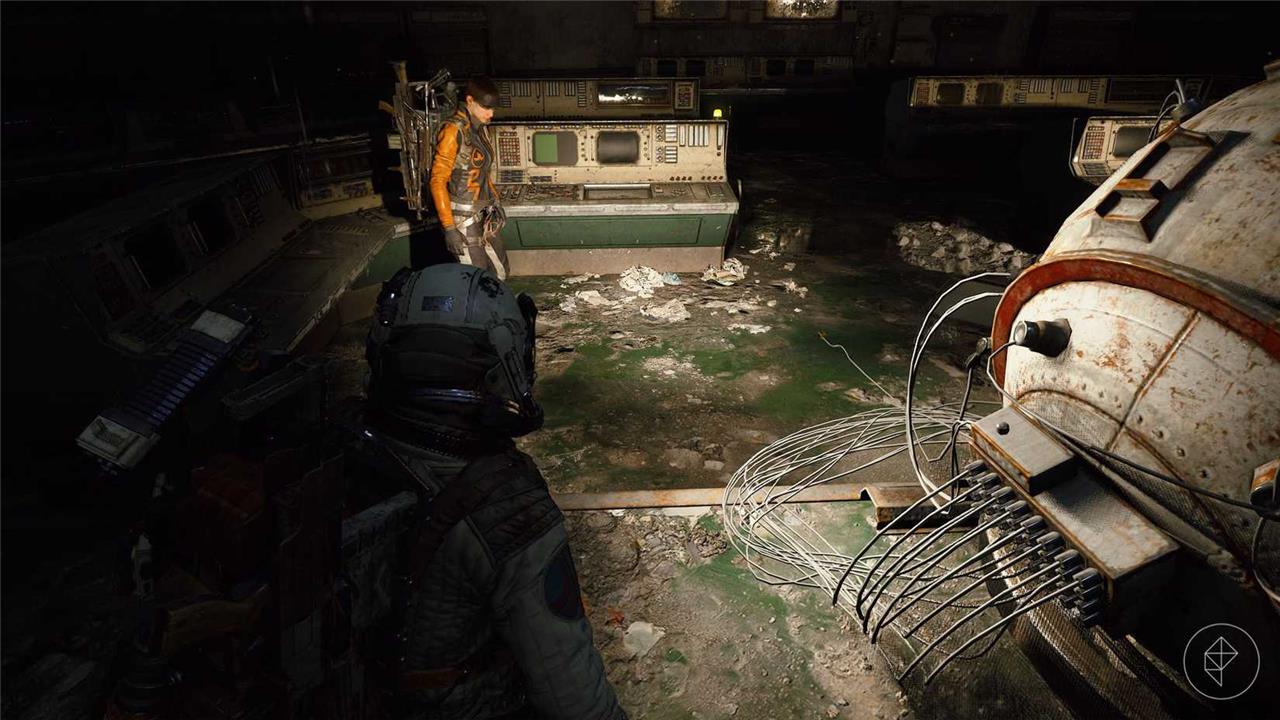
- Red light – Data is ready to be downloaded OR the data has been retrieved and raiders must waitto start the download process again.
- Yellow light – Download is in progress.
- Green light – Data is ready to be retrieved.
Your goal is to find the eight terminals with beacon lights and retrieve data from all of them, but to retrieve data, you’ll need to first download the data. Look around the Hidden Bunker for a terminal with a red light. There is one on the top floor and seven on the lower floor. If you can interact with a terminal with a red light, you can start the download process, which will switch the light to yellow. However, make sure to stay close to the terminalor else the download will terminate. Once the download is complete, the light will switch to green, and you can interact with the terminal again to retrieve data.
As there is a lot of cooperation between raiders during the event, it’s very likely that you won’t have to begin the download process at every terminal yourself. If another raider starts the download process, you can still retrieve data from it. Simply wait for the download to finish and wait for your turn to retrieve the data. You can only retrieve data from each terminal once, so make sure to keep track of which terminals you’ve already interacted with.
Once you’ve successfully retrieved data from every terminal, it’s time to extract. However, the Arc Raiders community believes that there’s more to the Hidden Bunker and are looking to uncover more of its mysteries. You’re welcome to look around more, but we recommend extracting to complete the “Download Data during Hidden Bunker” trial, so you can receive epic loot.
How to activate the four antennas
The four antennas in Arc Raiders’ Hidden Bunker event on the Spaceport map are marked with white satellite icons and spawn randomly on rooftops near the map’s center edges (north, east, south, west).
Activation Process
Each antenna requires two interactions to fully activate. The first interaction triggers a brief alarm that spawns Wasp and Hornet ARC enemies nearby; defeat them before proceeding to the second interaction, which completes it and notifies all lobby players of progress.
Tips for Success
Antennas are often elevated, so bring ziplines or use high ground for access. One player can activate all four, or coordinate with others since progress is lobby-wide; zoom out the map fully to spot unactivated icons easily.
What enemies spawn during antenna activation
Wasp and Hornet ARC enemies spawn during the first activation of each antenna in Arc Raiders’ Hidden Bunker event.
Enemy Details
These flying ARC types appear immediately after the initial interaction, triggered by a brief alarm sound. They swarm the area around the antenna, requiring players to clear them before the second interaction activates it fully.
Combat Advice
Use anti-air weapons or ziplines to gain height advantage against Wasps and Hornets. Defeating them quickly prevents reinforcements and notifies the lobby of progress.
