
Drifting into Luna’s Slumber Island lets players explore dreamy versions of other islands, where imagination replaces reality and time stands still. Here’s how this ethereal feature works-and how you can use it to wander through worlds shaped by other players’ creativity.
How to unlock Luna’s Slumber Islands
Upgrade your tent to a house and place a bed inside. Lie down on the bed, select the sleep option, and speak with Luna who appears. The next day, check mail for her letter granting access to Slumber Islands, then repeat the process and choose “It’s slumber time” to enter.
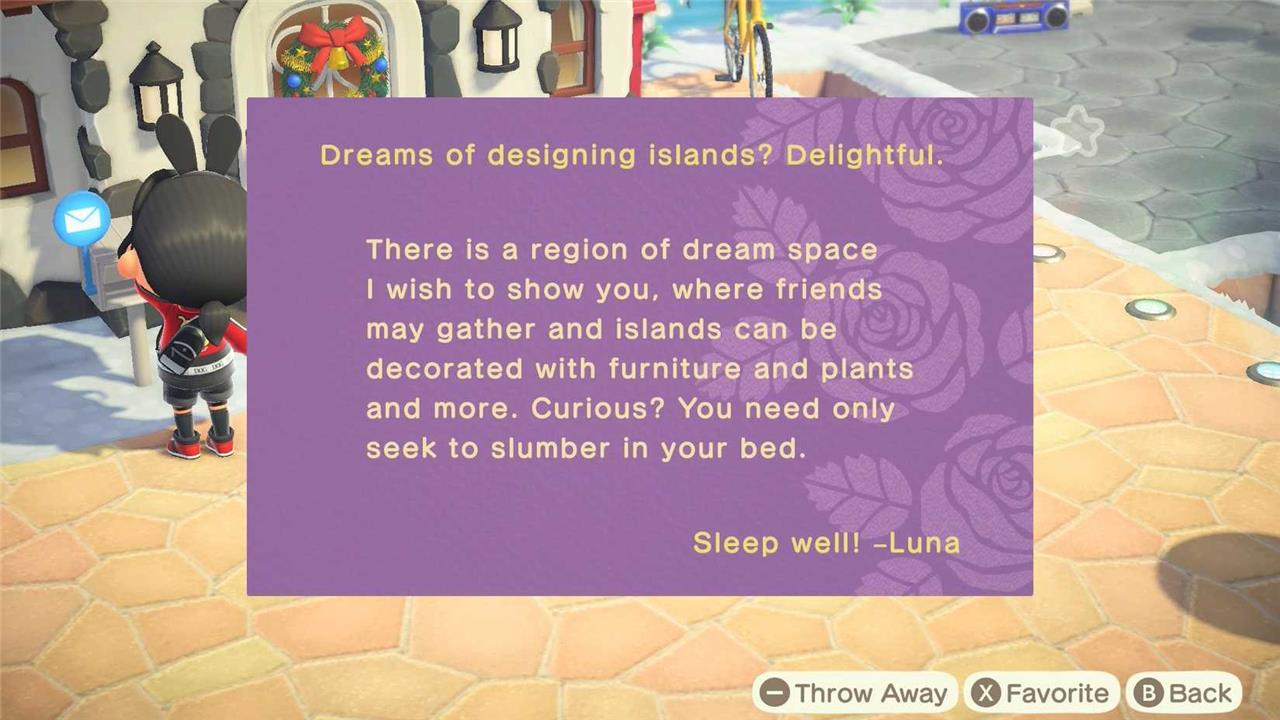
If you were an extensive New Horizons player in the past, it’s likely that you’ll open the game and immediately have a letter from Luna talking about a region of dream space she wants to show you. If you don’t have that letter, you’ll need to make sure you’ve done what we’ve outlined below.
Based on our testing, it seems like you can unlock Slumber Islands as long as you have Luna and her Dream Islands unlocked to begin with – which just requires you to have a house (upgraded from your original tent). Here’s a breakdown on how to unlock Slumber Islands:
- Upgrade your house from a tent. You should get mail from Luna the next day.
- Lay on a bed, and choose to sleep (rather than just lie down).
- Talk to Luna and choose whether you’d like to upload your island as a Dream Island. We uploaded our island, but it’s possible that you may not have to actually upload your island to get the invite.
- Wait one day and another letter should show up in your inbox that looks like the one below. This will unlock Slumber Islands.
What are Slumber Islands in Animal Crossing: New Horizons?
Slumber Islands in Animal Crossing: New Horizons are customizable dream islands accessed through Luna after sleeping in a bed at home and selecting “It’s slumber time.” Players can create up to three such islands in various sizes and layouts, using them as sandbox spaces to freely terraform terrain, place catalog items like furniture and paths, and alter cliffs or rivers without inventory limits or crafting needs. These islands lack buildings beyond the player’s house, support online multiplayer visits with friends who are online, and require a Nintendo Switch Online subscription, with changes saved separately from the main island.
This is a full sandbox mode, allowing you to decorate the island as much as you want. Once you lay on your bed, select “It’s slumber time,” to get whisked off to this snoozy dimension with Luna. From here, you can opt to load one of your islands or visit one of your friend’s islands. (Your friend has to be online and at their Slumber Island in order to visit. It’s not an offline visit like their Dream Addresses.) If you’re making your own Slumber Island for the first time, you’ll be prompted to pick a size and then a layout of that size.
Once you’re on your desired Slumber Island, you can freely decorate as you see fit. You can place any item down, as long as you have it registered in your catalog. You can also add residents to your island, dropping them in the same way you would furniture. Based on our testing, you can invite current and past residents of your island to interact with, but they won’t have much to say.
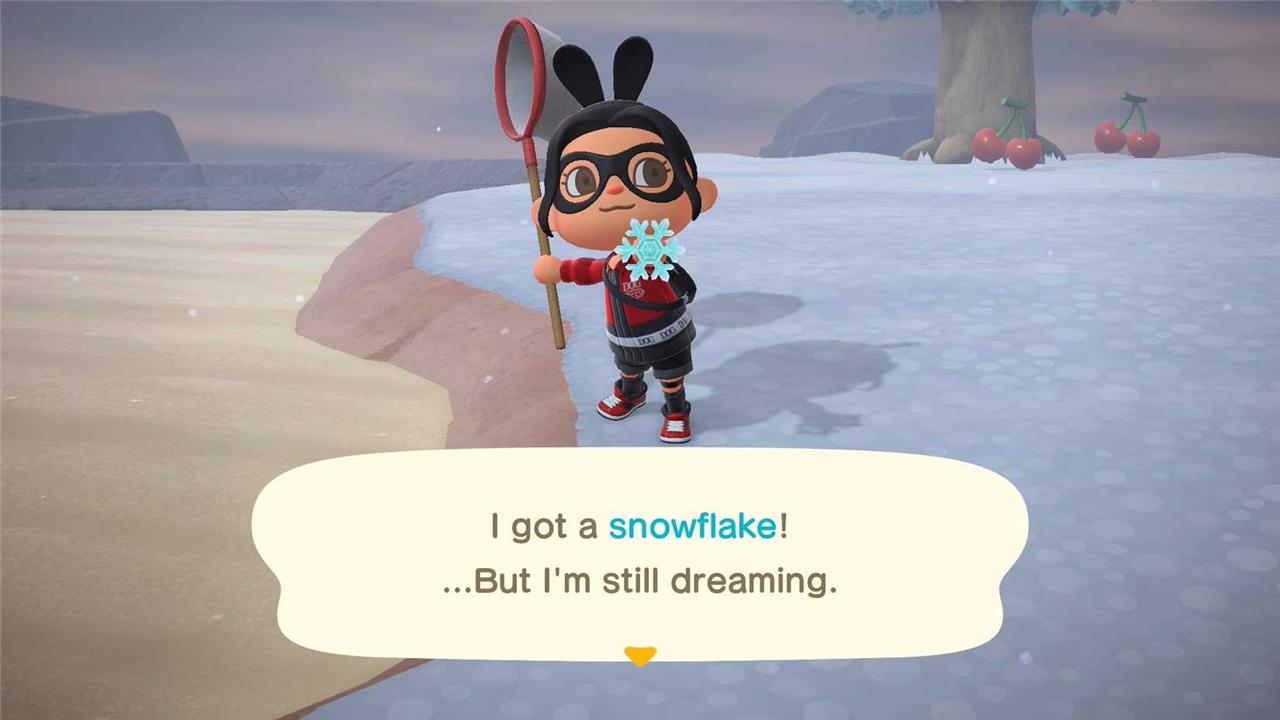
On these islands, you can also catch fish and bugs, but nothing you get will actually be added to your inventory. This includes snowflakes you may catch floating around in the sky or fruit you shake off of trees.
When it comes to customizing your Slumber Island, you can also do the following:
- Interact with the wardrobe and vanity in the corner of the dock, allowing you to change your appearance while you’re on the Slumber Island.
- Talk with Lloyd, allowing you to move or redesign your house, add bridges and stairs, or get Pitfall Seeds to plant around.
- Place any furniture, greenery, or other decor that is already part of your catalog.
- Use up to 100 different custom design patterns per Slumber Island.
- Terraform the island freely.
- Change the time and weather by pressing Left on the D-pad.
Can I visit friends on their Slumber Islands without Nintendo Online
No Online Access Without Subscription
Visiting friends’ Slumber Islands in Animal Crossing: New Horizons requires a Nintendo Switch Online subscription for all players. Slumber Islands operate through online multiplayer, needing an active internet connection and NSO membership even for guests. Local play is not supported, unlike traditional island visits.
Access Requirements
To join a friend’s Slumber Island, lie in a bed at home, select “It’s slumber time,” and choose their island from your friends list or enter a Doze Code via Luna. The host must be online and actively hosting. Without NSO, players cannot connect online and are limited to solo main island play or local wireless for standard visits.
Alternatives
No workaround exists for online Slumber Island visits without NSO, as confirmed across guides. Players without subscriptions can still create personal Slumber Islands solo if subscribed individually, but multiplayer remains gated.
How do Doze Codes work for Slumber Islands
Doze Codes function as temporary, single-use access keys for Slumber Islands in Animal Crossing: New Horizons, similar to Dodo Codes for main island visits.
Generating a Doze Code
Hosts create one by entering their Slumber Island, speaking to Luna, and selecting “Invite others,” then “Create a Doze Code.” This produces a unique five-character alphanumeric code shareable with anyone, even non-friends, for either friends-only or public access. The code activates only while the host remains online and in-session.
Using a Doze Code
Visitors lie in bed at home, choose “It’s slumber time” via Luna, select “Someone else’s island,” then “Search by Doze Code,” and input the code to join instantly. Each new session requires a fresh code, as they expire when the host leaves or closes access. All players need Nintendo Switch Online for connectivity.
